Hello,
is it possible to display the simplepress search field on other wp sites f.e. in my nav bar instead of the standart wp:search field!
Thx for your help 


Hello,
is it possible to display the simplepress search field on other wp sites f.e. in my nav bar instead of the standart wp:search field!
Thx for your help

other wp sites? no, it must be used on the same site wp and the forum is installed on…
if you really just meant you want to change the location within the site, then you should try our blog search plugin which includes a search widget… it does allow for searching the blog and the forum though…
Hi ,
thx 4 your fast response
Right i want to use the simplepress search field on my WordPress Theme (The WP where i’ve installed SP).
I want to remove the WP search and replace it with the sp search. The blogsearch-plugin is already installed.
But i dont know how i can place the search field outside the forum f.e. in my WP Navbar!
its a widget… so it can go anywhere a widget can go… so I would assume you have a widget area in your header? I mean you cant have a search in the navbar, but you can in a section of the header that is say next to the navbar… but you need it widgetized…
Okay … i understand.
BUT the main Problem is, i’ve installed blogsearch plugin in the sp-plugin section, when i look for my available Widgets (in the WP Admin Dashboard) i dont see any sp widget but the recent post widget!
did you activate the simple press blog search plugin? if you, a widget does get added… its called ‘Blog and Forum Search’…
the blog search blog plugin is installed an activated …. just deinstalled it and now reinstalled an activated it. But in WP: Dashboard – Designs – Widgets i found no new Widget!
what version of wp are you on??? there is no design anymore… its appearance – widgets…
can you post a screenshot of your widgets panel? not sure how it wouldnt be there…
Sry….Design is it in german translation!
i’m using WP 3.6.1 and Blog Search 1.0
I attached a jpg of my widget panel and the list of my installed sp plugins
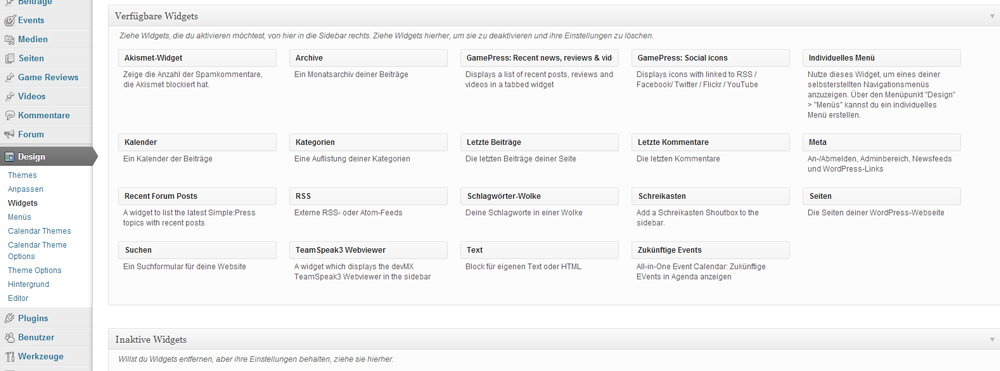
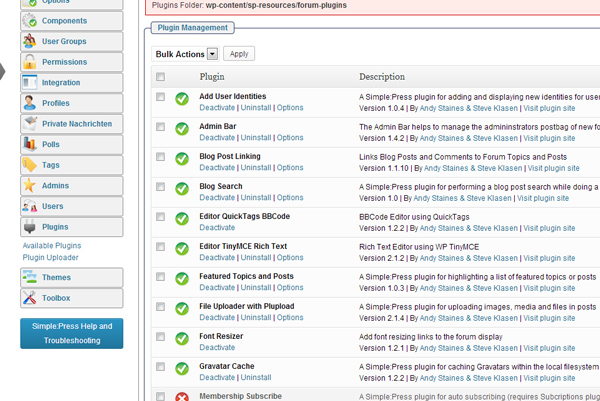


can you look in the sp plugins directory? wp-content/sp-resources/forum-plugins/ and verify the name of the blog search plugin directory is blog-search? and does not have a number appended?
Of course i can
/wp-content/sp-resources/forum-plugins/blog-search
i attach here the install.php
I’m not so experienced with WP….but it does not look like there is a widget to install?
the reason for the verification was because sometimes the wp installer gets its wrong and add a digit at the end causing the plugin to fail…
well, it wouldnt be in the install file… that’s stuff only done once at activation… its of course in the widget folder, file sp-search-widget.php… and its always included in the main plugin file…
so please verify you have version 1.1 of blog search…
Good to know
i’m sry i have the version 1.0  Yout Download Page is linking to 1.0 and WP do not show me any update :/

It looks like V1.1 didn’t get publicly released yet. It might have got stuck between a closed ticket and an open one. It seems to be working fine on my test sites though. I am sure Steve will know why and can fill us in when he get’s a chance.
oh yeah, my bad…. 1.1 will be coming out this weekend (maybe should be 1.0.1 though)… wont affect anything you are doing, just a couple of notices clean up…
I am afraid I have no clue why you dont see the widget… no other users have reported and it shows up fine on my 8 test sites I checked…