Support Forum

Best way to display points for being thanked

RC Ryan Collins
Ryan Collins
Member

I just installed Cubepoints, as well as the simple press Thanks plugin.

When someone is thanked they ought to receive 10pts.

I have thanked this person but their new point count is not showing.

What’s the best way of displaying points gained for being thanked?

16 Answers

New Answer

MP Mr Papa
Mr Papa
Member

have you seen the plugin info page:  https://simple-press.com/documentation/codex/plugins/our-plugins/available-plugins/cubepoints/

there are template tags for displaying info…

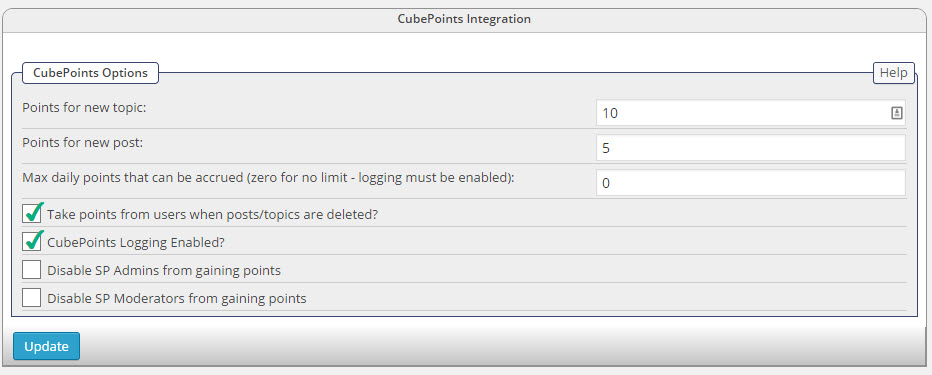
can you show a screenshot of the sp cubepoints admin panel with the points set up?

RC Ryan Collins
Ryan Collins
Member

Yep, no problem…

cube-1.jpg

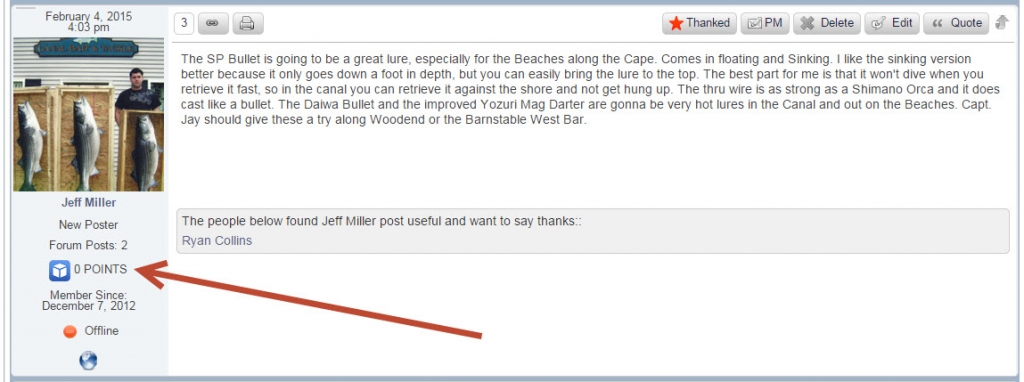
The only place I need to show points is within the forum, where the arrow is pointing below. 

points.jpg
MP Mr Papa
Mr Papa
Member

so you asked about points for thanking a post… cubepoints doesnt support that… cubepoints (the wp plugin) has been abandoned for a couple years or so now…  so we have not updated ours…  the 10 points in your setup is for new topics, not when a post is thanked..  and, of course, would only apply to new activity in the forum since activation and setup…

is cubepoints heavily integrated into your site?  if not, I would suggest checking out the wp mycred plugin and then our mycred integration plugin…  we have more options on how you can give points to  users, including when a post is thanked…

RC Ryan Collins
Ryan Collins
Member

Mycred is much better, thanks!

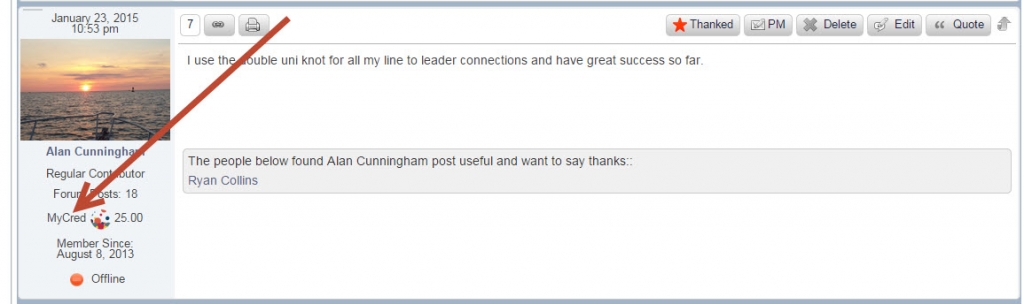
Any idea how I can edit the text so it reads “POINTS” instead of “MyCred”?

Is there a way to edit/change that little image next to MyCredmy-cred-points.jpg?

IK Ike
Ike
Member

Hey Ryan,

Yes you can change the text to say whatever you’d like. Just open your spTopicView.php template in sp-resources > forum-themes > yourtheme > templates > spTopicView.php.

Locate the line:

if (function_exists(‘sp_PostIndexMyCred’)) sp_PostIndexMyCred(‘tagClass=spPostUserMyCred spCenter’, __sp(‘MyCred ‘), __sp(‘MyCred’));

You can then edit the last two fields where you see (‘MyCred’). The first field is the label which you’ll see on the forum, and the second field is for the tooltip which you’ll see when you hover over the points.

Not sure whether you have a custom theme or not, we’d definitely recommend a custom or child theme if you are making changes, and if you are using child themes – you might need to just copy the spTopicView.php template in from the parent if you haven’t already got it.

Hope that helps!

YS Yellow Swordfish
Yellow Swordfish
Member

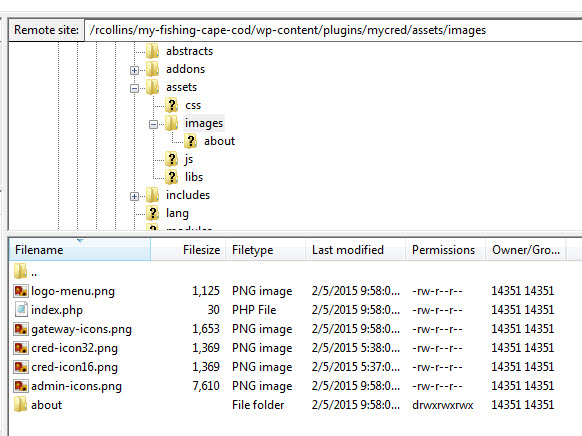
You can replace the image quite easily. Create whatever icon you prefer of the same image type (png) and give it exactly the same name as the original (in the myCred plugin resources/images folder).

You can then copy the new image to the /images folder of your SP theme – and as Ike said you really should maker a child theme. After this the replacement image will be used.

RC Ryan Collins
Ryan Collins
Member

Awesome, I was able to change the text with no problem. Thank you!

To replace the image, is this where I should be looking?

images.jpg

I’m also trying to find the images folder for my SP theme but don’t know where to look. It appears there are many Simple Press folders to sift through as I look via File Zilla. 

Any insight is much appreciated!

IK Ike
Ike
Member

Good stuff!

You want to put the custom icon in your themes images folder, as Andy said – using the name of the MyCred image you are replacing.

So you want to put the copy of the image in:

wp-content > sp-resources > forum-themes > yourtheme > images

KV kvr28
kvr28
Member

question about mycred, I am testing it on my staging server after reading this thread, is there any way to make it take in account for posts and thanks before the plugin was installed?

MP Mr Papa
Mr Papa
Member

only manually…  you would have to adjust the db values for users…

TK Tina Kane
Tina Kane
Member

Is there a way to remove the mycred image completely?

MP Mr Papa
Mr Papa
Member

sorry, what mycred image?  should this be a new topic?