Support Forum

Cannot create new topic

JV jvcasill
jvcasill
Member

Hello, 

I have successfully installed the simple:press forum. Everything seems to be working as it should with one exception: I am unable to create new topics. Using firefox, if I hover over the “add topic” button, I see the following:

javascript:void(null)

Everything else seems to be working fine. Here is the link to my website if that helps: www.lingreference.org/forum/ 

I can supply temp account details through pm if necessary. Thanks for your time.

13 Answers

New Answer

MP Mr Papa
Mr Papa
Member

as to the void stuff, see:  http://codex.simple-press.com/codex/faq/troubleshooting/i-am-seeing-javascriptvoidnull-for-a-browser-link/

looks like this might another case of a wp theme using bootstrap js library which is known to conflict with the jquery ui library wp uses…

run a quick test and try a temp switch to the default wp theme and see if it clears up…

if so, we can help you adjust the theme to load bootstrap library in a wp friendly way…

JV jvcasill
jvcasill
Member

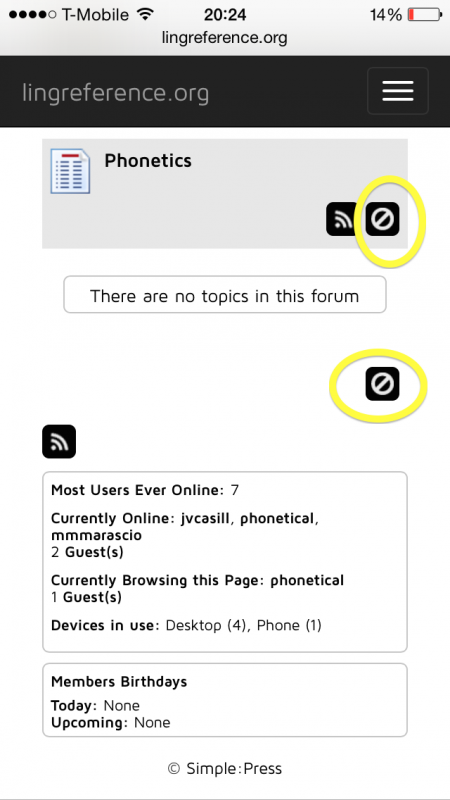
Oddly enough this is what the forum looks like on my cell phone. The “add topic” buttons are circled.2014-06-05-20.24.54.png

JV jvcasill
jvcasill
Member

Mr Papa said
as to the void stuff, see:  http://codex.simple-press.com/codex/faq/troubleshooting/i-am-seeing-javascriptvoidnull-for-a-browser-link/

looks like this might another case of a wp theme using bootstrap js library which is known to conflict with the jquery ui library wp uses…

run a quick test and try a temp switch to the default wp theme and see if it clears up…

if so, we can help you adjust the theme to load bootstrap library in a wp friendly way…

I switched to the theme 2012 and the “add topic” button works as expected. I’m curious as to why this didn’t happen in the previous installation (it used the same theme as the one causing errors now). So, I need to modify the bootstrap .js?

MP Mr Papa
Mr Papa
Member

perhaps try going to forum – integration – page and permalink and make sure the forum js is loaded in the footer…

possible doing that (and may have been done on the other site) will force the proper loading of jquery ui and bootstrap…

JV jvcasill
jvcasill
Member

Mr Papa said
perhaps try going to forum – integration – page and permalink and make sure the forum js is loaded in the footer…

possible doing that (and may have been done on the other site) will force the proper loading of jquery ui and bootstrap…

That fixed it! Thank you once again for your help.

JV jvcasill
jvcasill
Member

aaaand I’m back. The desktop version works perfectly. The mobile version still has the funky icon.

MP Mr Papa
Mr Papa
Member

is your wp theme responsive?  what sp theme are you using for phones and tablets?

JV jvcasill
jvcasill
Member

Yes, my wp theme is responsive. I am using unified for phones and tablets.

MP Mr Papa
Mr Papa
Member

is it the same if you try another overlay (ie color) within unified?  more than likely its something coming from your wp theme, but want to rule out a specific overlay issue first…  its not a general problem with unified…

JV jvcasill
jvcasill
Member

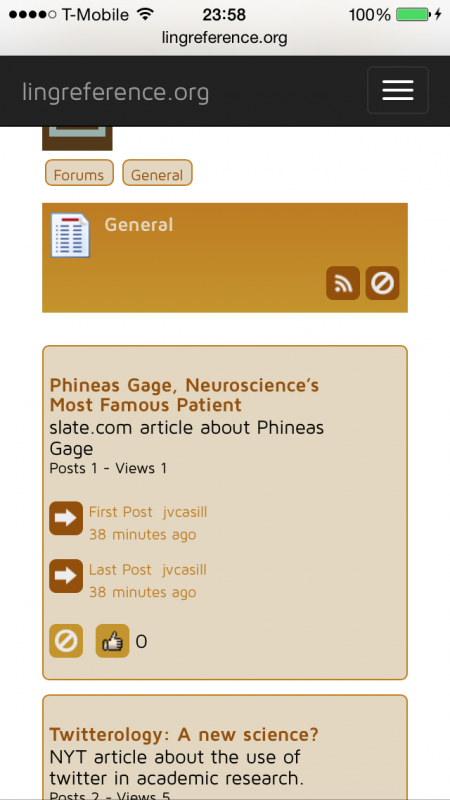
I switched to unified autumn and still get the same icon.


2014-06-05-23.58.20.png
YS Yellow Swordfish
Yellow Swordfish
Member

Well that icon means you can not post. So – are you sure you are actually logged in to your site in your cell phone?

JV jvcasill
jvcasill
Member


Yellow Swordfish said

Well that icon means you can not post. So – are you sure you are actually logged in to your site in your cell phone?

I’m on fire today with the silly questions. embarassed

Thanks again.