Hi boys.
I cannot upload avatars any longer. It was working perfectly, I upgraded the plugin a couple of days ago and now I have this problem.
The function to load a photo is not there.
Any advice?


Hi boys.
I cannot upload avatars any longer. It was working perfectly, I upgraded the plugin a couple of days ago and now I have this problem.
The function to load a photo is not there.
Any advice?

That’s a bit confusing. Do you mean your users can not upload avatars in their forum profile? What do photos have yo do with it please? More detail if you can…
Users cannot upload avatars. I upload the avatars for them.
I keep the function blocked.
I wanted to upload one for a user and I can’t.
Ok – no known problems. Working here and on all test sites and that code hasn’t changed for a long time.
Can you see if your web console is showing an error when you try as it is most likely a new conflict with something you have that is changed or added.
http://simple-press.dev/documentation/codex/faq/how-to/how-to-use-your-web-browser-console/ – if you need it.
I can see this error:
Failed to load resource: the server responded with a status of 400 (Bad Request)
OK – talk me through it please. Can you give me a step by step description of what you are doing and also the name of the file you are trying to upload?
And if there is anything odd about the file name you are uploading can you change the name? Does it have a space in it for example – although I would be surprised if that caused a 400.
OK Steve, I am attaching an image.
There is no tool to upload a picture, even if in admin–>forum–>profiles and so on it is allowed.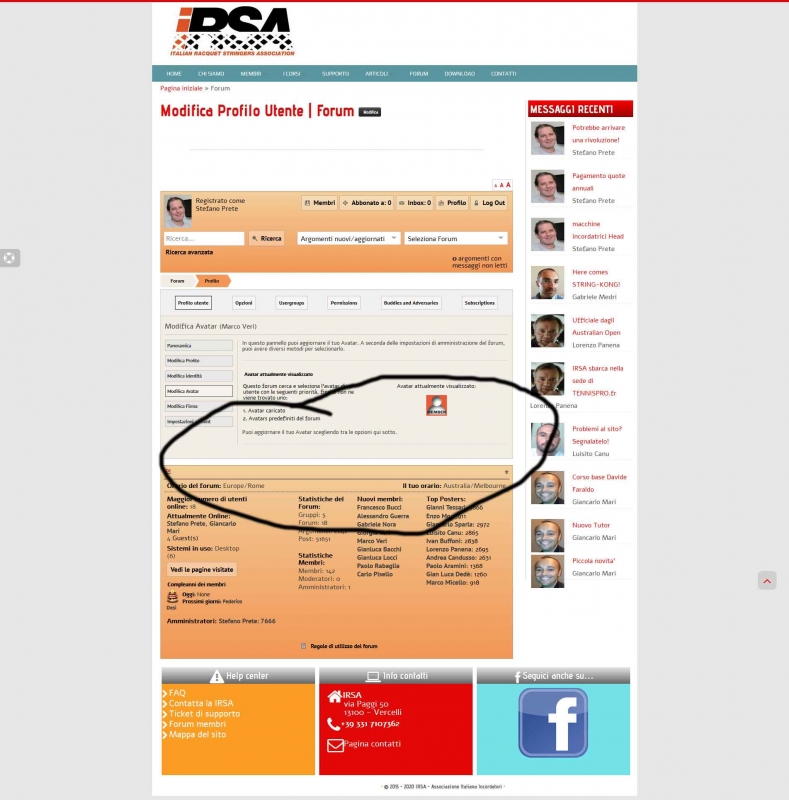

Sorry Stefano – but I can’t read that at all. Far to blurry. And it is probably in Italian and I haven’t started my language lessons yet!
So confirm for me please: Forum admin > profiles > avatar options. ‘Enable avatar uploading’ IS turned on. yes?
And even if yes – please update the admin panel anyway…
You are going to have to stop calling me ‘Steve’ 🙂
Open the admin panel and just click on the update button at the very bottom. I just want to make sure your profile avatar options are all flushed.
Please – can you also give me your current avatar priorities list as shown on that admin panel?
Sorry Andy!
I am getting too old! 
Done! The priorities are:
– Loaded avatar (or something like that…)
– SP Avatars
– WP Avatars
– Gravatars
Plus other 2 I don’t know how to translate properly.
They are as they have always been.
OK – let’s try something if you would.
Go to the avatar options admin panel again. As anything after SP Avatars makes no difference – drag Gravatars to be above WP Avatars, And then update the panel again.
If this makes no difference to the profile then it will be time to take a look at your error log. Maybe while you are in the admin side you could clear your current error log in the toolbox so that we can see if anything gets triggered when the profile form/avatar tab is opened.
Nothing changed, Andy.
Error log cleared, nothing gets triggered when I open the form/avatar tab…
By form/avatar tab you DO mean the profile – avatar yes? I assume you do.
So let’s try and narrow things down a little. You say this happens when you edit other peoples profiles. What about your own? Do you see the full upload section then?
