Support Forum

Can't access Forum admin windows

JT Jimmy Thomson
Jimmy Thomson
Member

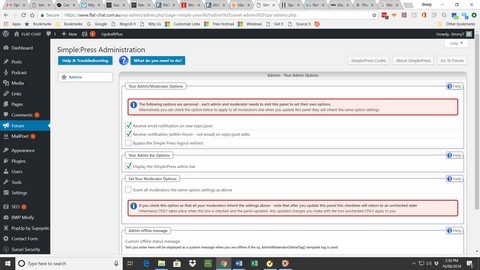
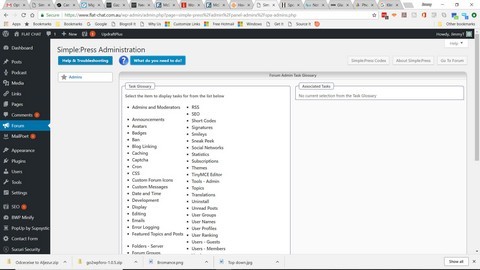
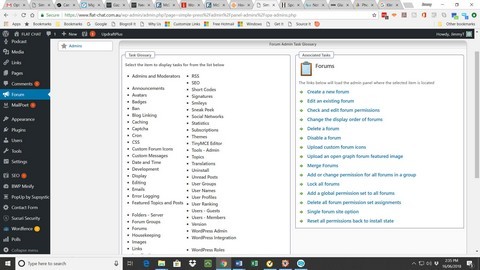
I have just gone into the Forum menus (having seen the message about Simple:Press and your uncertain future) only to find the drop-down menu system has gone to be replaced by a lateral options system which only allows me to access the admin and moderators option page. 

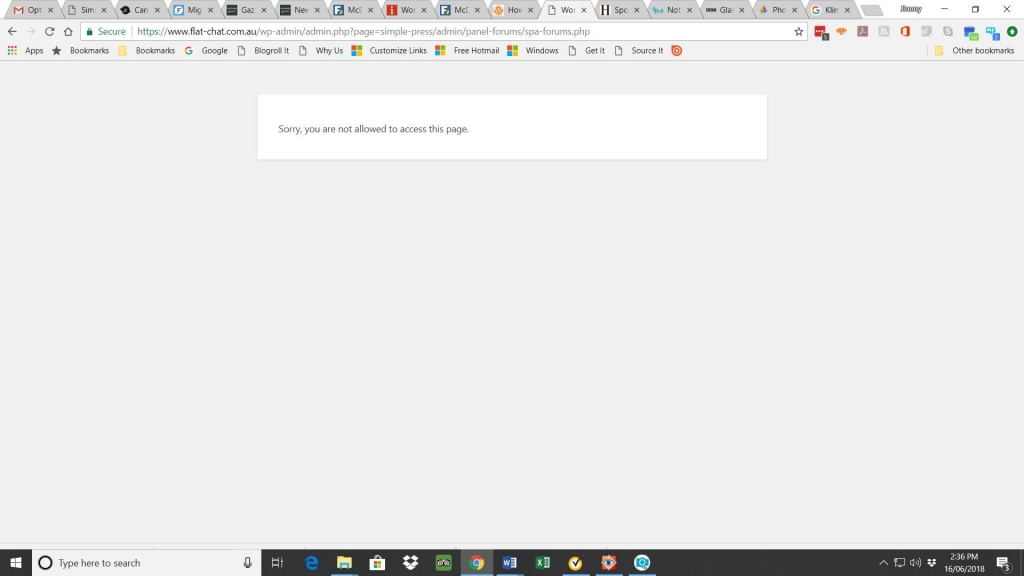
When I click on any other option I first get a choice of sub-topics and when I click on any of them, I get this: “Sorry, you are not allowed to access this page.”

I am running WordPress 4.9.6 with all Simple:Press plugins and themes up to date.

Any thoughts? 

25 Answers

New Answer

YS Yellow Swordfish
Yellow Swordfish
Member

the drop-down menu system has gone to be replaced by a lateral options system

Actually – the forum menu system has not changed since V5 – about 2012 I believe! If it is messed up then I would suspect another plugin you have active may be influencing it or – more likely – causing a script error disallowing the menu script to function.

only allows me to access the admin and moderators option page

I am unsure if this would in any way be related to the above but if it is not then the first question would be are you logged in as the SP Admin user?

A screenshot of both of these conditions might be useful – one of the access denied message particularly.

Another obvious question would be – is this a new install or have you been using it for a while? If the latter and it used to work just fine – and on the basis that there has not been an SP update for several months now – then what else has changed/been added to your website? New plugins for example?

JT Jimmy Thomson
Jimmy Thomson
Member

No new plugins have been added between this working and not working but there have been a few updates.

I’ll try switching the plugins off until I find a culprit.  Meanwhile, I attach screenshots, slightly out of order (4, 1, 2, 3) showing what happens when I click on “forum” in the menu sidebar, then “what do you want to do in Screen 1.

Sorry about the confused order but I had to send in two batches due to the size restrictions on uploads.

FC-screenshot-4.jpg00001-r.jpg00002-r.jpg00003-r.jpg

MP Mr Papa
Mr Papa
Member

So wait a minute… That isn’t a horizontal menu…it appears to be showing that the user you are using doesn’t have permission/capability for the other admin panels… It kind of looks like you are accessing with a moderator account 

Are you sure this use is a sp admin? Note, I did not ask if wp admin. Those are two different things..

After install, only the wp admin who did the install is sp admin but they can add more  

YS Yellow Swordfish
Yellow Swordfish
Member

I agree with @mr-papa which is why I asked the question in post #2 regarding being logged in as the SP Admin.

Also the first screenshot – showing the denied access message – is coming from WordPress itself and is not being generated by Simple:Press. We do not use that and I am unsure what would cause that. Maybe some sort of security plugin perhaps?

As I know of one other person who has had that particular issue (and who has not yet come back to me) perhaps you could also tell me what WordPress theme you are using.

JT Jimmy Thomson
Jimmy Thomson
Member

OK. They sound like reasonable possibilities. Bear with me while I find out if I have logged in any other way than as both site and SP admin

JT Jimmy Thomson
Jimmy Thomson
Member

I am logging in via the SP interface and it allows me to perform all the admin functions like editing and using the toolbox, but it won’t allow me to access the Admin links.

I am using the WP-Bold theme from Solostream 

JT Jimmy Thomson
Jimmy Thomson
Member

I have tried loading another theme but the result is the same.  This is not a pressing issue but it will be when I have to deal with an errant user or the plugins need updating.

MP Mr Papa
Mr Papa
Member

logging in through the sp interface wont make you an admin, that is how all users log in…  Also, editing and using forum tools are permissions based vs admin based…  any user can have permission to use them…

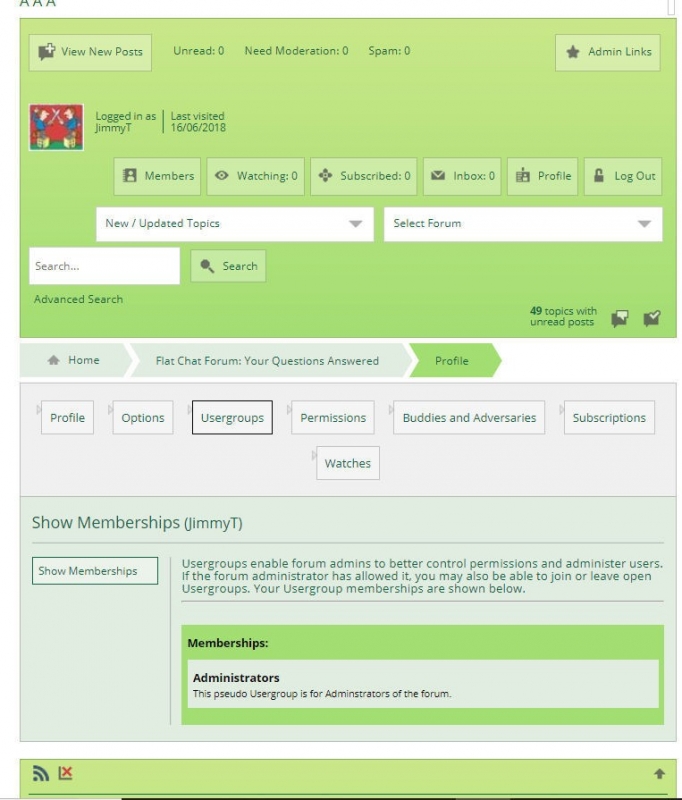
on the forum front end, when you view your sp profile, what does it show you as?  perhaps a screenshot?  or in the footer of any page in the stats area, does it list your user account in the admin section?

and do you have a link to your forum you can share?

JT Jimmy Thomson
Jimmy Thomson
Member

Mr Papa said
logging in through the sp interface wont make you an admin, that is how all users log in… 

Yes, but I am an administrator and I’m listed as such at the foot of the screen

Also, editing and using forum tools are permissions based vs admin based…  any user can have permission to use them…

Yes, but they don’t in my website.

on the forum front end, when you view your sp profile, what does it show you as? 

Administrator

perhaps a screenshot?

FC-Profile-2.jpg

  or in the footer of any page in the stats area, does it list your user account in the admin section?

Yes

and do you have a link to your forum you can share?


https:www.flat-chat.com.au/forum

MP Mr Papa
Mr Papa
Member

so lets try going to forum – toolbox – housekeeping and resetting the auths cache… dont think it will help, but want to verify it first…

next step will be to see what your wp capabilities are in the wp user meta entry in the db…  we may have to reset them for you for some reason…

JT Jimmy Thomson
Jimmy Thomson
Member

Also, just in case, this is the address that gets called up when I click on the Forum admin link in the Dashboard menu: 

https://www.flat-chat.com.au/wp-admin/admin.php?page=simple-press%2Fadmin%2Fpanel-admins%2Fspa-admins.php

JT Jimmy Thomson
Jimmy Thomson
Member

Mr Papa said
so lets try going to forum – toolbox – housekeeping and resetting the auths cache… dont think it will help, but want to verify it first…

That’s part of the problem – I can’t access the Toolbox or any of the other menu options.  Even when I follow the prompts on this weird display, I eventually get to the “you don’t have access to this page” message

next step will be to see what your wp capabilities are in the wp user meta entry in the db…  we may have to reset them for you for some reason…


OK, what do I need to do?  

MP Mr Papa
Mr Papa
Member

DOH!  sorry…

Please see this post:  https://simple-press.com/support-forum/sp5-general-topics/manually-add-new-simplepress-forum-administrator/#p158568

JT Jimmy Thomson
Jimmy Thomson
Member

OK.  I think I might leave this to my web designers as I can sense my potential for screwing things up growing rapidly.  Thanks.  I’ll let you know how I go.