

Hello,
I am experiencing a weird problem with Simple Press since I updated to a new theme for my Blog.
The new theme I installed and tweaked is Newspaper from themeforest.net, it is a clean theme that is widely used and well maintained.
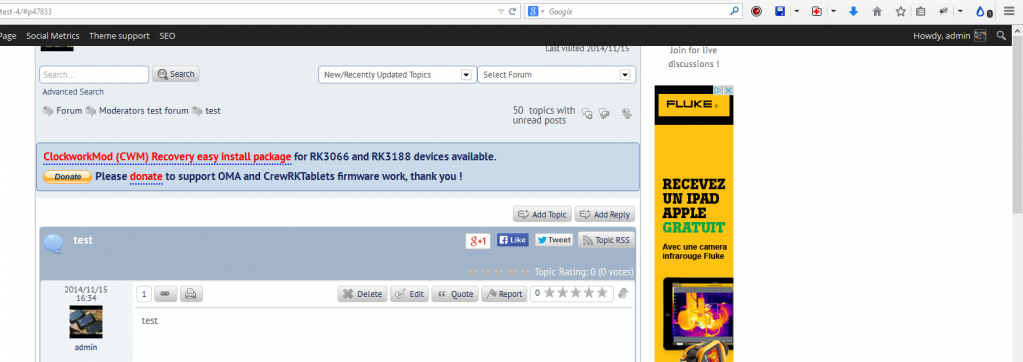
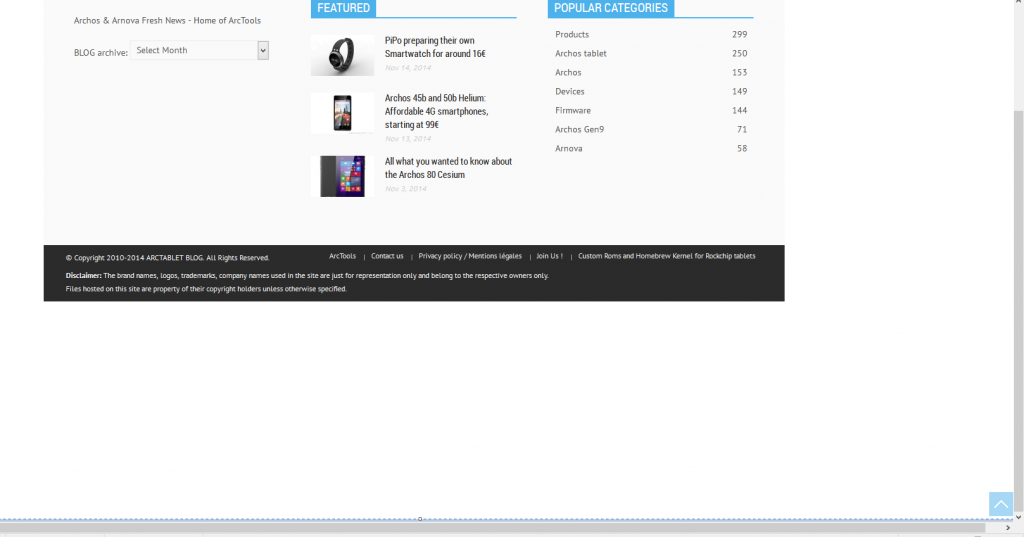
The problem I am experiencing is that in the forum part of my site after making a making a new post, the page displayed after posting is incorrectly rendered: the top part does not have the forum header and toolbar (see picture 1), the bottom part of the page has a large whitespace on the bottom end (see picture 2).
A forum page rendered normally has a proper toolbar and header (picture 3) and the bottom of the page has no vertical whitespace.
Picture 1:
Picture 2:
Picture 3: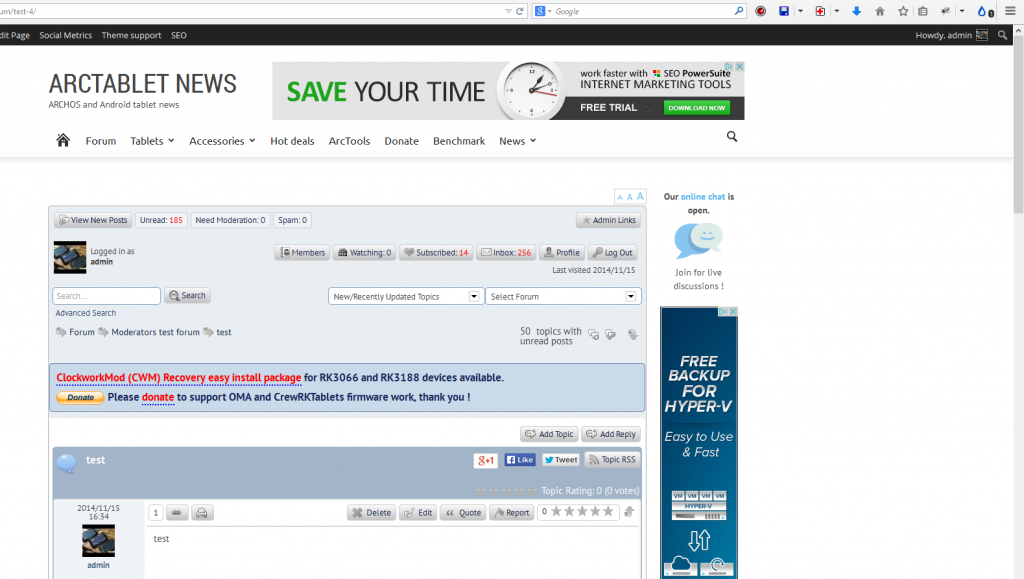
The page render issue happens all the time when making a new post to create a new topic. This also happens, but not all the time (it seems quite random) when adding making a new post on an existing topic.
The problem only happens after posting, if I reload to browse again the page with the new post, there is no problem (displays like picture 3, versus picture 1 with the problem right after posting)
I have tried many things such as using a different SP themes (tried unified and latest default) also different settings for the Integration Options and Theme Display Options in SP admin side. I had no success with those modifications and the display problem after making a new post was always there.
Do you have any idea on how to fix the problem ? If needed there is a tempory section on my forum if you want to try posting and see the problem.
Thanks in advance for your help.
Regards.


