Support Forum

How do I allow my members to change profile avatar, signature, etc

LB Leonard Bruno
Leonard Bruno
Member

I have clicked the appropriate boxes to allow uploads and custom signature.  

For some reason, when a member clicks on profile, it redirects to the subfolder: Forum/profile.  But the page looks exactly the same.  No pop up window for the profile.  Just exactly the same as the forum.


I am in the begining stages of development with the forum.  Just got Janrain installed for 3rd party rpx.  

Please Help


Leo

14 Answers

New Answer

MP Mr Papa
Mr Papa
Member

there wont be a popup… it loads like another forum page, but the content in the body part will be a bunch of profile forms with tabs and menus…  and the url of …/forum/profile is correct too…

do you have a link?  might be js conflict… no caching plugins right?

LB Leonard Bruno
Leonard Bruno
Member

yea actually i have w3 total cache.

www.consumerloanoptions.com/forum

LB Leonard Bruno
Leonard Bruno
Member

in the plugin there is an that says never cache these pages.  I assume i should list the /forum and  /forum/profile?  

MP Mr Papa
Mr Papa
Member

with w3tc, EVERY cache type you are using, you must tell it to ignore the wp page the forum is on… we generate each paqe dynamically with internal caching… so the wp cache plugins cause problems because they think its a single page (after all, it is all displayed on a single wp page)…

you have the right idea for the ignore… but you just need the slug of the wp page you are using… by default, it would be /forum/…  but on ours, it would be /support-forum/

but remember, its for EACH type of caching.. ie page, db, etc…

LB Leonard Bruno
Leonard Bruno
Member

hmm,

the profile now pops out in a window to show the member profile.  but when i click the edit profile tab in top right it redirects to /forum/profile but the page looks the same.  it should pop out window right?  I just finished changing my settings in w3

MP Mr Papa
Mr Papa
Member

only the display of profile ‘may’ be in popup if you set the options that way…  a user editing their profile will always be on a standard page and never in a popup…  and the page will on forum/profile…  with some menus and tabs…

LB Leonard Bruno
Leonard Bruno
Member

Maybe the problem is a setting now.  I have member settings to standard access.  

do i need to add tabs somehow to allow the user to edit signature, avatar, etc?

MP Mr Papa
Mr Papa
Member

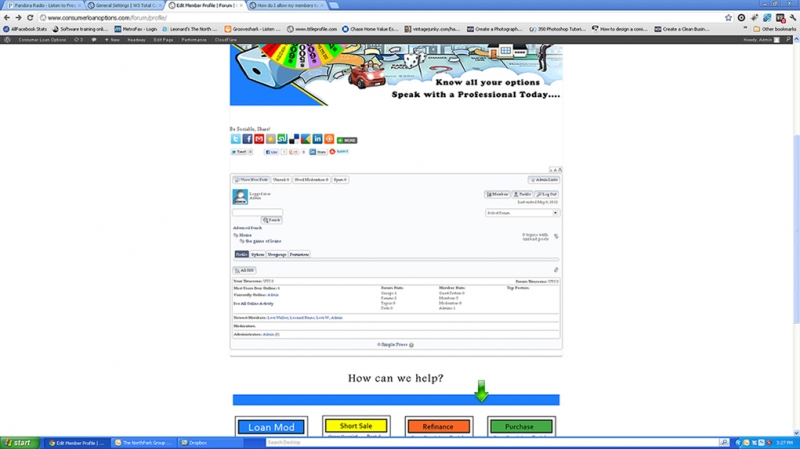
no. please upload a screenshot of what you see on the profile page, ie /forum/profile

I obviously cannot see a profile page on your site, but I do get some errors:

Warning: you have included the Google Maps API multiple times on this page. This may cause unexpected errors.

which may be part of the issue… and each call has different options… its this twice:

it may be causing js/jquery issues on your site..

<script type=’text/javascript’ src=’http://maps.google.com/maps/api/js?sensor=true&ver=3.3.2′></script>
<script type=’text/javascript’ src=’http://maps.google.com/maps/api/js?sensor=false&ver=3.3.2′></script>

it also appears you are still serving cached pages which could also cause problems:

<!– Performance optimized by W3 Total Cache. Learn more: http://www.w3-edge.com/wordpress-plugins/

Minified using disk: basic (Request URI is rejected)
Page Caching using disk: enhanced
Database Caching using disk: basic
Object Caching 3247/3250 objects using disk: basic

it appears to be not using minified caching based on url, which is good, but not sure the other caching types also have ignore set for the forum page…

Served from: www.consumerloanoptions.com @ 2012-05-09 13:16:52 –>

MP Mr Papa
Mr Papa
Member

so yeah, the tabs are there… just not the menus… so either a path issue or js conflict…

did you fix all the stuff I mentioned in post #9??

LB Leonard Bruno
Leonard Bruno
Member

when i click edit profile it just brings me back to this page.

MP Mr Papa
Mr Papa
Member

but have you fixed all those errors and issues?  it may be the cause of your profile issue since it heavily uses js/qjuery…

LB Leonard Bruno
Leonard Bruno
Member

ok i deactivated a social plugin that appeared to be causing some problems.  And i double checked the caching all ignores the /forum/ page.

BR Brandon
Brandon
Member

Leonard Bruno said
ok i deactivated a social plugin that appeared to be causing some problems.  And i double checked the caching all ignores the /forum/ page.

Is it working fine now?