Support Forum

How remove or hide the display of the user rank or group?

DO Dobrodukh
Dobrodukh
Member

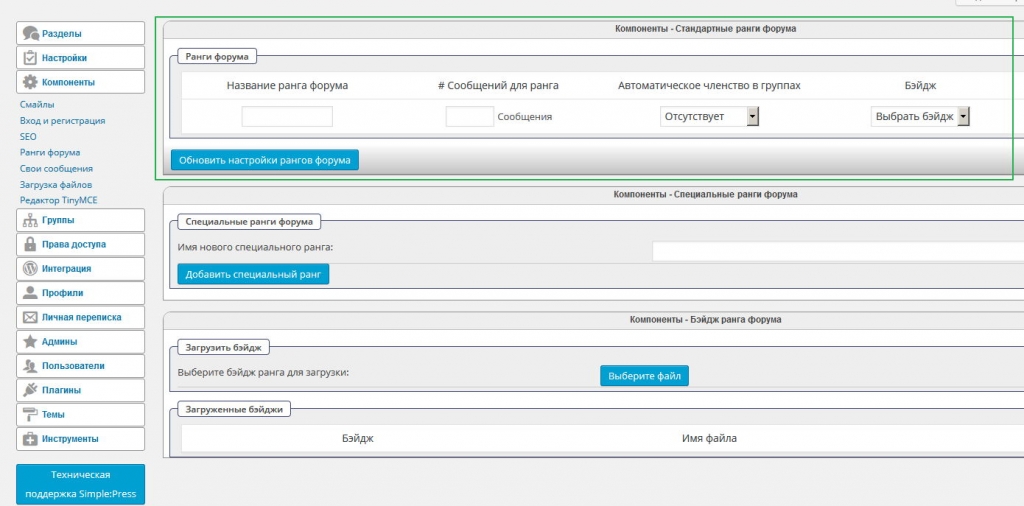
Hi. I deleted all the forum ranks, but he still displayed. How to completely remove or hide the display of the user rank? For example here, on this forum, are not displayed neither the rank nor the Image-6.jpg. How do I do that?
8 Answers

New Answer

YS Yellow Swordfish
Yellow Swordfish
Member

If you have completely removed everyone from special ranks and removed the standard rank entries then nothing should display anywhere. If things are still showing then that suggests either there is still data to be removed or you may be using a caching plugin of some kind. At least I can see no other reason…?

DO Dobrodukh
Dobrodukh
Member

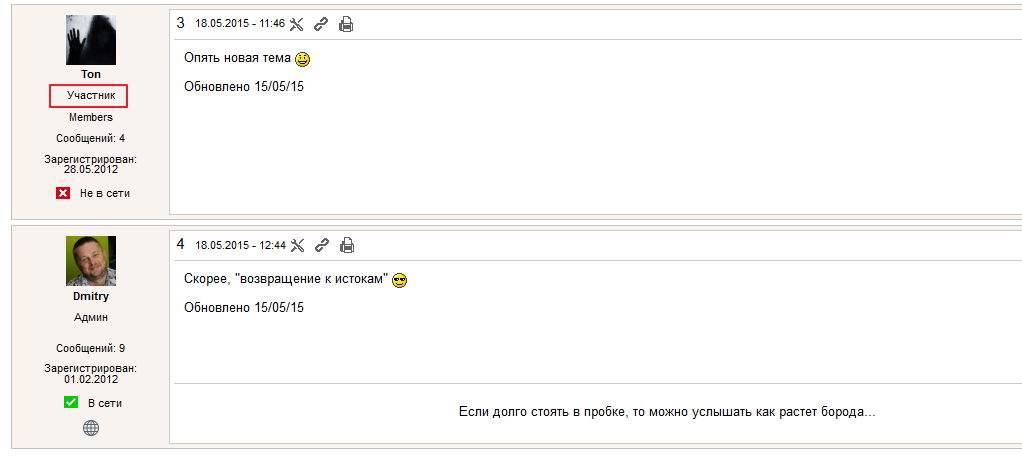
It is not clear, where does this rank. Cash I’ve already cleaned.1.jpg2.jpg

YS Yellow Swordfish
Yellow Swordfish
Member

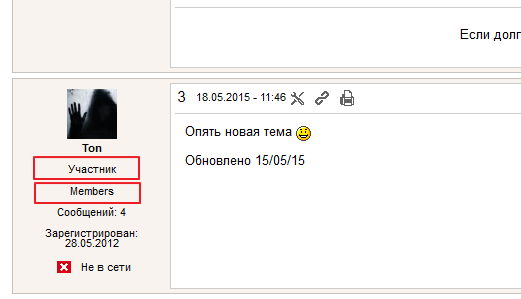
I am not sure what the non-English one says of course but I think what you are seeing is the the user group membership tag.

Take a look at the topic view template in the /templates folder (or, if this is reboot /templates/desktop and /templates/mobile).  If it calls the function ‘sp_PostIndexUserMemberships’ then comment it out to see what happens and see if that resolves it for you.

If it does then remember as always we recommend the use of a child theme to ensure changes are not lost when upgrading. There are now Child Theme Frameworks available to download for all of our themes to make this simple and full and extensive details can be found on our Codex – Creating a Child Theme page: https://simple-press.com/documentation/codex/themes/theme-basics/creating-a-child-theme/

DO Dobrodukh
Dobrodukh
Member

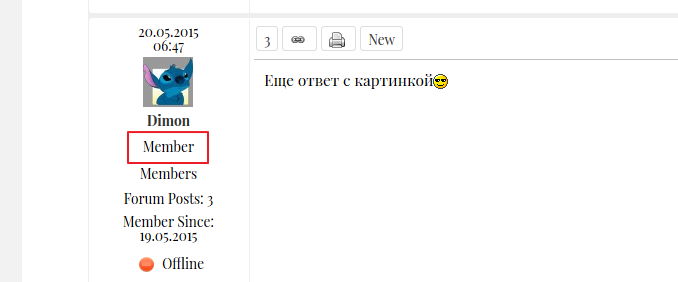
Here’s another example on . Now all ranks are removed entirely, but it still appears – “Member”.Image-5-1.jpg

YS Yellow Swordfish
Yellow Swordfish
Member

Well – as above – try also commenting out the calls to:

  • sp_PostIndexUserRank
  • sp_PostIndexUserSpecialRank

and I will take a closer look to see if any baggage gets left behind after a removal  but quick tests yesterday did not show anything. But I will investigate further.

Let me know if the above fixes it please.

DO Dobrodukh
Dobrodukh
Member

Thanks for the tips. It’s very difficult. I decided to leave it as is.

YS Yellow Swordfish
Yellow Swordfish
Member

OK sorry.
I have it on my list to investigate and of we find any problems then it will get fixed in the next update but so far I have not found anything relevant.

YS Yellow Swordfish
Yellow Swordfish
Member

OK – I have delved further into this.

If you turn off the user ranking system – as you have done – then the display reverts to show one of the 4 user types which are ‘admin’, ‘moderator’, ‘member’ or ‘guest’. The prescribed method for removing this is, as I said above, to remove the call from the template. This is actually quite an easy thing to do, especially as we now have child theme frameworks to use.