I noticed it on here on a thread a couple months ago can’t seem to find it but I see some of the updates were to better handle wp-smileys, just noticed this when typing in the smiley manually versus using the smileys in SP
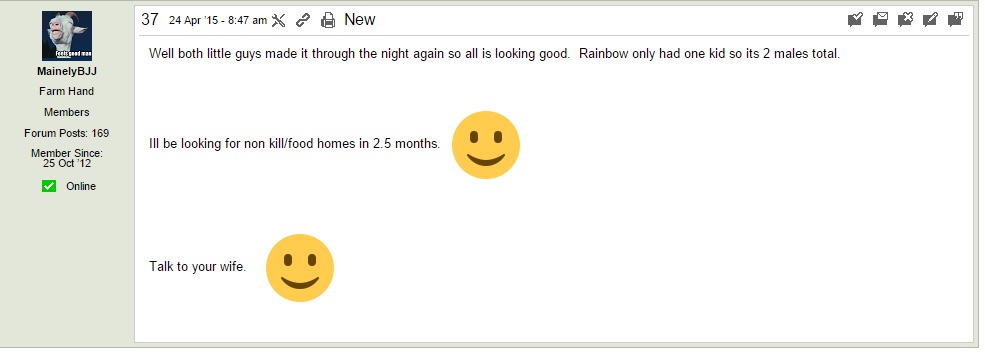
test 🙂


I noticed it on here on a thread a couple months ago can’t seem to find it but I see some of the updates were to better handle wp-smileys, just noticed this when typing in the smiley manually versus using the smileys in SP
test 🙂


Odd. You mean yours are not being resized down?
Can you give me a link to one so i can look at the underlying code? Like the one above – new post…
here is the thread in question
http://thehomesteadingboards.com/forums/animals-1/one-of-my-goats-had-babies/page-5/

odd, its missing the code we added to wp smileys to keep them from being huge…for some reason wp changed some smilies (go look at the actual file) to be really large… when displayed in a post, they add inline style to make small again… we have done the same thing… but yours is missing that…
I assume the user put the smiley in the post by a simple shorthand syntax? is : and )
might need Andy to weigh in…
I assume the user put the smiley in the post by a simple shorthand syntax? is : and )
correct
I assure you Andy is more or less as confused as you Steve! But…
… am I correct in thinking you do not use the image enlargement option AND you do not use thumbnails?
Just for giggles I enabled those options on my staging server and it fixed it
And I say… well I wont tell you what I said under my breath….
Not sure how that combination got missed by missed it was. Back to the drawing board I am afraid. The good news is that when we get the fix it will work retrospectively. I think….
I believe I know what Andy wants you to do, but at this point, I think I will just wait the few hours until he is back around…
The file in question is /simple-press/sp-api/sp-api-filters.php
It is, I am afraid, a big file. The biggest in core I believe. You are looking for a function called:
sp_format_display_image()
which is about two-thirds of the way through the file at line number 1318.
Pretty near the top if the function are these lines of code:
# is any of this needed?
 if ($sfimage['enlarge'] == false && $sfimage['process'] == false) return $match[0];
$thumb = $sfimage['thumbsize'];
 if ((empty($thumb)) || ($thumb < 100)) $thumb = 100;
These lines need to be moved beneath the block of code just a little fiurther down that is:
# is this a smiley?
 if ((strpos($src[1], 'plugins/emotions')) || (strpos($src[1], $spPaths['smileys']))) {
    return str_replace('img ', 'img class="spSmiley" style="margin:0"', $match[0]);
 } elseif (strpos($src[1], 'images/smilies')) {
    return str_replace('class="spSmiley"', 'class="spWPSmiley" style="max-height:1em;margin:0"', $match[0]);
 }
So put the first section of code AFTER this second section and I believe all should be well. I am torn between thinking SP has too many option settings and thinking it has what it needs. But I do know the more there are then the more complex the testing has to be to cover all the permutations and I am sorry we missed this one.