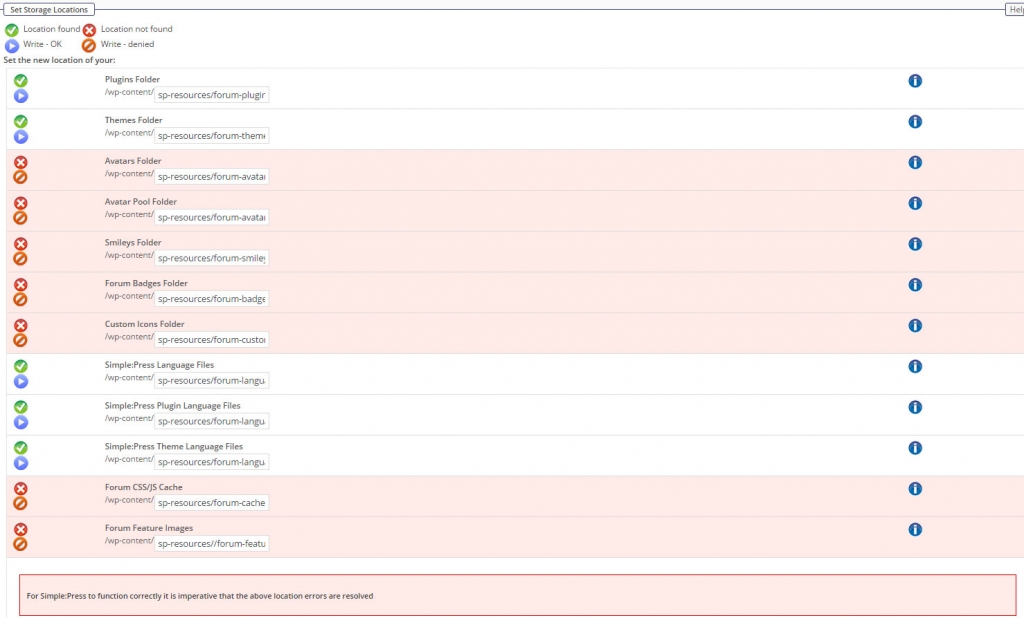
Hi, was just noticing all the smilies were not showing and just had x’s in their place. So I started researching it and found the screen below finally… Did the install not complete? Any idea why these components are saying they don’t exist? Thanks!!!
Support Forum
Rarely – but sometimes – permission settings on the server do not allow the install to create all the storage folders required. I hesitate to say this has happened because clearly some did get created. But the difference is that the ones that did get created have no files in them at install whereas some of the ones that failed do have content. I am no sure if this could be the issue.
Either way if something had failed like this you should have been informed on the install screen at the end.
The missing folders and their content are actually contained in a zip file at /simple-press/startup/install/ called ‘sp-resources-install-part1.zip‘. If possible – would you be able to unzip that file and copy the contents into…
wp-content/sp-resources/
where they belong. This should then show on the storage locations screen that all are present and correct.
Will that be possible for you to do?
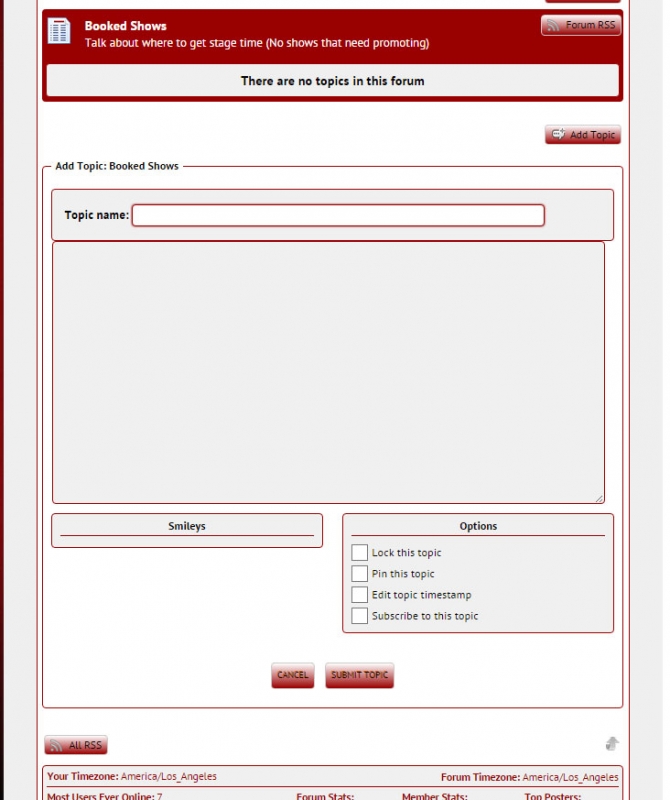
I did what you suggested and now the red “location not found” icons are gone in the dashboard… But now on the site it says “Smilies” but there are no smilies there. Just a long line where they should be. I tried refreshing and another browser… Still not there… In the dashboard under “smilies” they are there listed… But not on the site. Here’s a screen shot…
please check forum – integration – storage location and make sure the smilies folder is readable… even after you made your change…
then go to forum – components – smilies and see if the images are there… its possible doing this outside the normal way may require them to be enabled…
All the locations including smilies are readable according to the storage location area…
I went to the smilies area and there are images in there… A couple of them are even animated. But nothing in the forum itself.
Weirder and weirder…
Let’s try one other thing before I ask if I can take a look..
Go to the forum admin > components > smileys. Make a small change to one of them. Perhaps uncheck the box to allow use of one of them. Just one. Then at the bottom of the page – click on the update button. This will force a rewrite of the record. See if the now appear beneath the editor.
If they don’t – does your site allow guests to view and make posts?
Well when you told me to do that, I discovered that none of the “allow forum to use this smiley” boxes were checked. Hahahah… Figured it was just a default setting. Didn’t know I had to activate them all to make them work. Maybe it was because they were added later? They are there now! Thanks
Ah excellent. No – the default is on but it is probable that they turned themselves off when the images could not be found.
I am sorry you had the install problem. As I said – it is quite rare and a little odd in your case where it was sort of half OK. I am afraid that is something I don’t think I can explain! Hopefully – all will be smooth now…
Yellow Swordfish said
Ah excellent. No – the default is on but it is probable that they turned themselves off when the images could not be found.
I am sorry you had the install problem. As I said – it is quite rare and a little odd in your case where it was sort of half OK. I am afraid that is something I don’t think I can explain! Hopefully – all will be smooth now…
Note that I just tried installing a a few minutes ago, and the same directories are having the same problem.
Found the problem, I think – in the “master” downloaded ZIP file, the “naughty” directories are all of the ones in sp-resources-install-part1.zip; the ones in sp-resources-install-part2.zip are fine. The part1 zip file has a structure like:
sp-resources-install-part1forum-avatar-pool
sp-resources-install-part1forum-avatars
etc, whereas the part2 zip doesn’t have a similar top-level directory:
forumlanguage
forumplugins
etc.
So upon installation, the part1 folders get placed under a sp-resources-install-part1 that shouldn’t exist. When I move them up a level, all is good.

Now that the Storage Locations page is happy – is there anything I should run (e.g., reinstall) to make up for those directories originally unzipping into an unplanned folder?
if that is really happening, then yikes! we should not have a directory like that in there… and what is odd is that hundreds of thousands of installs have not… that said, perhaps something broke recently…
will dig into it and see… thanks for the detailed info…
argh… does seem as if this has gotten broken (in 5.5.9) and the install zip archive broken…
have opened a ticket to verify and see about a quick fix… need to verify with @yellow-swordfish the change was accidental…