I have it disabled for everyone except myself, tried making a post with an iframe and it says I can not, checked my permission settings in my profile and I don’t even see it as an option. Any suggestions?
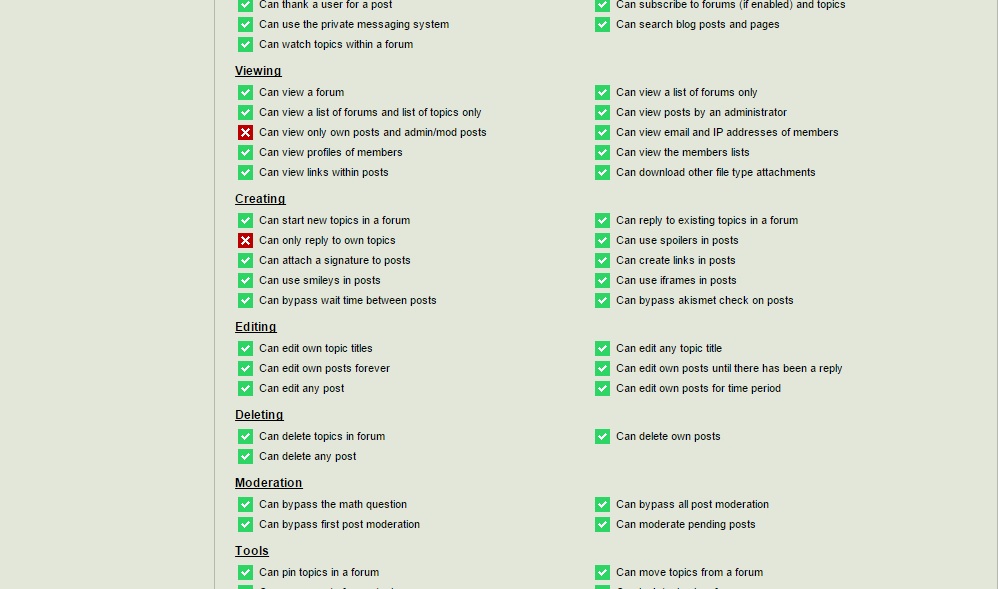


I have it disabled for everyone except myself, tried making a post with an iframe and it says I can not, checked my permission settings in my profile and I don’t even see it as an option. Any suggestions?


It IS over there in the permissions graphic – about half way down on the right.
Pretty sure nothing changed in this area but I will take a look
Actually can not replicate a problem nor do I see any code changes…
What happens exactly when you try?
I must be going blind this morning
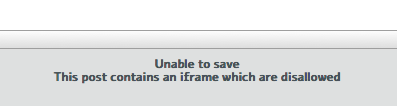
when I try to enter an iframe this pops up under the textarea
Unable to save
This post contains an iframe which are disallowed
Weird.I am seeing this here in the support site but not seeing it on my development site. Which is just about identical!
Am researching…
Could you go to the forum admin > toolbox > housekeeping and reset the combined JS cache. And then immediately run a front end forum page – any page (have one ready to reload). The important thing is that it must be you that runs the first page after the reset.
And then tell me please if that resolves the iFrame issue.

not really fixed… just works around an issue… the setting shouldnt be cached since its user specific…
but now will be enabled for those with permission… those without permission still wont be able to post.. just a nuisance…
will get it fixed in next version…

Yellow Swordfish said
Actually can not replicate a problem…
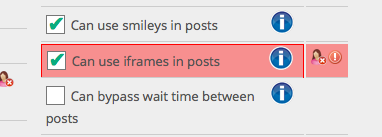
I can. I was just about to post about the exact same issue—being unable to save post with iframe even though permissions are granted. (I do understand the concerns about this, but Rene and I are our only Admins with this permission.)
FYI: I haven’t attempted to do this in quite a while so I can neither confirm nor deny if this may be related to the recent update…
What happens exactly when you try?
The post fails to save, and the notice slides in stating the iframe is disallowed. If it matters, this was in a reply, not a new topic. SP Theme: Reboot/Child
I’ve re-saved the permissions, and reassigned the global permission set for the user group. Issue persists.
Wasn’t sure if I discovered a glitch or if I was doing something wrong, but apparently @kvr28 experienced the same thing.


Yellow Swordfish said
go to the forum admin > toolbox > housekeeping and reset the combined JS cache.
And then tell me please if that resolves the iFrame issue.
OK. That “fixed” it for me too. Sorry for not trying that first!
thanks for confirming… no real issue other than an annoyance… and already fixed in code for next version to get it out of the cached stuff…