Support Forum

Login Name is seen when hover over Display Name or avatar

25 Answers

New Answer

MP Mr Papa
Mr Papa
Member

okay, thanks for the tests…  unfortunately Andy is away for several weeks enjoying the Italian countryside and wine… perhaps he could see something I am missing…

I guess for me, the next step would be more access to the server so I could insert some debug code and see what is going on… if that is okay with you, then please pm me a temp wp account that has both wp and sp admin rights…  additionally, I would need ftp access…  then I can try to delve further into it..

would like to see for few users what they have display name set to…

MP Mr Papa
Mr Papa
Member

okay, I see what is going on here…. a path I hadnt checked into and left over from long ago (and should have been changed)…

unfortunately, no easy work around for you…  will get a ticket opened and get if fixed up in next version…

so two options now…

one, switch to the profile popup mode on forum – profiles – profile options in the profile display mode section… I had asked about this earlier, but dont think I was clear…

two, edit the core code and make a change to your code… assuming I get it fixed in next version, which is the plan, then losing your change on update wont matter…

sorry it took a while to get there…

DN David Norman
David Norman
Member

Yes I used the ‘pop up window’ option and that has stopped the User Name from showing. Thank you.

Definately no need to apologise for a delay in getting this fixed. It was my delay in getting you admin access that held us up.

As usual your expert assistance has been magnificant and once again I am in awe of the dedication and level of support you guys give for Simple:Press.  In my many years of seeking software/application support it is unrivaled. Enjoy your break :)

MP Mr Papa
Mr Papa
Member

Thanks for the kind words!

lol, not a break but a business trip for my day job… ;)

DN David Norman
David Norman
Member

Ok. Well maybe it’s not the case that “a change is as good as holiday” :)

Just as a parting observation:
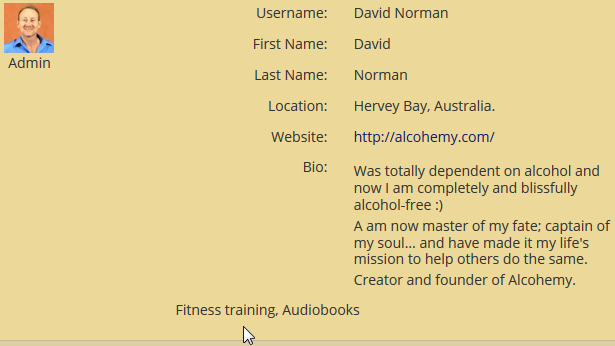
When I logged into to the forum as a ‘ordinary SP member’ to test the profile pop up window, I noticed you can’t see any ‘custom profile fields’ I created. I have some filled in on my ‘David’ profile and they weren’t displayed in the pop up window, nor if I clicked the ‘view full profile’ button in that window. Is that expected?

MP Mr Papa
Mr Papa
Member

did you add the fields to the profiles?

see:  https://simple-press.com/documentation/codex/plugins/our-plugins/available-plugins/custom-profile-fields/

multiple topics in the support forum too… example: https://simple-press.com/support-forum/sp5-plugin-topics/profile-custom-fields/

DN David Norman
David Norman
Member

Thanks for your help, though I probably should start another threat to deal with my custom fields issue.

I have read the codex and some forum posts on it and probably need my paid web support people to look into this coding for me.

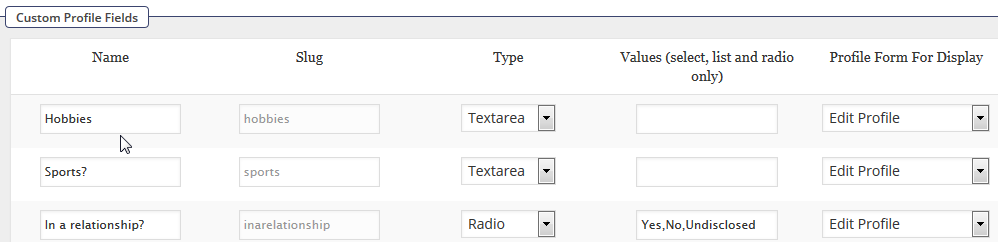
I have created some SP Custom Fields and added the code I found in this forum to the spProfilePopupShow.php.

However I the fields don’t show up in the profile pop up window with a Title (just the content), nor in the alignment I would like (see attachments). I’m not code savvy enough to resolve this so will ask their advice.

Thanks agian.

SP-Custom-Field-Popup.png

 SP-Custom-Fields-Code.png

 SP-Custom-Fields.png

IK Ike
Ike
Member

Let us know how you get on, and of course if you need any further help with it

MP Mr Papa
Mr Papa
Member

David Norman, you have to add the title yourself…  we have no idea what you may want for a title…

also, you will need to match the html layout…  ie add the div blocks that the other ones use where you are putting it…  again, since you can put it anywhere in the form we cannot guess what to make it too like…  most users put it in a new section with their own styles, but you can certainly put it anywhere…

DN David Norman
David Norman
Member

Thanks guys. I won’t tie you up with this any more and will pass it on to the company that I use for web support. It’s not an urgent issue as I have other things to tackle right now.

You have been a big help as usual :)