Support Forum

Member Profile Not Displaying Correctly

EP erin peloquin
erin peloquin
Member

Hi there,

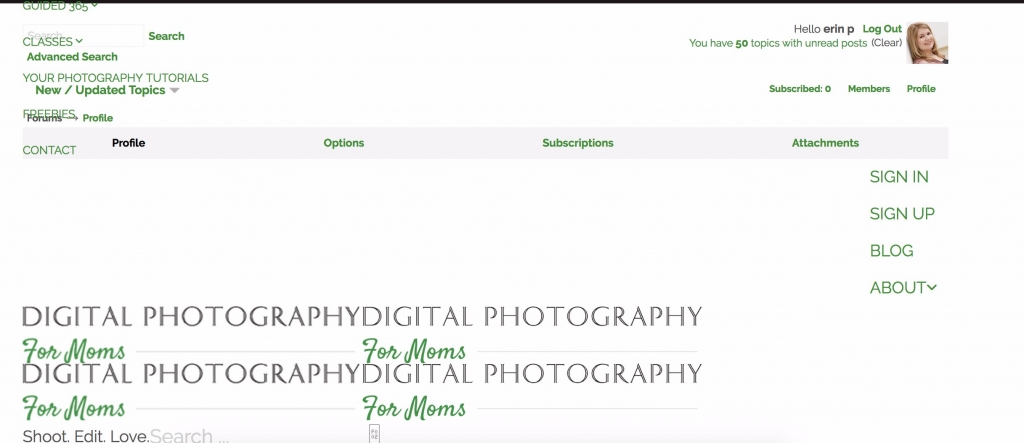
Members of my forum aren’t able to access their profiles. Here is a screenshot:simplepress.jpg

The screenshot comes from https://digitalphotographyformoms.com/forums/profile/

I am using WP 4.8 and the Avada theme. Both are up to date.

My SP is current also.

I’ve had issues with SP and Avada in the past and have already set ToolTips to false.

What else can I tell you that would help solve this problem? Thanks!

Erin

17 Answers

New Answer

EK Edward Koon
Edward Koon
Member

Have you tried going to toolbox > housekeeping > reset profile tabs?

EP erin peloquin
erin peloquin
Member

I had not tried that. Just did, however, cleared my cache, and unfortunately, it didn’t help.

Forgot to mention that it isn’t happening with the admin account. Only members of the Members group.

MP Mr Papa
Mr Papa
Member

what cache?  are you using a caching plugin?  if so, need to disable the forum page from it…

or do you mean the combined css and js caches? clearable on forum – toolbox – integration…

has the site always been ssl? seeing a non ssl and cross scripting issues…  has this worked before?  did you update the permalink for the forum on forum – integration – page and permalink after switching to ssl?

EP erin peloquin
erin peloquin
Member

I cleared the cache on my browser to make sure that any changes were reflected there.

Yes, this has worked before and the switch to ssl was several years ago. 

Thanks!

EP erin peloquin
erin peloquin
Member

The last error msg in my log is from May 23:


file: /home/digi0786/public_html/wp-content/sp-resources/forum-plugins/plupload/sp-plupload-plugin.php
line: 355
function: sp_plupload_do_process_actions
error: You have an error in your SQL syntax; check the manual that corresponds to your MySQL server version for the right syntax to use

Also, I have a user reporting this error message: Error 999: unknown error server – check image size – may be exhausting memory

I’ve asked her for the size of the file she was trying to upload.

Could these issues be related?

EP erin peloquin
erin peloquin
Member

Also, several other errors:

Nonce Security Alert
usergroups-loader: failed nonce check
action usergroups-loader
saveform addmembers
_wpnonce a40bf86940
May 19, 2017 11:08 am | spaErrError | 1 | security

Nonce Security Alert
memberships: failed nonce check

action memberships
targetaction add
_wpnonce 9d12ee0c24
target sfmsgspot
totalNum 0
forum-adminform_membernew ec7099030d
usergroup_id 7
list-filteramid7 jody
startNum 0
batchNum 50
May 5, 2017 10:55 am | spaErrError | 1 | security

Nonce Security Alert
profile: failed nonce check

action profile
tab profile
user 4614
rand 881568978
_wpnonce a252fe35ab
April 28, 2017 7:37 am | spaErrError | 1 | security

Nonce Security Alert
profile: failed nonce check

action profile
tab profile
menu edit-profile
user 3979
YS Yellow Swordfish
Yellow Swordfish
Member

That’s always worth a try.

I do not think there is a relationship between the plupload error and the profile issue although i could be wrong. Especially if it works ok for an admin. On the profile question it sounds more like a conflict with another WP plugin – so have you installed any between it working and failing to work?

n the SQL query error – if this is coming from the SP error log ion the toolbox then we usually also display the SQL statement that is causing the error. Do you have that available so we can take a look at it?

EP erin peloquin
erin peloquin
Member

I’ve never done this or heard of it. Not sure what I would do with it. Is there a resource you can recommend for learning about it?

EP erin peloquin
erin peloquin
Member

This is the entire text of the error. Does it give you the info you need?


file: /home/digi0786/public_html/wp-content/sp-resources/forum-plugins/plupload/sp-plupload-plugin.php
line: 355
function: sp_plupload_do_process_actions
error: You have an error in your SQL syntax; check the manual that corresponds to your MySQL server version for the right syntax to use near ‘m not looking? Also, I don’t recall you covering the Cyan box?  Is that in a’ at line 1

UPDATE wp_sfposts SET post_content=’Now I remember about Camera Calibration!  Have another question about it though:  what does it mean by “Process”?  Also, I shot in Raw, but the only options I see are neutral ones, like “Camera Vivid”, nothing Nikon specific.  Is there a place I’m not looking? Also, I don’t recall you covering the Cyan box?  Is that in a later lesson?  Just not sure about when to use Saturation vs. Hue and Luminance…. For instance, in taking the red out of someone’s skin, do you de-saturate Red, or Saturate Cyan?   I just selected the Color Box, now I don’t see Cyan as a color option.  So would I just go to Red and decrease it?  How do you know which colors are opposites when it only shows one color on the sliders?  Is it just knowing the color wheel? I can’t seem to make the overall changes in a local adjustment increase or decrease with the alt key combination.  I have the brush active and when hold down the Alt key and hover over the pin I only get one arrow with two ends.  It does not look like a cross-hair like it does in the video and nothing moves on the sliders when I drag to the left or right.  Any suggestions?  I think I could have lightened the house a bit more? Thanks!

*** Image attachment removed from post content ***

Lighten-Shadows-House.JPG ‘ WHERE post_id=974

EP erin peloquin
erin peloquin
Member

Salts didn’t do it. Thanks for the suggestion though.

YS Yellow Swordfish
Yellow Swordfish
Member

Are all of your SP components fully up to date – that is the core plugin plus any Sp plugins you have active?

EP erin peloquin
erin peloquin
Member

Yes. SP is up to date. I just figured out the profile issue. My WP membership plugin was locking users out of the WP profile. This kept them out of the SP profile also.

Thank you for asking the right questions to help me figure it out!

Should I open a separate thread for the error mentioned a couple of comments back?

YS Yellow Swordfish
Yellow Swordfish
Member

Excellent news on the profile issue. This is probably behind some of the errors in the error log as well so it would be a good idea to clear the log to see what happens after the fix of the profile.

On the uploader problem can you give me more details? Does everyone suddenly have a problem or was this a one-off isolated incident? And have you tried setting more php memory as one of the messages suggested?