Hi
I decided to update the translation. And now it is not visible in the standard themes. In the admin panel was translated as before.
All necessary files are present. What’s the problem?


Hi
I decided to update the translation. And now it is not visible in the standard themes. In the admin panel was translated as before.
All necessary files are present. What’s the problem?

I think you need to give me some more detail on just what you have done – as much information as you can.
There are all the files with the translated language. Lie in the correct directory – / wp-content/sp-resources/forum-language/
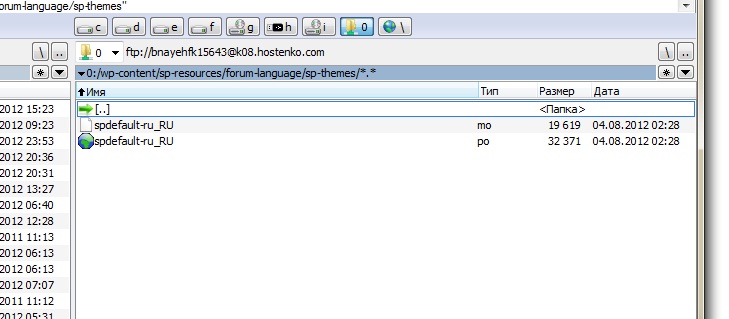
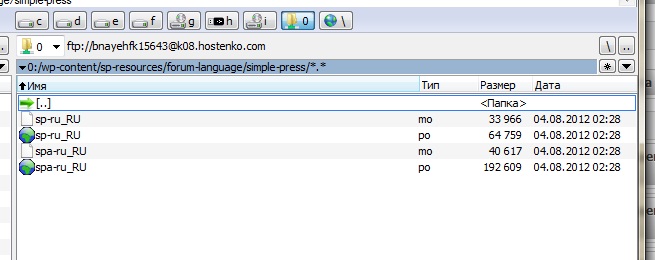
But the translation is correct only in the admin panel.
http://wpnice.ru/forum_2/

Well the admin and the front side are working so that leaves the theme. is this the standard ‘default’ theme or did you make your own and of so – did you change the language code name?
I just want to be a forum that was in Russian. All the files I installed. Standard ‘default’ theme. What else does he want? 

thats why we are asking questions… to help you out…
translations are working fine generally so just need to understand your situation…
and you got the .mo file (the .po is not needed in the translations directory) from our glotpress site?
Yes, it is downloaded from here –
http://glotpress.simple-press.com/projects/simple-press-themes/default/spDefault/ru/default
I just changed the ending of the file – _RU
Removed file – .po
Installed WordPress 3.4 rus
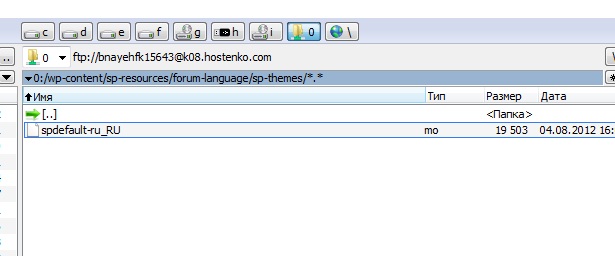

Your SP theme has been customised. Colours are not any we supply – nor are the icons. The simple question I asked – which you did not answer yet – was – have you made a custom theme> Did you make a copy of ‘default’ and call it something else? And of so – did you also change the language code name as suggested in the theme customisation codex article?
Because – if you did then you will also need to rename the ‘spdefault’ mo file to the name you gave the theme language code. (in the spFunctions.php file of the theme).
And I have seen a Russian site using the default theme properly translated so I do know that it works.
Thank you for your patience and help.
Deleted all the themes and localization files. Now everything is working correctly.