Images:


Thanks for the data. I still have no clear idea of the problem but this narrows down the places to look considerably so hopefully will make the task easier…
I will start looking!
Yellow Swordfish said
Thanks for the data. I still have no clear idea of the problem but this narrows down the places to look considerably so hopefully will make the task easier…
I will start looking!
Great, thank you Andy.


Here is what mine looks like. Although mine is already set to zero, so it doesn’t change no matter what page I view in the forum:
a:2:{s:6:”topics”;a:0:{}s:6:”forums”;a:0:{}}
Sorry I am confused here. Are you saying you have the same problem with it randomly showing zero and then on the next page reload resuming with the correct count?
Sorry for the confusion. I do have the same issue, but my unread count has never worked since the upgrade, at least for the admin. I noticed this after a few days and was wondering why no new posts were coming in. I did login as a regular member and it worked after the initial view, but ever since it was reset to zero, it has never worked again. No matter what new posts are created, neither the admin or the regular users unread count is never updated.
Well no actually – this is not the same issue at all is it. So – which upgrade? And on the forum admin > Options > General Display Settings what is the ‘Default number of unread posts’ set to?
I upgrade from 4.5.1 to the latest one early last week. The setting is set to 50.
Can you create me an account so I can log in and see if anything shows up.?
If so then please PM credentials to both myself and to ‘Mr Papa’. Please include in the PM a link to your site, a link to this thread and brief reminder of the problem. And one of us will take a look for you.
Chon Neth:
Your problem revolves around the timezone settings. Please read this short article: http://codex.simple-press.com/codex/faq/troubleshooting/why-do-my-new-posts-show-as-posted-minus-seconds-ago/ (ignore the title – this applies to this issue as well).
Especially try and avoid the UTC settings that show a + or – value. Try and use the continent/country/city codes instead. In both the WP and SP profile settings. When I changed the timezone of the user you created for me I instantly got the post you just made listed as new correctly.
Thanks, that worked perfectly. The widget in the dashboard doesn’t show the unread posts though like it did with version 4, is that feature gone?
The recent posts widget – while offering far more options than before – still performs the same basic function. What is it you think is missing?
Andy, is referring to the widget in the admin dashboard…
do you have the admin bar plugin? that is what puts the posts there now…
Meztli said
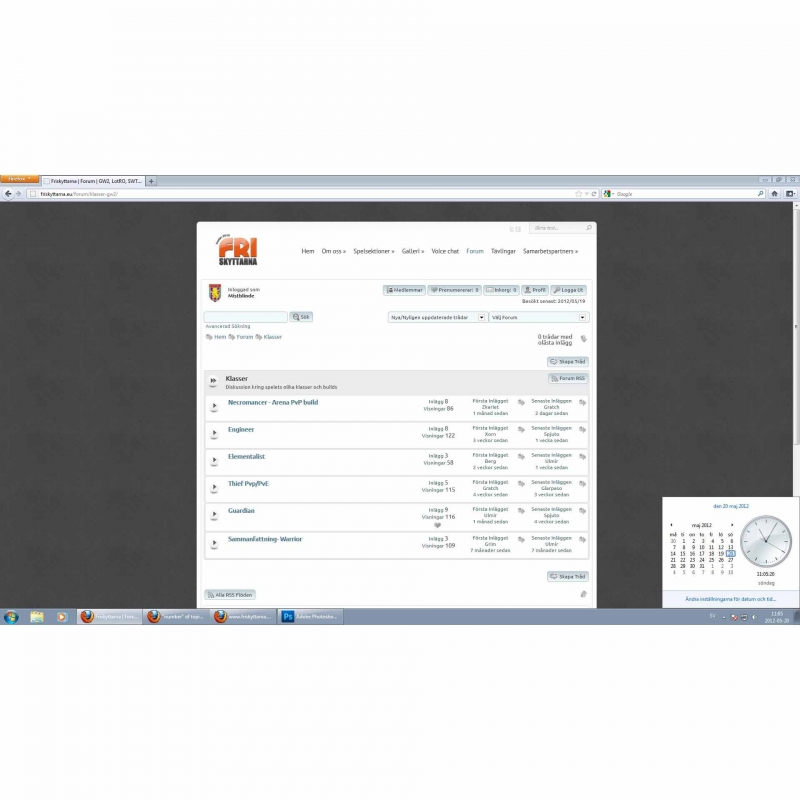
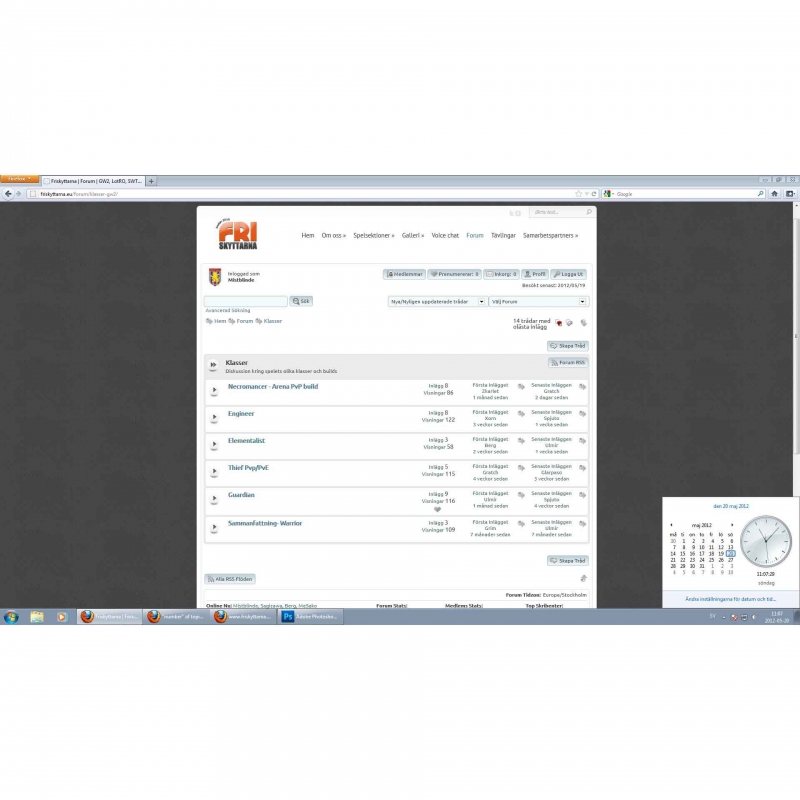
I have a common issue at my forum. The number of topics with unread posts is often not showed. However if i refresh the page, the number appear. This issue happens very often to me and all the forum users.Any idea what can cause this?
Cheers
Thomas
http://friskyttarna.eu
Just want to update the original issues.
I got several reports from members, that a page refresh do not help. Unread topics continue to show zero. It happens to me as well, from time to time, but mostly a page refresh does make the unread post numbers to appear again.
Any hopes to solve my forum issues with next SP version?

