Support Forum

Page title SEO problem with "All In One SEO Pack" plugin > 2.0

SP sptab
sptab
Member

My forum is setup to include the topic name in page/browser title, I had to use WP “All In One SEO Pack” plug-in for this to work properly.

It was fine with plugin up to version 2.0, but after upgrading the plugin (I believe to 2.01) I lost my forum topic name in the page title. Current version 2.02 doesn’t work even. I restored v2.0 and it’s working again. 

Any idea how to fix that ?

Thank you.

20 Answers

New Answer

MP Mr Papa
Mr Papa
Member

I am using latest all in one seo with no issues….  so lets review some settings…

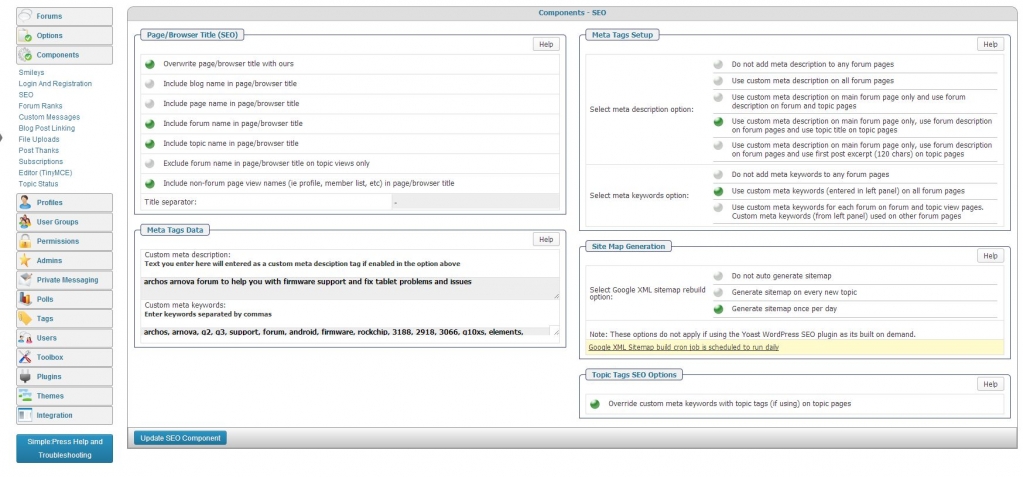
what do yo have for forum – components – seo?  screenshot of the upper left section might be useful…

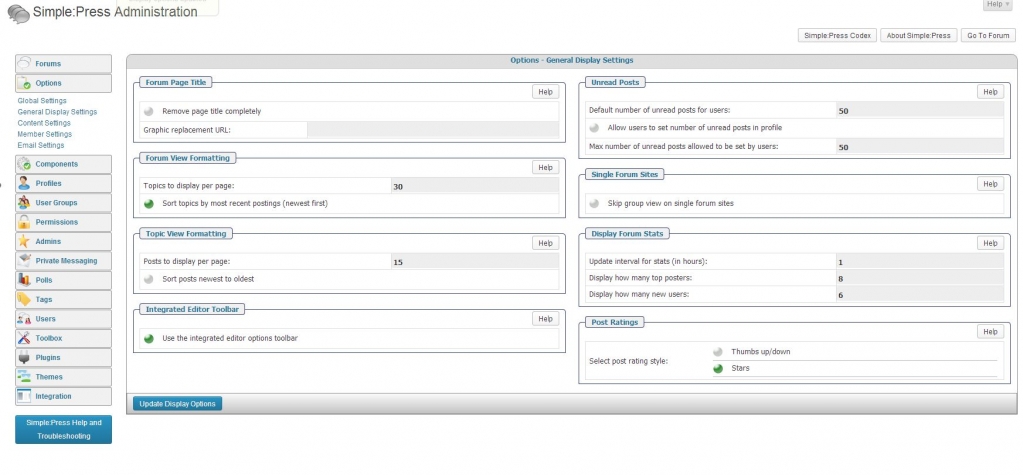
on forum  – options – display settings, what are you options for the page title?

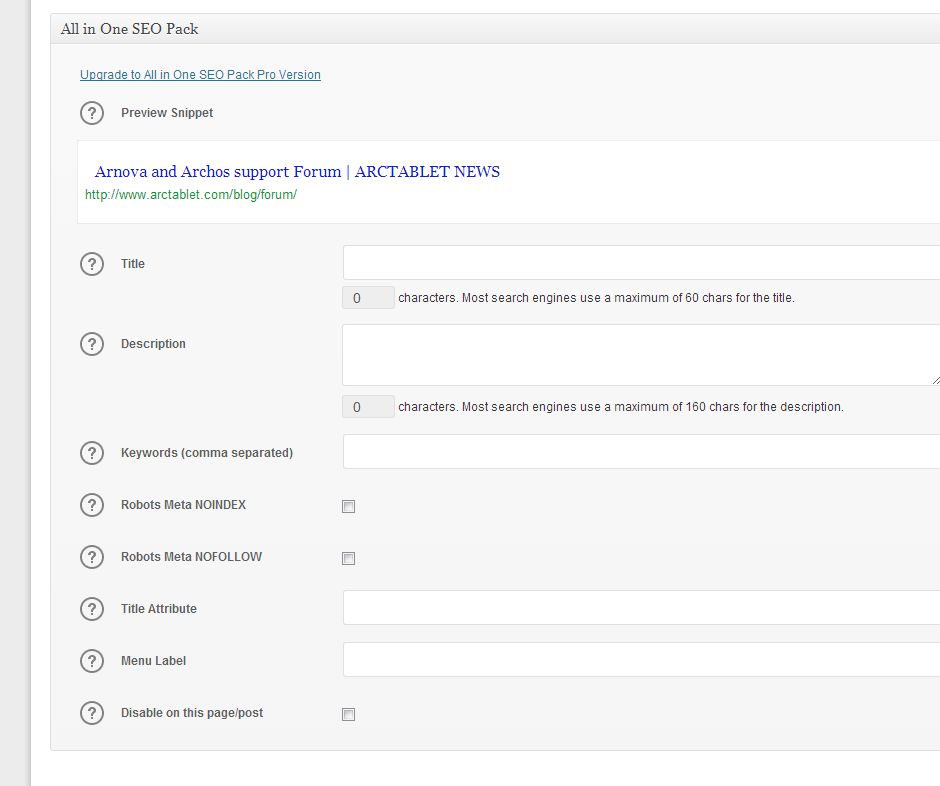
and on the actual wp page, are using any settings for all in one?  should not be…

SP sptab
sptab
Member

I did not think about checking the SEO settings on the WP page, but they are actually empty.

You’ll find the screenshots for the 3 items below.

Edit: sorry there was a problem with the alpha channel on my uploaded PNGs, I’ve reuploaded them in JPG, you can discard the PNG files.

SP_settings_general_display_settings.jpgSP_components_SEO.jpgWP_page_seo_settings.jpg

MP Mr Papa
Mr Papa
Member

so what is wrong?  the page title (as output by wp)?  the browser title?  the head meta title tag?  or all?

not sure why aioseo would have any impact…  I do only have the pro version, but will have to play around and see if I can duplicate…

SP sptab
sptab
Member

Sorry if I wasn’t specific enough about my problem. I just had a closer look with both versions of the plugin and it shows the meta description are correct on both “All In One SEO Pack” versions (both 2.0 and latest 2.02)

For instance this forum url:

http://www.arctablet.com/blog/forum/cube-u35gt/cube-u35gt-android-4-1-1-custom-root-firmware-version-1-04-20130529/


has the following on both versions:

<meta name=”description” content=”Cube U35GT Android 4.1.1 custom root firmware version 1.04 (2013/05/29)” />
<meta name=”keywords” content=”archos, arnova, g2, g3, support, forum, android, firmware, rockchip, 3188, 2918, 3066, g10xs, elements, cobalt, gen8, internet, tablet, allwinner, boxchip, omap, a31, onda” />

so Meta are just fine.

But title tag has a problem on version 2.02:

<title>Arnova and Archos support Forum | ARCTABLET NEWS</title>

Whereas it’s showing as I expected on version 2.0:

<title>Cube U35GT Android 4.1.1 custom root firmware version 1.04 (2013/05/29) – Cube U35GT | ARCTABLET NEWS</title>


Thank for your help.

MP Mr Papa
Mr Papa
Member

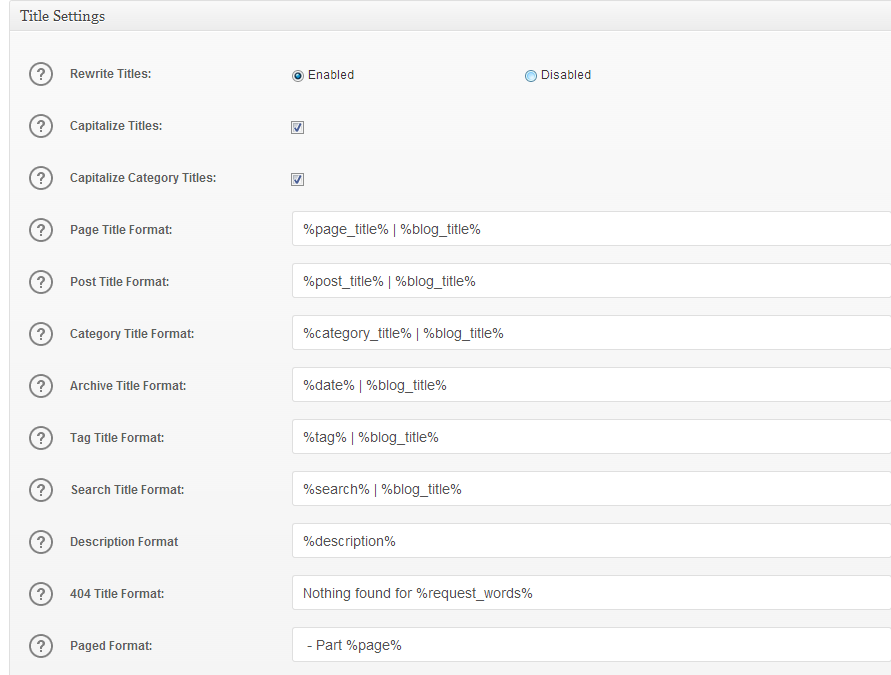
so since they added some new options, what do you have for the aioseo settings page (their plugin) for title settings – rewrite titles? you probably want it disabled…

SP sptab
sptab
Member

I have updated All In One SEO Pack to version 2.02 again.

Title rewrite is enabled, here are the settings:

AIOSEO_2_02_title_settings.png

With this configuration, I am getting the follow title for the forum link below:

<title>Arnova and Archos support Forum | ARCTABLET NEWS</title>


With the same settings on older All In One SEO Pack to version 2.0, I get the correct title:

<title>Cube U35GT Android 4.1.1 custom root firmware version 1.04 (2013/05/29) – Cube U35GT | ARCTABLET NEWS</title>


On version 2.02, if I disable Title rewrite, for the same forum url I am getting:

<title>Arnova and Archos support Forum</title>


I hope this helps finding the problem.

Thank you.


MP Mr Papa
Mr Papa
Member

the biggest problem is I cannot duplicate it…  I was able to for some cases (themes, etc) with the title rewrite enabled…  but in all those cases, disabling it made it work…

thats a small portion of the options… do you have canonical url enabled in aioseo?

MP Mr Papa
Mr Papa
Member

and what do you have set for the aioseo ‘use original title’ option?

NA Nate
Nate
Member

Same problem here using the latest AIOSEO plugin, should I open my own thread Mr Papa?

Descriptions and keywords work fine, it’s just the titles will not get re-written, same problem as sptab.

– Canonical URLs: unchecked
– Use original title: Disabled
– SEO for Custom Post Types: tried it Enabled or Disabled, doesn’t matter

MP Mr Papa
Mr Papa
Member

Nate, what are your settings an options…  was waiting to hear back from sptab on a couple..

NA Nate
Nate
Member

And on the WP options page for the forum page, I left the AIOSEO options blank.

MP Mr Papa
Mr Papa
Member

so confused… since its working fine for me with the options I mentioned…

only other thing we can try is that I am running the 5.3 dev version and there is one other change in there generally speaking for titles… so maybe you can try adding the code change here:

https://simple-press.com/support-forum/sp5-general-topics/does-yoast-seo-wordpress-plugin-work-with-simple-press/page-2/#p125578

and see what happens…

NA Nate
Nate
Member

I changed the 10 to 99 and it didn’t fix the title.

# browser title
add_filter(‘wp_title’, ‘sp_setup_browser_title’, 10, 3);

to

#browser title
add_filter(‘wp_title’, ‘sp_setup_browser_title’, 99, 3);

Again, keywords and description work fine, it’s just the titles are not showing up correctly in the browser bar or when you view source of the page. I have this is my header.php, is this what it should be? <title><?php bloginfo(‘name’); ?></title>