Support Forum

Question about User Groups

AH Alton Hardin
Alton Hardin
Member

Is there anyway to have new forum member assigned to a “new members” user group and once the reach a “minimum” post count have them automatically moved to a “members” user group?

The reason I ask is I’d like for the basic math captcha to be used only for new users that have a small amount of posts on my forum. Once they have established themselves I’d like to have them moved to a regular member group without captcha.

I looked through the forum admin area and didn’t see how this was possible, so I thought I would ask.

Thanks!

12 Answers

New Answer

YS Yellow Swordfish
Yellow Swordfish
Member

You need forum admin > Components > Forum Ranks – top section. Does exactly what you want.

YS Yellow Swordfish
Yellow Swordfish
Member

Not a plugin. It is a part of the Simple:Press core.

AH Alton Hardin
Alton Hardin
Member

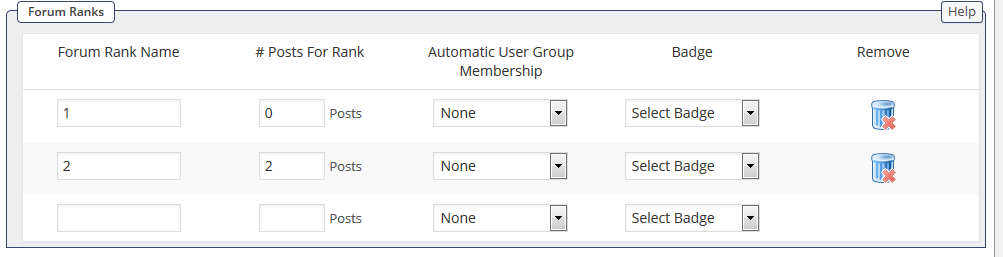
I created forum ranks:

  • New Members (0 posts to be in that rank) & map to New Members User Group
  • Members (25 post to be in that rank) & map to Members User Group

I also mapped all users to New Users Group with the intent to manually update memberships & rank.

I’m running into the issue that it is not updating the rank by the rules I set and I cannot find anywhere to do that myself. I only see the option to update user groups.

http://i.gyazo.com/f8a6f2db9d64df9677816d24464d4cb5.png

How does the forum update user groups by ranking?

AH Alton Hardin
Alton Hardin
Member

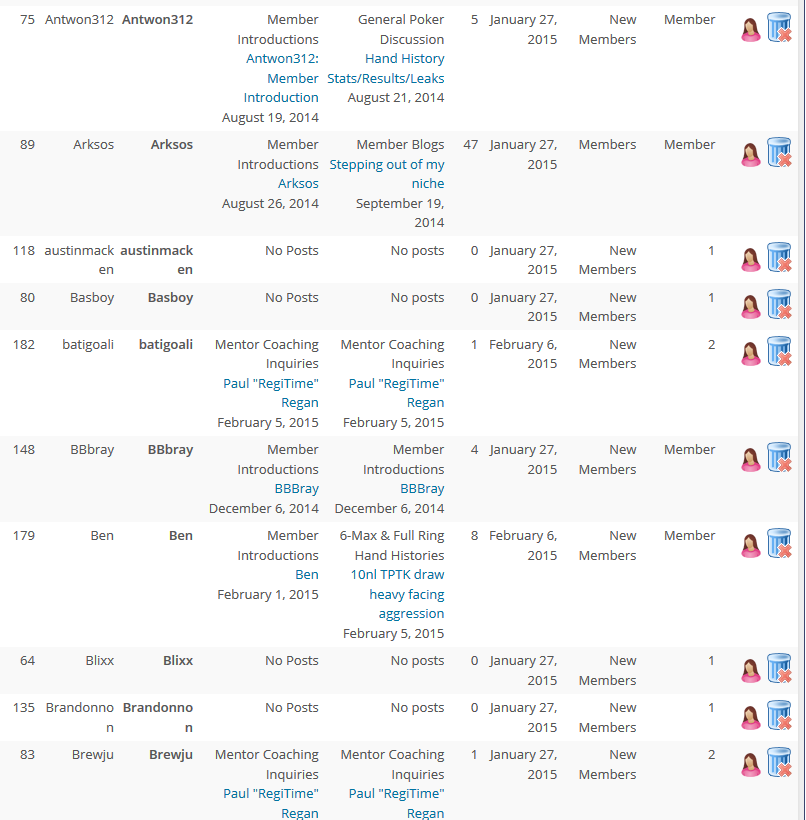
I created two test ranks after I got all users in the user groups I want them to be in. Unfortunately the Forum Ranks isn’t assigning users properly to forum ranks. I did the toolbox database cleanup before doing this test ranking too.

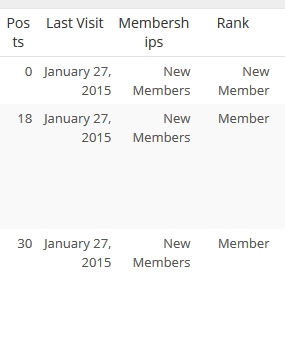
As you can see, some people are assigned the correct ranking, others aren’t. Also the default member ranking that I deleted is still showing up for some people.

IK Ike
Ike
Member

I’m not 100% sure on this one but if the forum ranks are changed, could it be that a user has to make a post in order to be moved to the new usergroup?

Also when you say ‘default member ranking’, do you mean they are in the usergroup they were assigned to through your first ranking setup?

As I said, not 100% sure without doing some local tests and it’s pretty late here right now!

Are you running any other WP membership / usergroup plugins?

YS Yellow Swordfish
Yellow Swordfish
Member

Yes – they do have to make s post

Sent from my iPhone

> On 6 Feb 2015, at 11:30 pm, Simple:Press Support wrote: > >

YS Yellow Swordfish
Yellow Swordfish
Member

Yes – they do have to make s post

Sent from my iPhone

> On 6 Feb 2015, at 11:30 pm, Simple:Press Support wrote: > >

AH Alton Hardin
Alton Hardin
Member

Ike said
I’m not 100% sure on this one but if the forum ranks are changed, could it be that a user has to make a post in order to be moved to the new usergroup?

Also when you say ‘default member ranking’, do you mean they are in the usergroup they were assigned to through your first ranking setup?

As I said, not 100% sure without doing some local tests and it’s pretty late here right now!

Are you running any other WP membership / usergroup plugins?

When I delete all the rankings, it shows “Member” as the default ranking.

AH Alton Hardin
Alton Hardin
Member

Yellow Swordfish said
Yes – they do have to make s post

Sent from my iPhone

> On 6 Feb 2015, at 11:30 pm, Simple:Press Support wrote: > >

If they have to make a post, why it is assigning rankings for certain members and not others?

Also, how can I assign members rankings manually in the database?

FYI – I did a quick test. I created a new forum post as one of my forum members that was placed in the wrong ranking and it did not put him back in the correct ranking after I created the post.

AH Alton Hardin
Alton Hardin
Member

Update: I got all users in the correct rank.

  1. deactivated Ranks Information plugin
  2. created rank by post count that I wanted each user to be in
  3. I kept recreating the rank for each post count (for example for new users rank, I set # posts at 0 and created it, then changed it to 1 and recreated it, etc. all the way to 15.
  4. For the 2nd rank I wanted to have I did the same for all posts over 15, luckily I don’t have that many users.

It also auto-promotes users to the correct rank and user membership level now.

For some reason the Ranks Information plugin was messing things up. So I’m just keeping it deactivated for now.

It does keep members in the old membership group and adds the new one. How does that affect forum permissions? Also, how do I have it remove users from the old group?

MP Mr Papa
Mr Papa
Member

if you want to remove users from old usergroup, just set the limit users to single usergroup option on forum – usergroups – map users to usergroups panel in the user memberships section…