Support Forum

Smileys are gone? Are there any default Smiley Packages

30 Answers

New Answer

BI BigFeat
BigFeat
Member

I uploaded the smileys using the custom smiley upload. That is why I was able to see the name and code show up in the dashboard along with the actual smiley gifs. So they are definitely there. Just not showing up in the forum.


Here’s a screenshot of the dashboard under components; http://prntscr.com/jzlur

MP Mr Papa
Mr Papa
Member

take a look in your wp db… in the sfmeta table… meta_type and=20 meta_key of smileys… what do you have for meta_value? should be=20 something like:

a:18:{s:5:”frown”;a:5:{i:0;s:12:”sf-frown.gif”;i:1;s:7:”frown“;i:2;i:1;i:3;i:0;i:4;i:0;}s:8:”confused”;a:5:{i:0;s:15:”sf-confused.gif”;i:1;s:5:”confused“;i:2;i:1;i:3;i:1;i:4;i:0;}s:9:”surprised”;a:5:{i:0;s:16:”sf-surprised.gif”;i:1;s:5:”surprised“;i:2;i:1;i:3;i:2;i:4;i:0;}s:4:”evil”;a:5:{i:0;s:13:”icon_evil.gif”;i:1;s:6:”evil“;i:2;i:1;i:3;i:3;i:4;i:0;}s:8:”question”;a:5:{i:0;s:17:”icon_question.gif”;i:1;s:3:”question“;i:2;i:1;i:3;i:4;i:4;i:0;}s:7:”twisted”;a:5:{i:0;s:16:”icon_twisted.gif”;i:1;s:9:”twisted“;i:2;i:1;i:3;i:5;i:4;i:0;}s:7:”exclaim”;a:5:{i:0;s:16:”icon_exclaim.gif”;i:1;s:3:”exclaim“;i:2;i:1;i:3;i:6;i:4;i:0;}s:3:”eek”;a:5:{i:0;s:12:”icon_eek.gif”;i:1;s:5:”surprised“;i:2;i:1;i:3;i:7;i:4;i:0;}s:4:”idea”;a:5:{i:0;s:13:”icon_idea.gif”;i:1;s:6:”idea“;i:2;i:1;i:3;i:8;i:4;i:0;}s:5:”laugh”;a:5:{i:0;s:12:”sf-laugh.gif”;i:1;s:5:”laugh“;i:2;i:1;i:3;i:9;i:4;i:0;}s:3:”cry”;a:5:{i:0;s:10:”sf-cry.gif”;i:1;s:5:”cry“;i:2;i:1;i:3;i:10;i:4;i:0;}s:4:”yell”;a:5:{i:0;s:11:”sf-yell.gif”;i:1;s:6:”yell“;i:2;i:1;i:3;i:11;i:4;i:0;}s:4:”wink”;a:5:{i:0;s:11:”sf-wink.gif”;i:1;s:6:”wink“;i:2;i:1;i:3;i:12;i:4;i:0;}s:7:”rolleys”;a:5:{i:0;s:17:”icon_rolleyes.gif”;i:1;s:6:”rolleys“;i:2;i:1;i:3;i:13;i:4;i:0;}s:5:”smile”;a:5:{i:0;s:12:”sf-smile.gif”;i:1;s:7:”smile“;i:2;i:1;i:3;i:14;i:4;i:0;}s:4:”cool”;a:5:{i:0;s:11:”sf-cool=2Egif”;i:1;s:6:”cool“;i:2;i:1;i:3;i:15;i:4;i:0;}s:4:”kiss”;a:5:{i:0;s:11:”sf-kiss.gif”;i:1;s:6:”kiss“;i:2;i:1;i:3;i:16;i:4;i:0;}s:10:”embarassed”;a:5:{i:0;s:17:”sf-embarassed.gif”;i:1;s:5:”embarassed“;i:2;i:1;i:3;i:17;i:4;i:0;}}

BI BigFeat
BigFeat
Member

I don’t think I know where and how to look for these strings. Is this db a physical file that I would have to retrieve from the server through ftp? Is it viewable through the WP dashboard somewhere?

At any rate, the previous custom smileys I had were showing fine. But they were originally uploaded when I was running 4.5. This all stopped working after I replaced them with a new smiley package set after 5.1.  All I did was to delete the smileys that were in the forum-smileys folder and upload these new smiley sets.

YS Yellow Swordfish
Yellow Swordfish
Member

OK – let;s look at this from a different angle.
Do the smiley files you NOW have in the folder have the same file names as the ones you USED to have and deleted?

BI BigFeat
BigFeat
Member

Yellow Swordfish said
OK – let;s look at this from a different angle.
Do the smiley files you NOW have in the folder have the same file names as the ones you USED to have and deleted?

No they do not have the same name. The previous smileys were animated gives with different names. These are the basic static ones that are available on this SP forum.

YS Yellow Swordfish
Yellow Swordfish
Member

Well there you go.
You will need to go the smileys forum admin panel and clear out any old records that pointed to now deleted smileys and recreate the records for the new set.

Sorry – we did try and retain them but they had already been deleted when the update took place.

BI BigFeat
BigFeat
Member

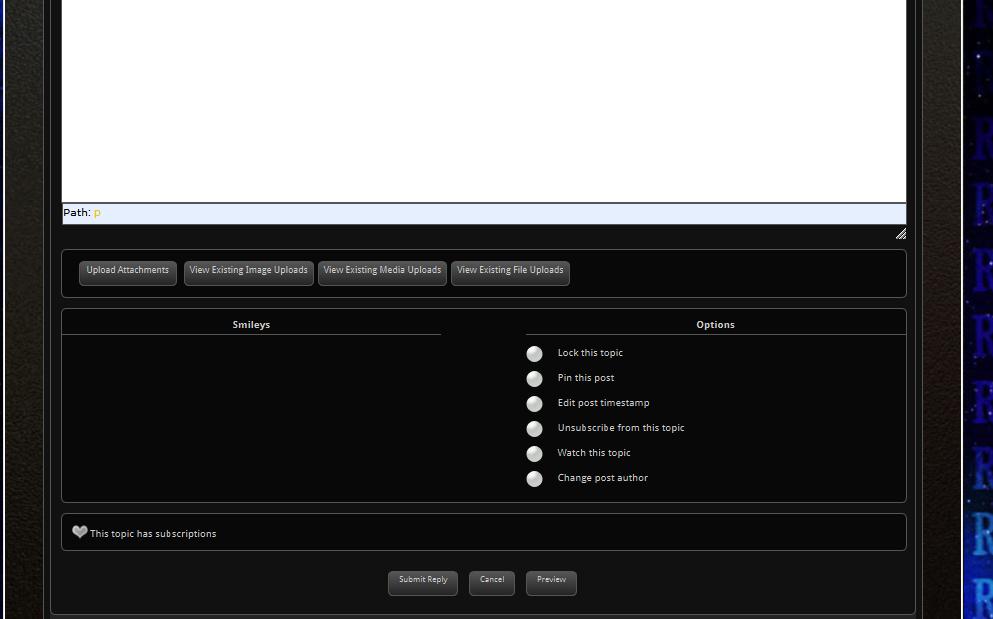
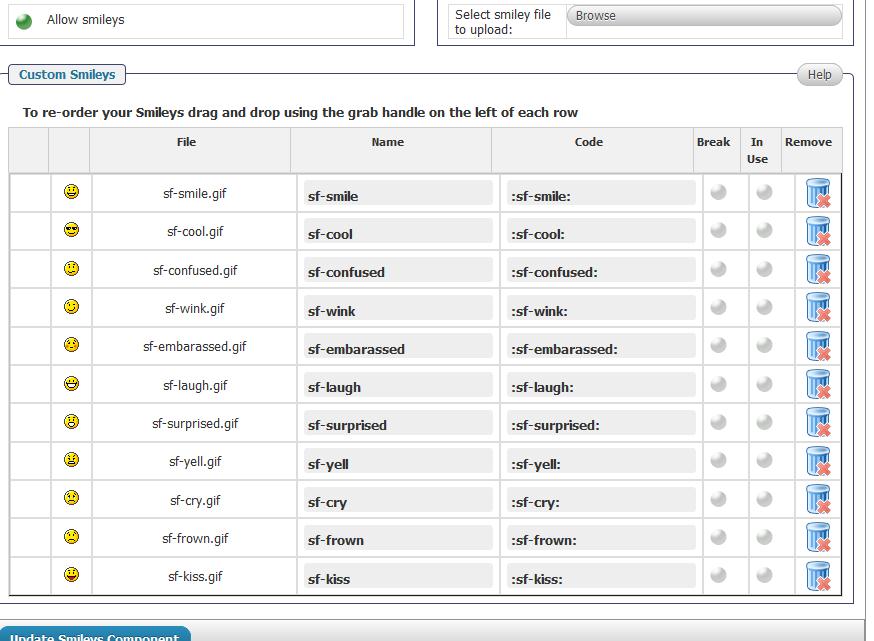
smileys2.jpgsmileys.jpgOk, I am totally lost here.  Even with what is said, I have done the following:


  1. Deleted all files from Forum-smileys folder in FTP. 
  2. Manually uploaded smiley gives in COMPONENTS section using the Browse – Upload feature. 
  3. I have clicked on “In Use” radio buttons next to each smiley, then clicked on Update button
  4. All smileys including name and code match as illustrated in attached screen pic.

After all the above was done. The smileys do not appear in the forum as illustrated in the secondary screen print.  So I am assuming I have taken all intuitive steps that anyone using this plugin would need to do to have functioning smileys.  At this point, I’d like to know if I didn’t perform the right steps and if so, what should I be doing?

MP Mr Papa
Mr Papa
Member

I tried to take a look at your smiley stuff but you still have not made our temp account an sp admin account as requested…  again, that is on forum – admins – manage admins…

BI BigFeat
BigFeat
Member

Sorry, account added to Admin privileges now. Please try again.

MP Mr Papa
Mr Papa
Member

not quite… ;)

on that admin panel, please give this account all the admin capabilities…

MP Mr Papa
Mr Papa
Member

okay, none of the ‘in use’ checkboxes were selected… so I selected them all and the smileys are showing up now as expected…

BI BigFeat
BigFeat
Member

I guess that explains what I couldn’t figure out. After I checked the “In Use” box, then selected UPDATE button below, the IN USE radio buttons would no longer be filled. I assumed this meant it placed them in use but the radio buttons wouldn’t stay filled. 

That said, did you click on UPDATE after you filled in the radio buttons under IN USE? If so, I swear that I kept filling them each time and after I clicked on UPDATE, they would no longer be filled. So I naturally thought it was suppose to behave this way even though it made no sense.

MP Mr Papa
Mr Papa
Member

yes, I clicked each radio button and then clicked on the update smileys components button which saved the in use flag… click all in use and one update…

BI BigFeat
BigFeat
Member

Ok thank you. Not quite sure why the same steps didn’t work for me after several attempts.