Hope so. Currently being tested here and should make it into the next update.
Support Forum
Yellow Swordfish said
Hope so. Currently being tested here and should make it into the next update.
Fantastic news!
When do you estimate to release the next update?
will release in conjunction with wp 3.8 in December… they will have to be hand in hand due to some significant core changes in 3.8 of wp…
Mr Papa said
will release in conjunction with wp 3.8 in December… they will have to be hand in hand due to some significant core changes in 3.8 of wp…
Good to know.
Feels like WP are changing and updating like crasy this year. I am just hoping that my wp theme developer will follow your example and keep their product up to date.
Thanks for a great job.
3.8 is especially interesting with a complete redo of the wp admin area (a lot of it is CSS)…
Yellow Swordfish said
Hope so. Currently being tested here and should make it into the next update.
Hello guys,
Thanks for the latest SP update. Every thing got updated nicely without any issues.
However the sub forum icon issue still remain. I was hoping it should be fixed in this update. Any schedule for when it might get fixed?
Cheers
As far as our testing went it most certainly was fixed. Tested out just fine.
Can you remind me again of the problem in case I misunderstood first time around – and perhaps provide a link to an example if you have one current?
Yellow Swordfish said
As far as our testing went it most certainly was fixed. Tested out just fine.Can you remind me again of the problem in case I misunderstood first time around – and perhaps provide a link to an example if you have one current?
I will attach some images in a moment, that shows the issue.
Hi Andy,
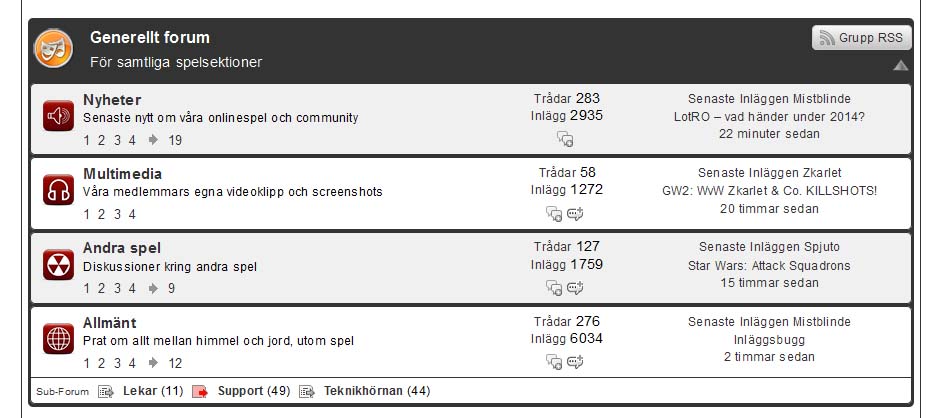
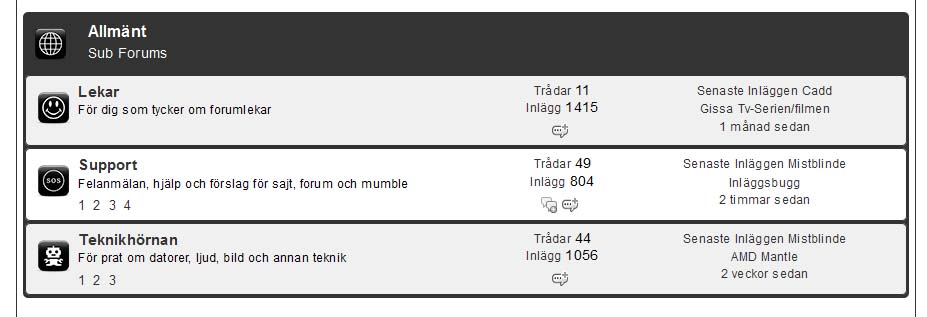
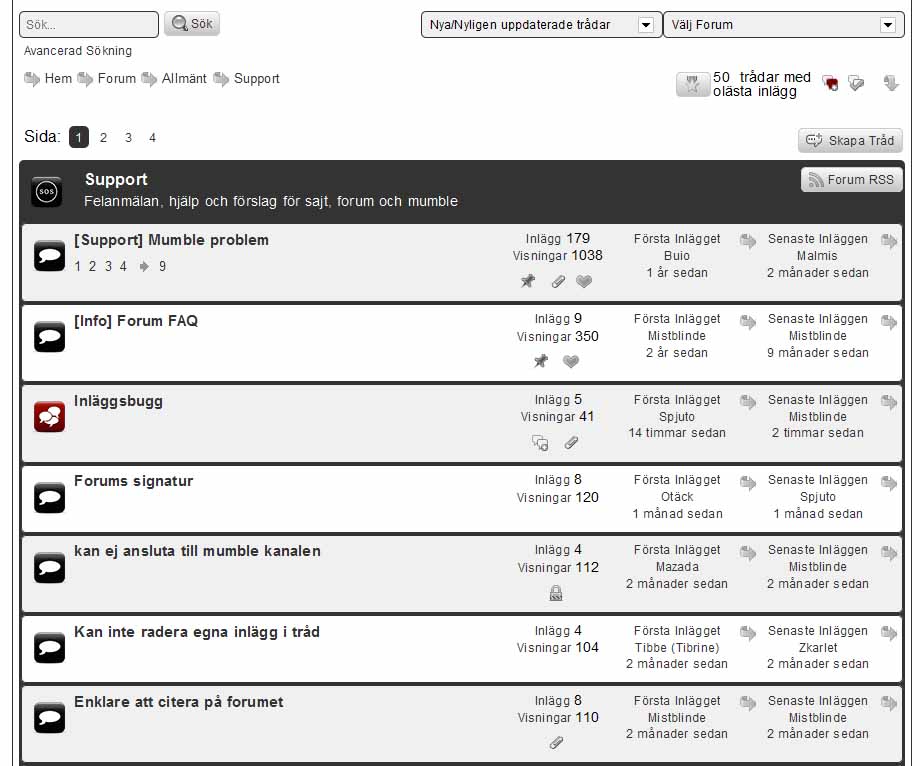
Take a look at the images.
Image nr2 shows you that the support forum icon does not switch to the red version which should pop up when the forum have updated posts.
I have the same icon issue in all sub forums across my site.


Well I have no idea what has gone on here. I know 100% I changed that code but you are quite right – it ain’t there now.
I have restored the missing code. It is a bit complicated but I could try and show you the changes if you wanted to try applying them…
Yellow Swordfish said
Well I have no idea what has gone on here. I know 100% I changed that code but you are quite right – it ain’t there now.I have restored the missing code. It is a bit complicated but I could try and show you the changes if you wanted to try applying them…
Yes please, that would be much appricated.
OK – I will give it a try… there are two files involved.
1 – /simple-press/forum/content/classes/sp-forum-view-class.php
1.1 – at line 479 locate this line of code:
$f[$forumid]->forum_icon = sanitize_file_name($r->forum_icon);
and add below it:
$f[$forumid]->forum_icon_new = sanitize_file_name($r->forum_icon_new);
1.2 – at line 545 locate this line of code:
$f[$fidx]->subforums[$sub->forum_id]->forum_icon = sanitize_file_name($sub->forum_icon);
and add below it:
$f[$fidx]->subforums[$sub->forum_id]->forum_icon_new = sanitize_file_name($sub->forum_icon_new);
1.3 – at line 695 locate this line of code:
$spdb->fields = 'forum_id, forum_name, forum_slug, forum_desc, forum_seq, forum_status, forum_disabled, forum_icon, topic_icon, topic_icon_new, forum_rss_private, post_id, post_id_held, topic_count, post_count, post_count_held, parent, children';
and add the following text after ‘forum_icon’ along with the necessary comma:
forum_icon_new,
2 – /simple-press/forum/content/sp-forum-view-functions.php
2.1 Locate the block of code between lines 88 and 97. These start with the line:
if (!empty($spThisSubForum->forum_icon)) {
and end with the line:
$out = "<img id='$tagId' class='$tagClass' src='$icon' alt='' />n";
Replace the whole block of code with:
$path = SPTHEMEICONSDIR;
$url = SPTHEMEICONSURL;
if($spThisSubForum->unread) {
$fIcon = sanitize_file_name($iconUnread);
if (!empty($spThisSubForum->forum_icon_new)) {
$fIcon = sanitize_file_name($spThisSubForum->forum_icon_new);
$path = SFCUSTOMDIR;
$url = SFCUSTOMURL;
}
} else {
$fIcon = sanitize_file_name($icon);
if (!empty($spThisSubForum->forum_icon)) {
$fIcon = sanitize_file_name($spThisSubForum->forum_icon);
$path = SFCUSTOMDIR;
$url = SFCUSTOMURL;
}
}
if(!file_exists($path.$fIcon)) {
$fIcon = SPTHEMEICONSURL.sanitize_file_name($icon);
} else {
$fIcon = $url.$fIcon;
}
if ($get) return $fIcon;
$out = "<img id='$tagId' class='$tagClass' src='$fIcon' alt='' />n";
and all being well that should do…
Weee… it´s working. I love you Andy.
I wish both you and Steve a Merry Christmas and Happy New Year!
A happy, happy, happy Swede 
Great news. Sorry that something clearly went wrong on the first attempt…
Have a good Christmas your end up there in the cold… ![]()