The mobile sliding panel (#spMainContainer #spMobilePanel) already has a z-index of 99999 which is huge so I am surprised that anything can show up over the top of that!
Try adding a couple of extra 9’s…


The mobile sliding panel (#spMainContainer #spMobilePanel) already has a z-index of 99999 which is huge so I am surprised that anything can show up over the top of that!
Try adding a couple of extra 9’s…

where would I find that? or is that something I can just add to my wp-theme custom css?
Well… if you change the SP theme then you are using ‘Unified’ for mobiles so it is the same as ‘default’ except in the Unified folder and named unified.php.
If you change it in your WP theme styles.css file then as before – just add it and see.
is this the correct way I would add it to my custom css?
#spMainContainer #spMobilePanel { z-index: 10000000000 !important; }
Yes – give that a try.
To be honest I am not sure what the maximum z-index value can be but I believe you have gone way beyond it there so interested to hear if that solves it.
this still seems to be a issue even with that high of a z-index, any other suggestions?

you don’t see the actions button with the log in option on mobile? well crap, back to the drawing board
oh wait… mobile? login… old thread so went back to the beginning… thought problem was with the unread posts button and zindex
perhaps bring me up to date… sorry…
Sorry for the confusion, the issue is when trying to log in on mobile the pop up is showing under the header, I’ve tried increasing the z-index to 10000000
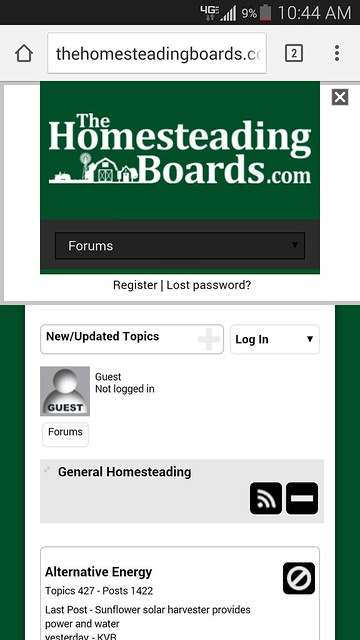
try changing
#spMainContainer #spMarkRead:target, #spMainContainer #spLoginForm:target, #spMainContainer #spSearchForm:target
from
position: fixed;
to
position: absolute;
think that gets it showing below…