I updated Simple-Press which it allowed me to do “successfully”, but when I went to the forum it was blank and gave the message the update would not run on anything but 4.0. Too bad it did not tell me that during the install and prompt me to stop upgrading. Is there any way to go back and not lose my data?
Support Forum
Did I not just answer this somewhere else? I thought so…!!
Explanation is over there at whatever other topic you posted this to. It is really a WordPress issue I believe which should not have downloaded it – assuming you used the WP updater to do this with.
Thanks,
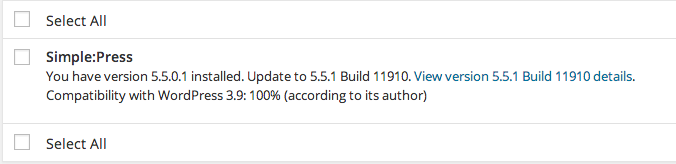
I would never have installed it if it did not say the following in the update list:
In the other post I was just trying to help the person who originally posted to warn him that the reason might be that he had a lesser version of WP than 4.0.
Yes – I did notice the reason you posted – thanks.
This is still a bit of an odd WordPress condition. WP assumes that because SP has set the bar above (in this case 4.0) then it is compatible with all versions below. And so it is – it just requires and supports changes that WordPress themselves have made to 4.0. It will have displayed 3.9, I suspect, because that was what you were using.
The point I was making is that in my opinion, WordPress should not have offered you the update at all until you WERE using 4.0. It is clearly marked in our control file that 4.0 is required.