I noticed that on your forum here, when I upload attachment it shows up as a picture right away in “Add Reply” window
On my forum it shows up as a code. See image attached. How can I change it? 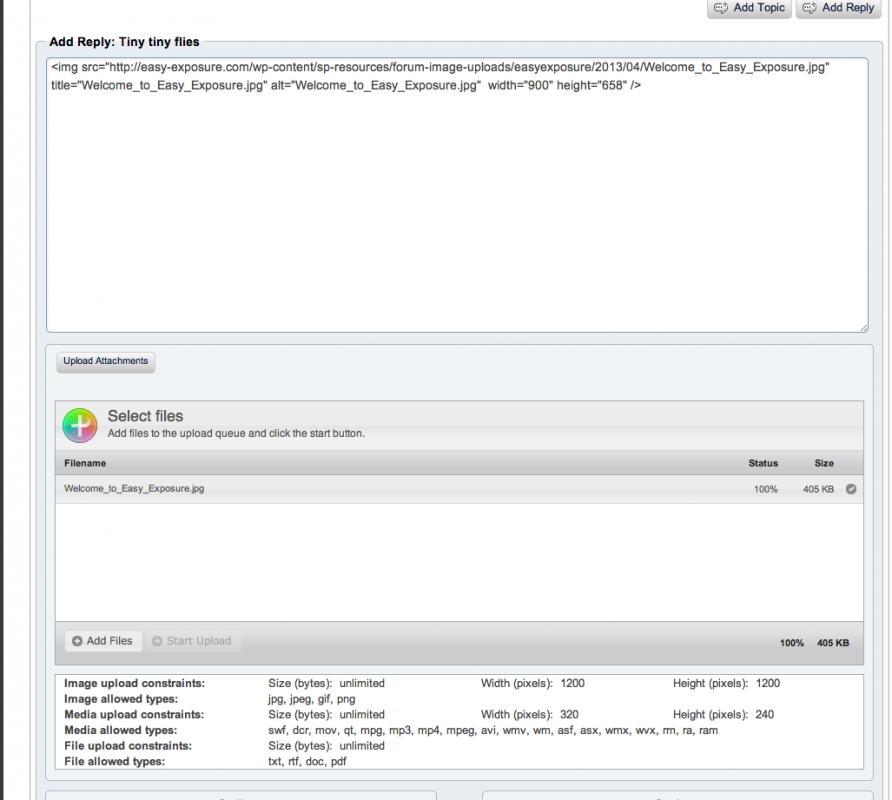


I noticed that on your forum here, when I upload attachment it shows up as a picture right away in “Add Reply” window
On my forum it shows up as a code. See image attached. How can I change it?


which editor are you using?? that does not look like tinymce richtext… you need that plugin for the editor here…
I need “tinymce richtext” plugin? Is this WordPress Plugin or Simple Press plugin?
its a plugin for simple press… we offer three different editors via plugins that you can use on your site…
It is TinyWCR WYSIWYG Editor, right?
Also is there any way to make text of the post and text in the editor bigger?
TinyMCE WYSIWYG editor…
you can increase the font size within the editor window in your css..
I installed a new editor, but my users complain that in adds 1 and 1/2 spaces between lines after you hit a Return, instead of 1 space. Is it possible to change this?
what do you mean by 1 or 1 1/2 spaces??
like any wysiwg editor, hitting return in tinymce will begin a new paragraph… how much padding (spacing?) between those paragraphs is determined by your sp and wp themes…
If you want only a return vice a paragraph, you would enter shift-return as typical in wysiwyg editors… but it would be more standard to adjust the css for paragraph padding to adjust the line spacing…