Support Forum

Upload image and profile page problems

FU funkyjudge
funkyjudge
Member

Hi all. New user moving from a phpBB site after 3 years. 

My first problem is i don’t know how to upload images. I see the ‘Upload Attachments’ button but when i click it all i see is the ‘Image upload constraints’ info.
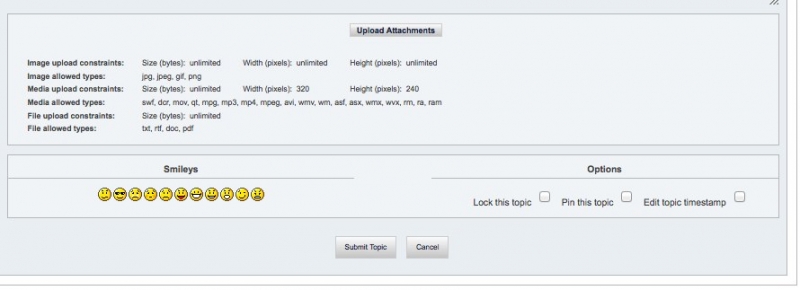
Pic_01.jpg

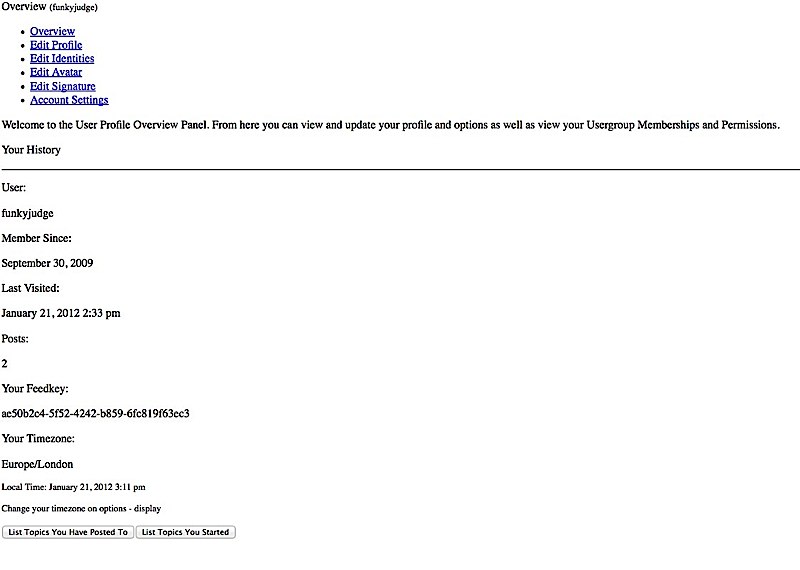
Also, on my member profile page, when i click the ‘profile’ button to edit my details, i get all the text on a white page.
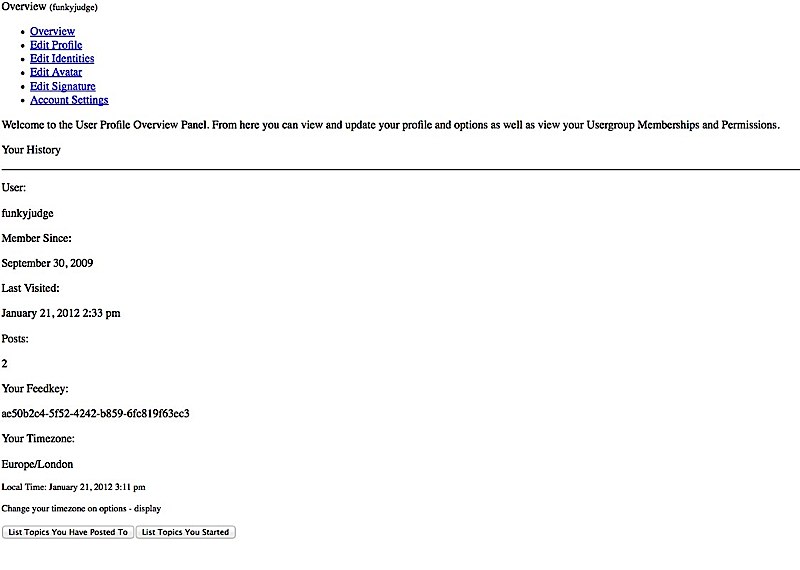
 

Pic_02.jpg

If you need to access the forum you can use these login details.

Username – YellowSwordfish

Password – sword123


Hope you can help.


Thanks


Francis

11 Answers

New Answer

FU funkyjudge
funkyjudge
Member

Of course, sorry…


http://funkyjudge.net/geils/forum/

MP Mr Papa
Mr Papa
Member

you have some js issues there… ones that I believe have been long resolved in 5.0 RC…  can you verify that you have the latest 5.0 build and up to date sp plugins?

you can verify build on forum – toolbox – toolbox

and visit the wp updates page under dashboard and make sure there are no sp updates…

FU funkyjudge
funkyjudge
Member

The build is 7759

I don’t see any sp updates on the dashboard page.

MP Mr Papa
Mr Papa
Member

I suspect its because your wp theme is not following wp standards…  its loading its own version of jquery… and it looks to be conflicting with the version of jquery that wp loads…

so probably need to resolve that…

since your theme is loading its own version of jquery in the head tags, check the theme header.php if it has one and see if its hardcode to load is own jquery version…  and replace with

wp_enqueue_script( ‘jquery’ );

to use the wp version and see if that works… 

FU funkyjudge
funkyjudge
Member

These are the 3 lines i find the word jquery in the header.php. Which one should i replace with 

wp_enqueue_script( ‘jquery’ );


wp_head();

?>


<script type=”text/javascript” src=”<?php echo $dirs[‘www’][‘js’]; ?>jquery.js”></script>

<script type=”text/javascript” src=”<?php echo $dirs[‘www’][‘js’]; ?>jquery.ifixpng.js”></script>

<script type=”text/javascript”>jQuery.noConflict();</script>


<?php

MP Mr Papa
Mr Papa
Member

I would replace the first and last… though really the second one should be replaced with:

wp_enqueue_script(‘ifix’,$dirs[‘www’][‘js’].”jquery.ifixpng.js”, array(‘jquery’), false, false);

to make it dependent on jquery loading first…

FU funkyjudge
funkyjudge
Member

Thank you. I replaced all three lines and the image uploader works a treat.


Any ideas why my profile pages are not part of the forum theme but are on white pages?


 Pic_02-1.jpg

MP Mr Papa
Mr Papa
Member

no. looks like another js issue…  did you clear your browser cache and retry?

FU funkyjudge
funkyjudge
Member

Cleared the cache and it works. Thank you very much.


Francis