Hi guys,
Just noticed a new warning above the forum when i am refreshing the page:
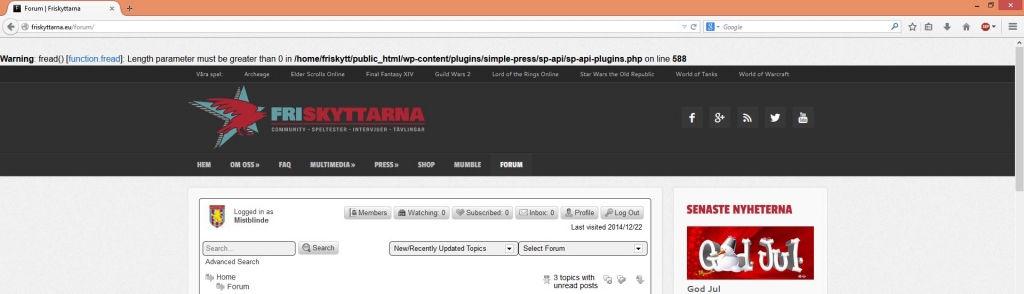


Hi guys,
Just noticed a new warning above the forum when i am refreshing the page:


first, its very poor to be displaying errors on a production site… those should really be disabled…
2nd, not sure how that is occurring.. it says you have a 0 byte css file that is trying to be included…
so not an error and no ill effect, but you get the warning…
three options…
1 – dont display errors on production site (always recommended by php, wp, devs, etc)
2 – find the 0 byte css file (new child theme css?)
3 – disable css combined caching on forum – options – global settings
So it´s the empty child theme that is giving the error.
Do you have any simple line i can add that dont change anything in particular to get ride of the warning until i have time to add own color etc.
Thanks!
P.S.
How to not display errors on my site? Is that done in the WP admin?
you would turn off errors in your php.ini file…
or in your wp config file, add:
define(‘WP_DEBUG’, false);
define(‘WP_DEBUG_DISPLAY’, false);
Mr Papa said
how about a comment?/* my theme css */
Haha, i really need a holliday to get my brain working.
Thanks Steve 
P.S.
Thanks for the tips above as well.