Support Forum

Warnings on Admin pages

BC Bob Christensen
Bob Christensen
Member

We have warnings popping up on our Admin pages. This one appears on the top of our pages:

Warning: in_array() [function.in-array]: Wrong datatype for second argument in /problem-with-post-edit-buttonome/content/07/8498207/problem-with-post-edit-buttontml/wp-content/plugins/simple-press/sp-api/sp-api-common-display.php on line 122

And this one appears in the profile section:

Warning: Invalid argument supplied for foreach() in /problem-with-post-edit-buttonome/content/07/8498207/problem-with-post-edit-buttontml/wp-content/sp-resources/forum-plugins/subscriptions/template-tags/sp-subscriptions-review-button-tag.php on line 31

We’re running SimplePress 5.1.1 on WordPress 3.4.1. Our programmer is stumped. We’d appreciate your thoughts!

Thanks

41 Answers

New Answer

YS Yellow Swordfish
Yellow Swordfish
Member

I am stumped as well up to a point!

The first one might possibly be some sort of data corruption. We are checking if there are values and should only be looking at the array if there are any bit I can see that if that data is corrupted in some way then it could detect data exists but still fail when it is interrogated.

If I asked for you to look something up in the database and copy and paste me the results would that be possible?

The second one however does have me stumped as that is a template tag which shouldn’t really be loading within the admin. Actually we are not talking about it loading – we are talking about it actually running the code! I will have to think about why this should load in the admin!

As a matter of course though, running your php with warnings turned on is not a good idea for a production site unless you are literally in the debugging phase.

BC Bob Christensen
Bob Christensen
Member

Thanks for your reply.

Yes, we can look up the DB. If I can’t figure out your request, our programmer can. Just please be explicit so that we can follow your directions.

Thanks

YS Yellow Swordfish
Yellow Swordfish
Member

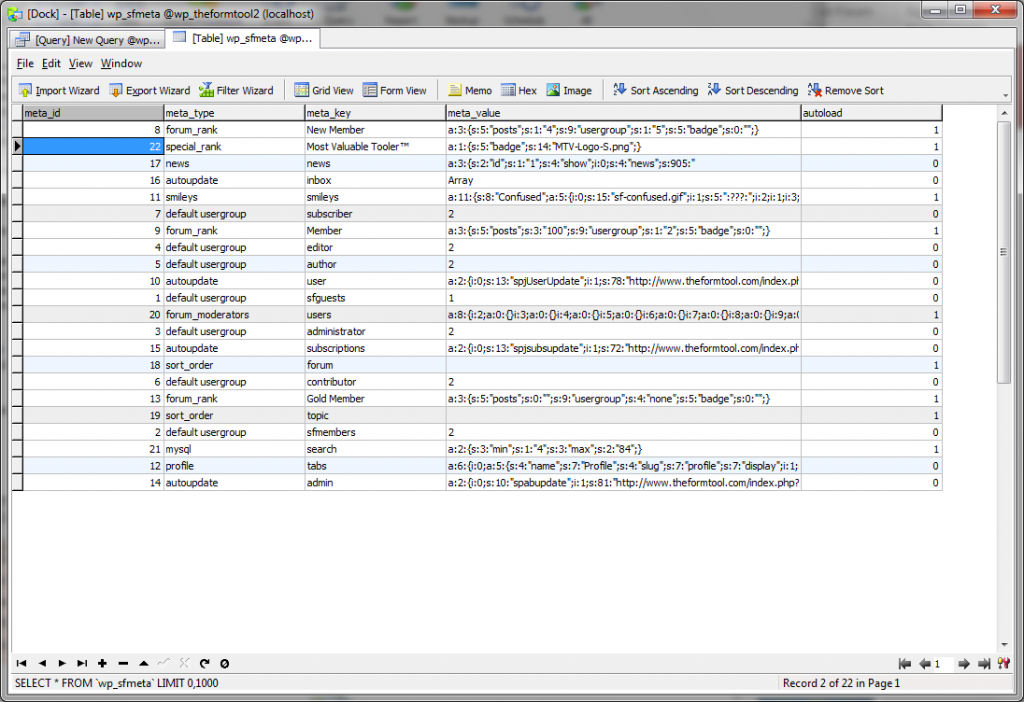
We would be looking for the db table ‘sfmeta’ and any that had a row where the ‘meta-type’ is ‘special rank’. Mainly interested to see the data in the column ‘meta_value’…

BC Bob Christensen
Bob Christensen
Member

When we removed the most recent update and rolled back to a previous version, the problem stopped.

I’ve attached a screenshot of ‘sfmeta’ with a single row for ‘special rank’.

I’ve also attached a PDF of a text file of an array of “$sfglobals” that our programmer thinks may be of interest to you

IMG_18072012_181803.png
YS Yellow Swordfish
Yellow Swordfish
Member

what character is that supposed to be on the end of the ‘most valuable tooler?’ entry?

BC Bob Christensen
Bob Christensen
Member

It is the symbol for the word “trademark,” an option-2 key combination.

MP Mr Papa
Mr Papa
Member

hmmm… that might not be a valid character for the key…  we should be stripping invalid chars…

can you try remove the TM and see if it works?

BC Bob Christensen
Bob Christensen
Member

I have removed the trademark symbol from the Forum Rank/Special Forum Ranks section. I then backed out of the Admin section, logged out, logged back in as Admin.

The warnings are still there.

MP Mr Papa
Mr Papa
Member

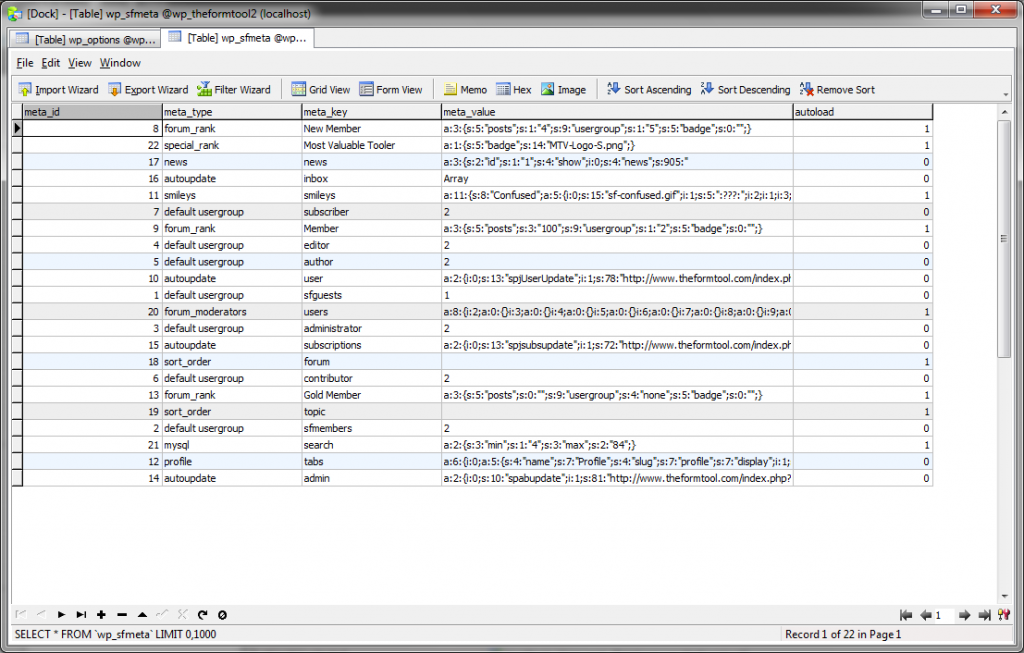
can you redo the db display for us?  Its still squawking about the entries for meta_type of special_rank…  which is the entry that had the illegal character…  want to make sure its gone from db…

BC Bob Christensen
Bob Christensen
Member

Here is the new db screen shot. As you can see, the trademark symbol is no longer reported, consistent with removal yesterday. However, the warnings remain.IMG_20072012_161902.png

MP Mr Papa
Mr Papa
Member

a bit puzzled…  sticking with the first one (which is what we have been working)…

you are only seeing this error in the admin??  on all sp admin pages or panels?  by page, I mean one loaded with the far left wp nav menu…  by panel I mean one loaded within the current page load via the sp accordion style menu…  on pages or each panel load?

and what about non sp admin pages?

since this is admin and not on the front end, perhaps you can enter a bit of debug code…  in the file:

simple-press/sp-api/sp-api-common-display.php

around line 120, before

    $count = 0;

could you try adding:

ashow($sfglobals[‘special_rank’]);
ashow($memberRanks);

and then around line 122 before

        if (in_array($key, $memberRanks)) {

could you try adding:

ashow($key);

and see what data we get…

BC Bob Christensen
Bob Christensen
Member

Thanks. I’ve asked our programmer to install the snippet.

We see this warning: Warning: in_array() [function.in-array]: Wrong datatype for second argument in /problem-with-post-edit-buttonome/content/07/8498207/problem-with-post-edit-buttontml/wp-content/plugins/simple-press/sp-api/sp-api-common-display.php on line 122


on all Admin pages, WP and SP.

MP Mr Papa
Mr Papa
Member

okay, thanks… interested in the answer since we cannot duplicate nor has anyone else reported… and the error says the 2nd argument is not an array, but it should be…

BC Bob Christensen
Bob Christensen
Member

Does this mean that the graphic itself is a problem for some reason?

[Image Can Not Be Found]