Yellow Swordfish said
I have been following this thread and I have just re-read it and I am still a little confused. So please excuse me if I have misunderstood something or am going over old ground…
You seem to suggest that you are unable to upload images and/or use the editor on THIS support site using an iPad or iPhone. Is this actually the case? Because if it IS the case then I think we need to be looking into what other software you may have that may be effecting things. I use an iPhone 5, iPad 2 and iPad Mini Retina quite regularly and have no problems editing, uploading etc. For this I use a mix of the Safari browser (which I do not like) but more often Mercury, which I do.
Now while looking at your site this morning using my iPad Mini – I can not actually access the editor at all. The text area is just unavailable completely. is this actually what you see as it is not what I understood the problem to be from the previous posts. (There is no attachments button either).
I also have one question regarding the editor toolbar options. I see you have changed them from the default as we supply them. If you out it back to the default set of buttons does that make any difference. I.e., back to a state that is known to work correctly?
The editor works fine on this site for me but the uploader doesn’t seem to do anything when I press “add files”
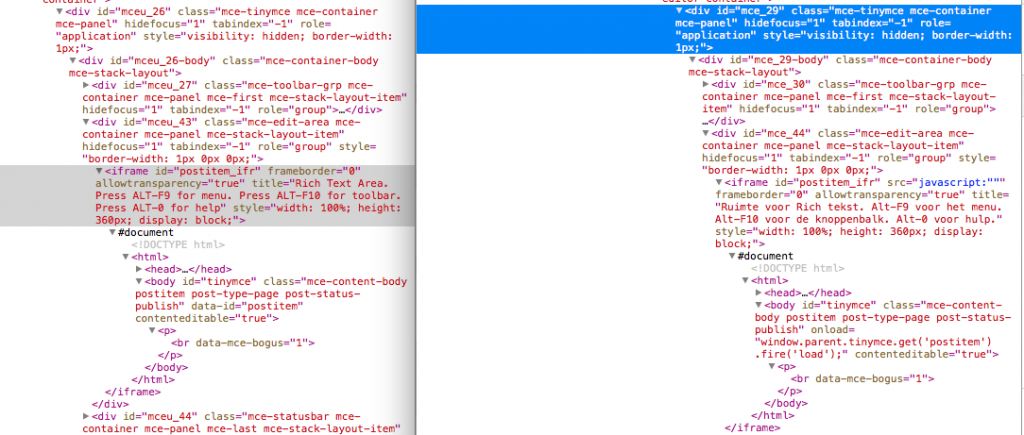
Now for my own website, if you add a reply you get focus inside the editor, but once you leave this focus it is indeed impossible to access the editor again.
I’ve changed the buttons back to what is supplied with the Unified theme (in spFunctions.php) which is this:
# load the theme textdomain for tranlations
add_action(‘init’, ‘spUnified_textdomain’);
function spUnified_textdomain() {
sp_theme_localisation(‘spUnified’);
}
# only show a few buttons on phone
add_filter(‘sph_tinymce_buttons_1’, ‘spUnified_editor_buttons_1’, 999);
function spUnified_editor_buttons_1($buttons) {
global $spDevice;
if ($spDevice == ‘mobile’) $buttons = ‘bold,italic,underline,blockquote,link,unlink,image,code,wp_adv’;
if ($spDevice == ‘tablet’) $buttons = ‘bold,italic,underline,|,bullist,numlist,|,blockquote,|,link,unlink,|,image,media,|,spoiler,ddcode,|,code,spellchecker,|,wp_adv’;
return $buttons;
}
add_filter(‘sph_tinymce_buttons_2’, ‘spUnified_editor_buttons_2’);
function spUnified_editor_buttons_2($buttons) {
global $spDevice;
if ($spDevice == ‘mobile’) $buttons = ‘formatselect,fontsizeselect,spellchecker’;
if ($spDevice == ‘tablet’) $buttons = ‘formatselect,fontsizeselect,|,strikethrough,forecolor,justifyleft,justifycenter,justifyright,justifyfull,|,charmap,removeformat,selectall’;
return $buttons;
}
add_action(‘sph_BeforeDisplayStart’, ‘spUnified_remove_resize’, 5);
function spUnified_remove_resize() {
global $spDevice;
if ($spDevice == ‘mobile’) {
remove_action(‘sph_BeforeDisplayStart’, ‘sp_resize_show’);
}
}
But this makes no difference in being able to access the editor.


 was a lot of work.