Support Forum

forum signature using buddypress plugin

KC kevin calvelli
kevin calvelli
Member

I might be doing something wrong but when I go to profile to edit my forum signature it takes be back to my profile on the website so i enter my forum URL or html and it doesn’t show up on simple press am I doing something wrong?

28 Answers

New Answer

YS Yellow Swordfish
Yellow Swordfish
Member

Oh dear… I am not really up to speed with BuddyPress and our BuddyPress plugin (something I will rectify soon) so I will need to do some research and ask colleagues. But perhaps I can collect some data.

On the forum profiles admin set up options what is the ‘Profile Entry Form Mode’ set to?

And when you say ‘…takes be back to my profile on the website’ what exactly does that mean please?

KC kevin calvelli
kevin calvelli
Member

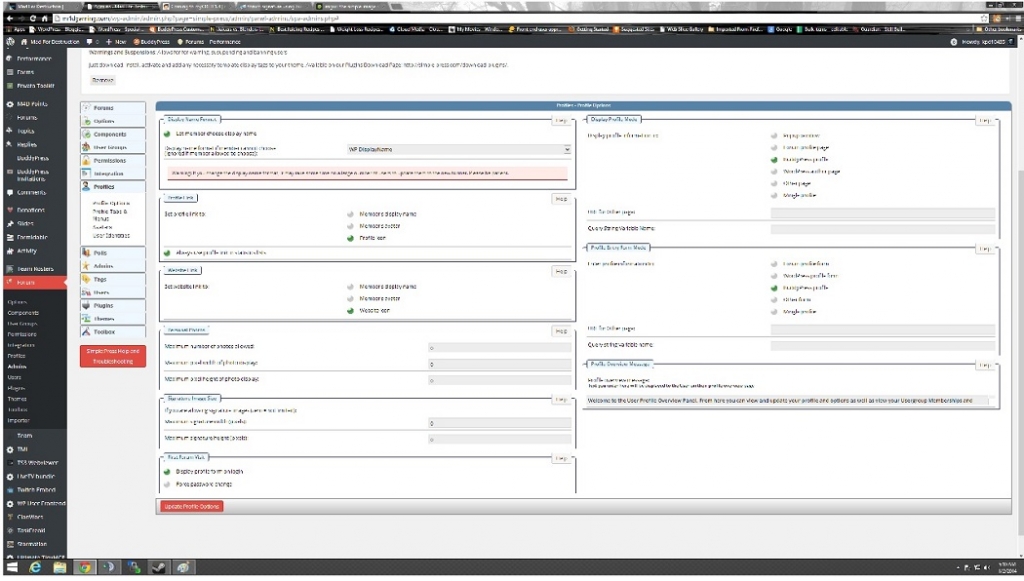
admin-area.jpgok my admin panel image is in attachment…………Profile Entry Form Mode set to  buddypress profile . when i say “takes be back to my profile on the website’ what exactly does that mean please?” it means if you hit profile on the forum area …….it takes me back to the user profile area IE. when you are on the website part not forums and you click your user name it takes you to your website profile . 

KC kevin calvelli
kevin calvelli
Member

also what kind of code to have the signature is it html  or bbcode ? it gives text for either I must be doing something else wrong . i am using this http://sigs.enjin.com/sig-gw2/73df2bebb6825c29.png  or this <a href=”http://www.enjin.com/” alt=”gw2 guild hosting”><img src=”http://sigs.enjin.com/sig-gw2/73df2bebb6825c29.png”></a>

MP Mr Papa
Mr Papa
Member

the editor is plain text…  so you can enter html…

but sorry, still not understanding the issue… the signature only shows up in a forum post…  you can set it from the buddypress profile or the simple press profile…  if you set the profile entry mode to buddypress, that means you dont want a sp profile… you instead want to redirect to the buddypress profile… is that what is happening?

KC kevin calvelli
kevin calvelli
Member

All I want is my forum signature to work in simple press if I use bbcode it won’t show up if I use HTML code it cuts it in half what am I doing wrong

YS Yellow Swordfish
Yellow Swordfish
Member

Ah – do you mean cut in half horizontally? If so then that is simply that not enough space has been allocated to contain the signature. Because of the nature of html and the desire to display the signature at the bottom of the post space, a pixel count height is allocated. By default this is 55 pixels.

You can change this and adjust to what you need by editing the template – in this case the spTopicView.php template which you will find in the /templates folder of the SP theme you are using. You can use our theme editor for this task.

Locate the display function sp_PostIndexUserSignature() and you will see the attribute ‘maxHeightBottom’ set to 55. Just change the 55 to your preferred height.

As always we recommend that you create your own SP theme so that any customisation is not lost during a future update. (http://codex.simple-press.com/codex/themes/theme-basics/creating-a-theme/)

JJ Juciy Jane
Juciy Jane
Member

it kinda works for me but when i set it to 400 not only the signature ” space” is getting bigger bit the whole topic so if they only use one line there is a lot of white space :(

any suggestions how to fix that ?

Cheers

YS Yellow Swordfish
Yellow Swordfish
Member

As it is a ‘max-height’ rule then it should only expand when necessary. Can you give me a link to an example topic if I can view it as a guest? I can look at the underlying CSS being applied.

JJ Juciy Jane
Juciy Jane
Member

hey thanks for the quick reply 

http://www.delta-clan.com/forum/problem-with-post-edit-buttonumour/ian-is-bored-google-search-fun/#p221

spCenter&maxHeightBottom=400

YS Yellow Swordfish
Yellow Swordfish
Member

Ah – it’s an HTML problem.

In order to force the signature container to the bottom of the post area it needs a margin at the top that is basically the same as the max-height you have set. The problem, of course, is that if the signature does not need all of that height then the margin still gets applied…

I am nit sure if it is possible to do anything about this but it is a most interesting question and I am going to investigate further…

RO Robert
Robert
Member

We’ve got the same issue. Originally we thought all we needed to do was increase the allowable size for sigs. As I have read through this topic, it’s apparently a lot more complicated and time consuming than that.

I don’t mind dabbling around to fix stuff, but the last thing I need is to wreck the theme because I don’t have time to write one for our site. It should be easy for our members, (most are in the 35 and over demo and we are lucky enough to have them know how to turn on the computer let alone do any ‘coding’ to get a website or forum to work), to add a sig using the instructions we have supplied and links to sigs we have created for them.

Here’s an example of what our members are seeing-http://suprs.net/site/forum/the-real-deal/testing/#p70 you should be able to see that as a guest of the site.

Thanks for any help you can supply.

YS Yellow Swordfish
Yellow Swordfish
Member

Hey… not so much of the knocking of over 35s. smile I’m 62 and it’s been a damn long time since I saw 35. There are more 60 years olds with Facebook pages than any other single demographic group. So there !!!

Ok – so what are you actually talking about here? The need for more depth for your signatures or the gap? And if it is just the need for more depth then it is not difficult or time-consuming as it is pretty basic stuff and a very simple change that just takes a couple of minutes.

RO Robert
Robert
Member

Haha thanks Yellow Swordfish…I’m with you cuz I’m 46, maybe it’s just our guys lol. 

What I’m concerned with is that what’s the quickest, safest way to change the default parameter of 55px to allow sigs of 469×300 px to show correctly. 

You recommend not messing with the default theme template, but as I don’t have time nor desire to build a new one, (hey that’s what the theme and plugin authors are for right? :) ), what other option do I have? Is there one that I haven’t seen in this thread?

Thanks for the help!