How to insert video topic?
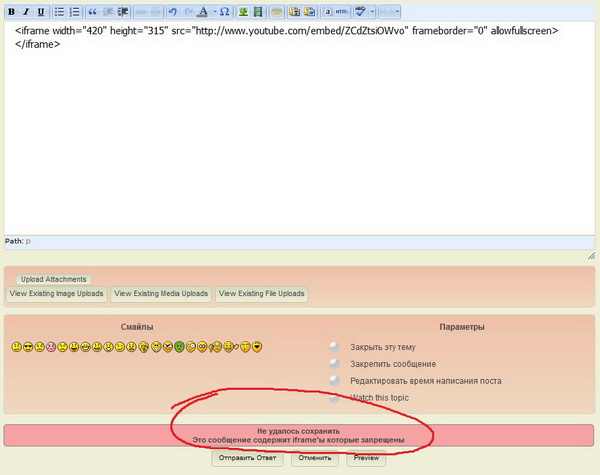
A message about the wrong iFrame.



Go to your WP admin settings – media – and make sure oEmbed is turned on. In forum posts simply paste the url of the youtube video – i.e., from the address bar.
Using an iFrame in then forum post is not allowed as it is dangerous.
Then there is another problem. Video does not load completely. See the screenshot.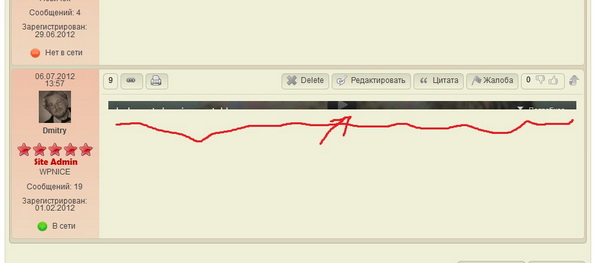

The usual reason for this – and I have seen it a couple of time before – is either your wp theme CSS or another plugins CSS. You can usually find the problem easily using a tool like Firebug. If you want me to look at it I will need a link to the page with the embedded video on it…
Here is the forum page with the video
http://wpnice.ru/forum_2/4b-wp/simplepress-forum-obsuzhdenie/
Your WP theme – in the CSS file called ‘themeblvd.css’ has defined
.themeblvd-video-wrapper .video-inner
To have a height of 0 (zero). I do not know why they would do that but that is what is causing the video box not to be displayed.
But – really – that height, if it is going to bet set in CSS needs to be the height of the video. It would be far better if the theme was not putting CSS around this at all. Can it be turned off?

looks like your wp theme:
http://wpnice.ru/wp-content/themes/akita/framework/frontend/assets/css/themeblvd.css?ver=3.4.1
its limiting the video with styling at line 141 of themeblvd.css:
.themeblvd-video-wrapper {
position: relative;
}
This is causing it to be collapsed…
If you remove it, it displays right, but will be too big… So check your settings for oembedded video on the page andy mentioned… make sure its not bigger than 745px or it will overflow…
Thank you very much.
Video is now working well.
It remains unclear just the presence of an insert button – Insert/Edit media 
good news… you can still embed videos using the button, just not one that uses an iframe (like the old object method)… that would be a significant security risk to your site… besides, just inserting an url is much simpler. 😉
