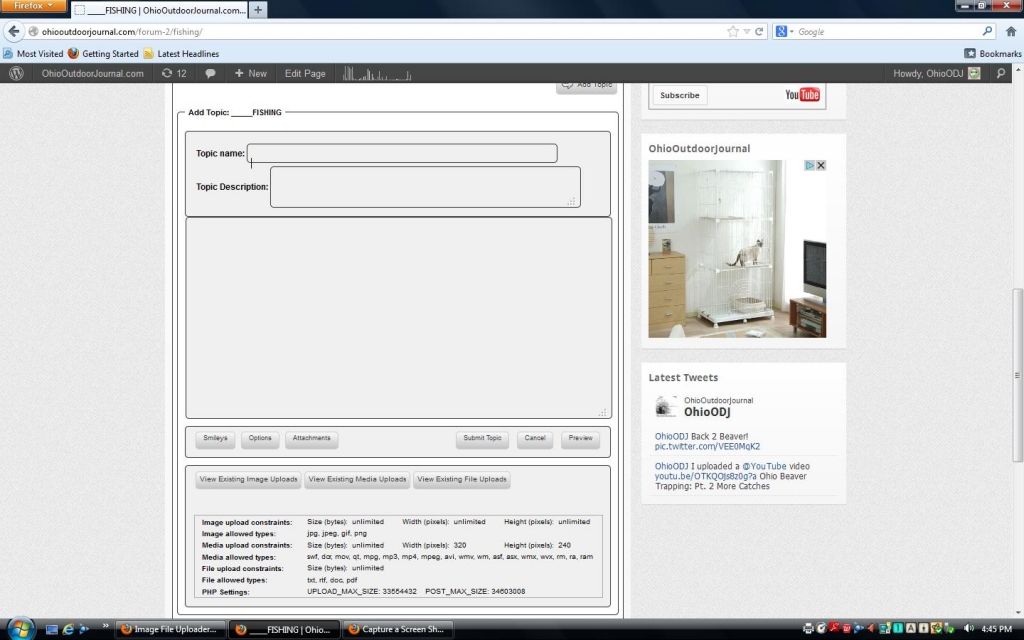
I just installed the image file uploader. I went to try it out and it is not working correctly. I click “attatchments” and 3 boxes show up for adding existing, but no option to add a new one. When I click on the add existing I get “java null” in the footer.
Support Forum
dont worry about javascript:null… it just means that the href attribute is empty and the onclick attribute is used instead…
but I am not sure what you are saying… can you explain further? and maybe a screenshot or two? and a link to your site so we can look for obvious conflicts… see: http://codex.simple-press.com/codex/faq/troubleshooting/what-is-this-jquery-conflict/
When I click attatchments, I still cannot figure out how to upload a file. Here is my site.
http://ohiooutdoorjournal.com/
how you given folks permission to upload images, media or files? since guests cannot create posts or upload images on your site, cannot really try it out…
but, per the link I gave you earlier, you have some js/jquery issues…
you have a plugin, smart slideshow widget doing bad things and not following the wp standards and api… It is hard loading its own jquery ui:
<script type=’text/javascript’ src=’http://ohiooutdoorjournal.com/wp-content/plugins/smart-slideshow-widget/js/jquery-ui.min.js?ver=3.4.1′></script>
instead of using the jquery ui that comes with WP… I dont even see a slideshow on your forum page so it should even be loading its stuff if its not needed…
if you can find in the plugin where its incorrectly loading the external jquery ui, we can help correct it…
Ya I took that slideshow out. I will delete it and see what happens. When I go to permissions, the “allow users to upload avatar” is green, but it has an icon next to it that says “requires enabling.” I cannot find where to do that either.
I found another issue that may be related. Pop up windows for profile info do not show up. Also, I cannot get an option to add an avatar as another user or even admin. I put an avatar on my admin account a few days ago, but now I cannot even get to it again.
you would enable it on forum – profile – avatars…
let us know on the other thing…
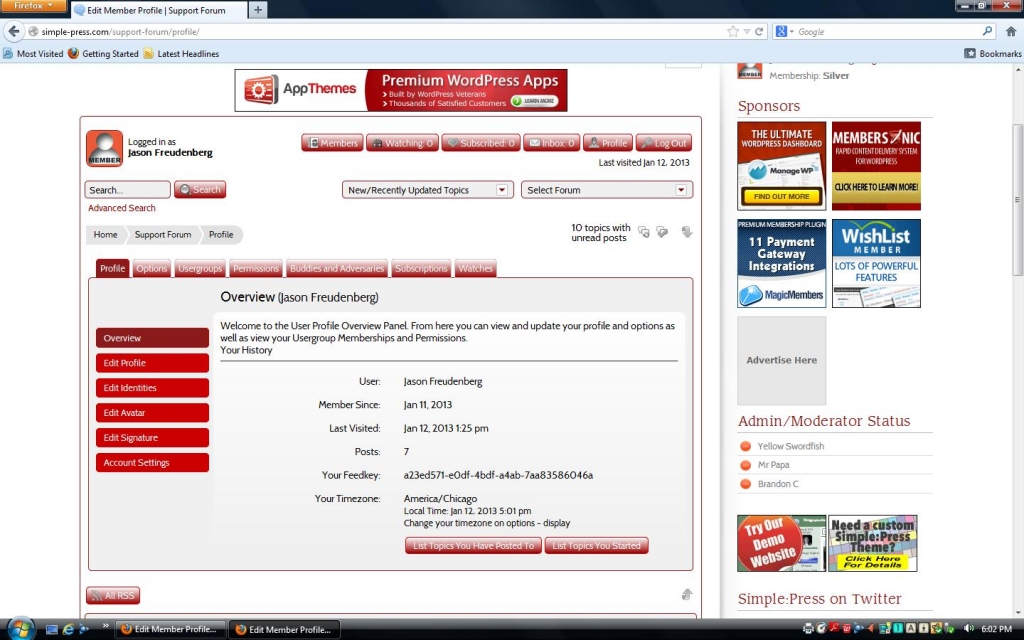
You are not understanding. These things are not showing up. When I click “attatchments” the browse computer section does not show up. When I click “profile” as you said to so I can get to “avatars” the menu that goes with the profile does not show up. I am attatching a picture of the menu I get when I click “profile” on this forum. All of those nice buttons do not show up on my forum. That is the problem. Things are not showing up when I click on them.
I think you are misunderstanding… when we say forum – profile – avatars that means in the admin… that is short hand notation for the admin panel for controlling avatars…
didnt we talk about a js/jquery conflict on another post? sorry, way from computer and answering via email, so cannot check myself, but will later tonight…
Ok. I know what you mean. Avatars are enabled, and I was missing it because it would not show in a pop up window like the one on this forum. It does however show when I click profile, then profile again, so that is tricky as well, but does work. I believe the same issue that is preventing a popup form appearing is not allowing the file uploader to show up. 99 percent of why I joined this community was for the file uploader plugin, so I really want it to work. I deactivated the slideshow, but it showed no results.
I am seeing http://ajax.googleapis.com/ajax/libs/jquery/1.4.2/jquery.min.js being loaded on your site. I can’t tell what from but it could be causing your issues.
See http://codex.simple-press.com/codex/faq/troubleshooting/what-is-this-jquery-conflict/ for info on why it can cause issues and how to inspect the page source.
You may need to deactivate (not uninstall) some WP plugins to find the culprit.
Thanks Brandon,
I deactivated a bunch of plugins for WP and SP. Don’t know which one was the problem, but it is working!
Another problem. All the images I upload turn into small thumbnails. How do I allow them to be nice and big?