Support Forum

Image load up

62 Answers

New Answer

MP Mr Papa
Mr Papa
Member

http://codex.simple-press.com/codex/getting-started/controlling-access/

a good primer on how permission sets, usergroup and forums go together to control access and abilities…

and why I have been asking you if its not working just for uses or admins too… but have not seen answer…

and trying to be sure, you went to wp-content/sp-resources/forum-image-uploads/ and for the user and date in question, verified the image file was uploaded?

AL Allen Leon
Allen Leon
Member

and trying to be sure, you went to wp-content/sp-resources/forum-image-uploads/ and for the user and date in question, verified the image file was uploaded?

 

Again being a newbie i have no idea what you are mentioning here.   

MP Mr Papa
Mr Papa
Member

okay, thanks…

why dont you send us a temp wp admin account with sp admin capabilities so we can take a look?  if that works, send them in a pm to mr papa AND yellow swordfish… be sure to link back to this topic so we know what its about….

MP Mr Papa
Mr Papa
Member

thats the path where the upload would get saved… earlier you said you verified the file was on the server… wanted to make sure you looked in right location…

AL Allen Leon
Allen Leon
Member

Papa with all due respect we don’t know you personally after consulting with partners we are weary about making Admins we think over Skype would be the best. (your input please.)

AL Allen Leon
Allen Leon
Member

We have a Tech. onboard to handle this Thank You Everyone that tried to help :)

Thank You,

UpStateAL and Live Steam News Crew 

AL Allen Leon
Allen Leon
Member

Is there a set of Ch MOD setting that we need to follow ?

AL Allen Leon
Allen Leon
Member

Do you guys keep your SQL Updated along with php our tech. believes your code isn’t up to date 

BTW we are running linux server ( possible code glitch in your code ? ) please let us know.

He has said that all our settings are correct.

Thank You,

UpStateAL 

AL Allen Leon
Allen Leon
Member

Code problem seems to be within image being uploaded to the content box.

MP Mr Papa
Mr Papa
Member

re chmod…. have you been to forum – integration – storage locations?  does the uploads directory show two green marks?

keep sql updated with php???  that would be a question for you and your server…  php in code doesnt have versions and the php/mysql run on your server…  sp does require php 5.2 or higher like wp… and mysql 5.0 like wp…

btw, tens or hundreds of thousands of installs are working fine with this so its a local problem we need to resolve…  I assume you have tried it here with your account… overwhelming vast majority on varous *nix flavors…

Skype is mostly ineffective as we cannot inspect elements or look at http responses…  it you just want to show us, make a screencast… 

but I did request some credentials for us to just access your site and take a look… no response again…  if that doesnt work for you, please at least let us know that…

AL Allen Leon
Allen Leon
Member

Still not seeing image in signature after uploading and it says upload complete.

I have answered your request to be a AMIN. in post 51 

and also we are missing the tool bar like you have here above 

AL Allen Leon
Allen Leon
Member

Incase you ask about what tool bar here is a picture of what we are missing on the post area.

i guess i’am talking about the toolbar editor when making a post.


Screen-Shot-2013-08-23-at-1.43.55-AM.png
MP Mr Papa
Mr Papa
Member

you control the style and elements in the editor toolbar… forum – components – editor (tinymce)…  you have two rows of buttons and pick and choose what you want where… yes,our toolbar is changed from the default…

but the toolbar has nothing to do with uploading images for the signature…  you dont use that… you need to have the file uploader plugin for simple press… and it adds a new button for uploading images below the editor (in posts and in the profile)…

you do have the file uploader plugin, right???  thought that was covered earlier…  so what is the question about the editor toolbar in regards to uploading images?

AL Allen Leon
Allen Leon
Member

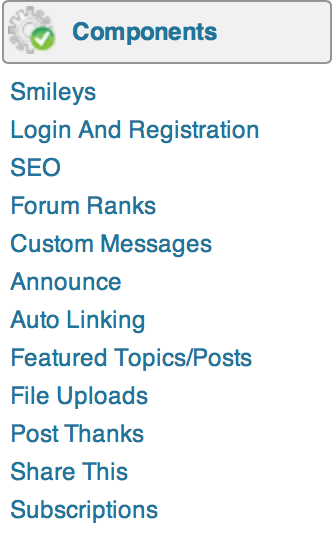
here is my options under components settings 

Screen-Shot-2013-08-23-at-2.02.21-AM.png

i don’t see what you are telling me.