
Support Forum

Installation complete but nothing works

RR Richard Rafferty
Richard Rafferty
Member

1.jpg2.jpg


Hi,

I am completely new to Simple Press and this forum so thanks in advance for any help with this.

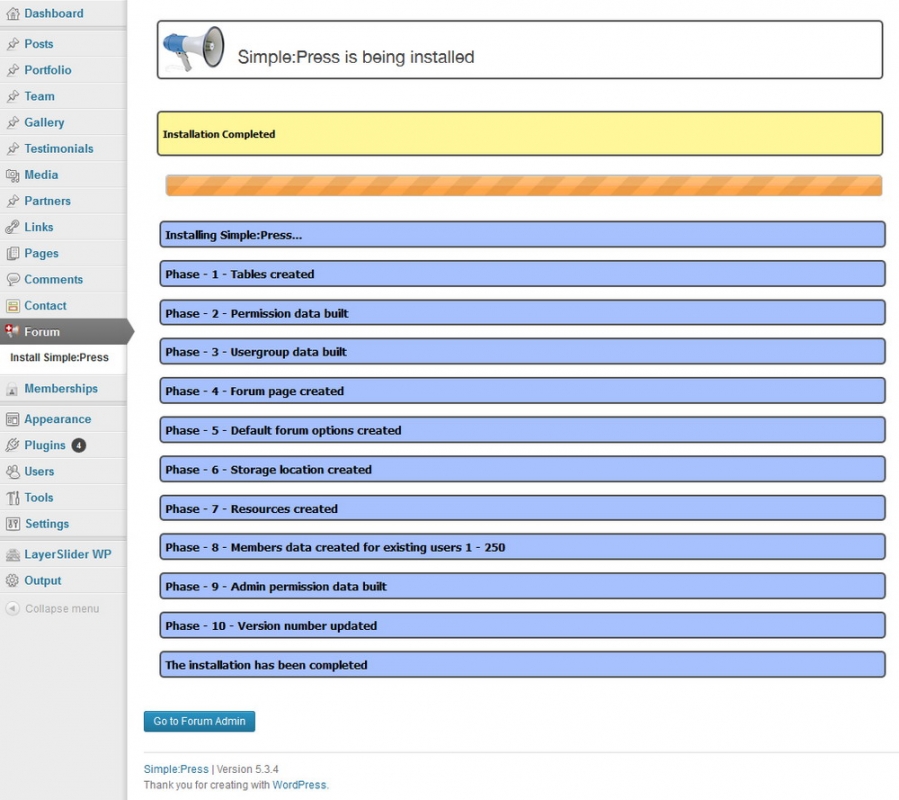
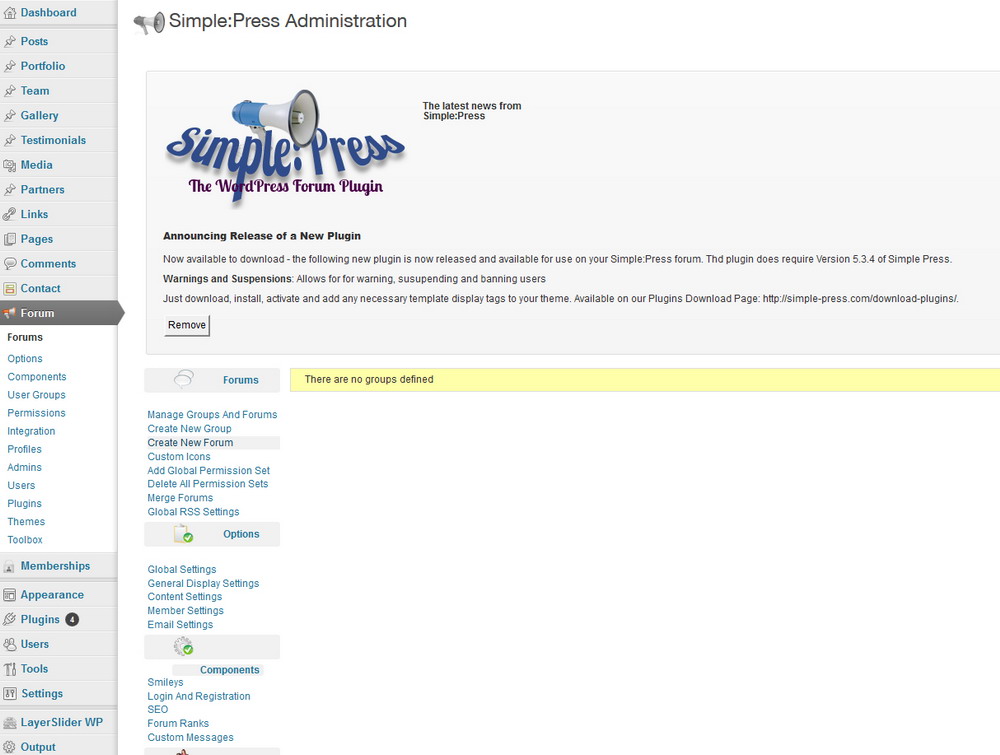
I have just installed the latest version of simple press as a forum on my WP site, everything seems to have installed ok but none of the links to create groups or forums etc work.

I have a message at the top of the screen which says that I need to install the latest version “plugin does require Version 5.3.4 of Simple Press.” which I have but am unable to do anything with the plugin.

I have looked through the help topics but can’t find what I need to make things work.

Thanks again


9 Answers

New Answer

MP Mr Papa
Mr Papa
Member

sorry, not following you… seems to have installed just fine…  if you are referring to the second screenie that says not groups defined, you cannot add forums until you have groups…  a group is a container of forums…

see:  http://codex.simple-press.com/codex/getting-started/creating-your-forums/for more info…

RR Richard Rafferty
Richard Rafferty
Member

Thanks for the replay but I am unable to create groups, the link button doesn’t do anything, neither does the forum button.

Even when I click the “remove” button on the upgrade message, nothing happens.


YS Yellow Swordfish
Yellow Swordfish
Member

Then you most probably have a JavaScript conflict – your WP theme or another plugin – which needs to be fixed. This codex article explains what this means and what to look for:

http://codex.simple-press.com/codex/faq/troubleshooting/what-is-this-jquery-conflict/

As you are seeing this in the admin then my guess would be that it is more likely to be another plugin. Looking at the generated html source and searching that will hopefully be informative as might having thr script console open when trying to open a forum admin panel.

RR Richard Rafferty
Richard Rafferty
Member

Thank you for the reply,

I have read and re-read the page which you linked to and have absolutely no idea what it means!

At this point I think another forum plugin would have been a far easier option as I was unaware of any potential plugin conflicts or major problems with simple-press.

When I read the installation guide it was clear and concise, just click here, upload there, click there and the forum works. But after a long time of uninstalling plugins and looking at source codes, I am no closer to having an actual working forum.

In the conflict guide you mention contacting the theme designer to ask them to rectify the problem but what would I possibly tell them? “Your theme doesn’t work with simple-press, please fix it” – don’t think that would work too well!


Think it’s back to the drawing board for me as this seems like a lot of work for a plugin.


Thanks

YS Yellow Swordfish
Yellow Swordfish
Member

You could give us a link to your website. OK – we can’t get to the admin pages unless you give us credentials but we can take a look at the front end to see if we can spot any conflicts

MP Mr Papa
Mr Papa
Member

nothing jumps out there…  out of curiosity, have you tried a browser cache clear?  and maybe another browser?  more data points…

you could also try the actions with the browser console open and see what errors are reported…

pending that, we would need temp access to the admin to see it first hand…

RR Richard Rafferty
Richard Rafferty
Member

I have checked the forum in 4 separate browsers and different versions of the browsers.

I have cleared browser caches and can see no issues except for the fact that nothing works.


I will PM you the login details for the site but for now I think it may be a lost cause

MP Mr Papa
Mr Papa
Member

your theme is throwing errors in the admin… oddly:TypeError: $ is not a function
$(‘.show-hide-container’).live(‘click’, function () {
http://phoenixhardgainers.com/wp-content/themes/output/core/page-builder/js/pb.js?ver=3.7.1
Line 103not sure what the theme is doing, but the error is preventing other js on the page from running… so you could switch to a default wp theme and at least see if it starts working…