Support Forum

Invalid Database Query error with Private Message plugin

DO dogsday
dogsday
Member

Hi there,

I’m installing and configuring a few plugins to see how they work and am having a problem with the Private Messaging plugin.

It uploaded and activated fine and I see the PM inbox on the top bar, but when I click on it, I get an ‘Invalid Database Query’ error as per the attached screenshot.

Any pointers to fix would be appreciated.

Thanks

DD
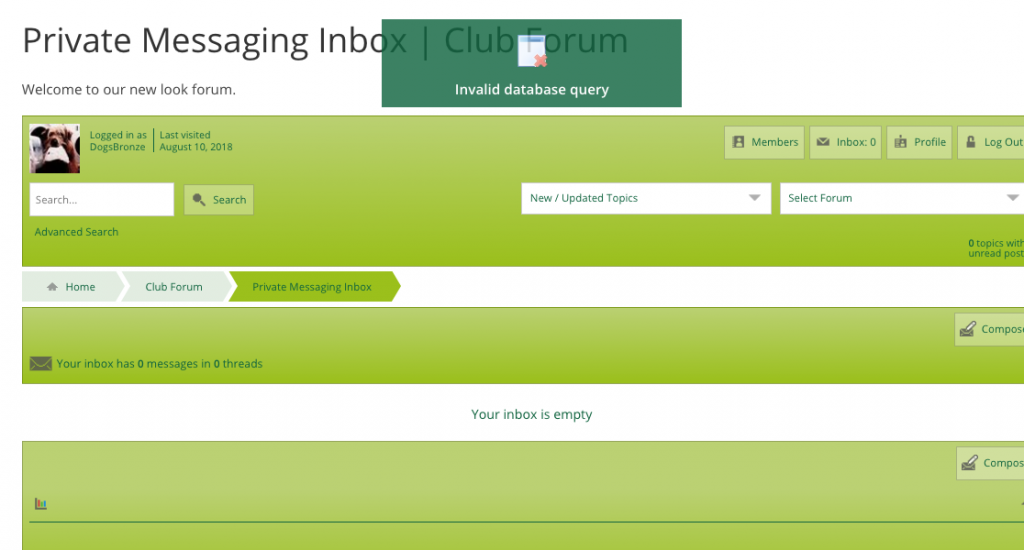
PM-database-error2018-08-10-at-11.11.22.png

9 Answers

New Answer

YS Yellow Swordfish
Yellow Swordfish
Member

Odd. Two questions: Have you ever had the plugin active before? Are both your SP Core plugin and the PM add-on plugin both up to date?

Can you please go to the forum admin > toolbox > error log.

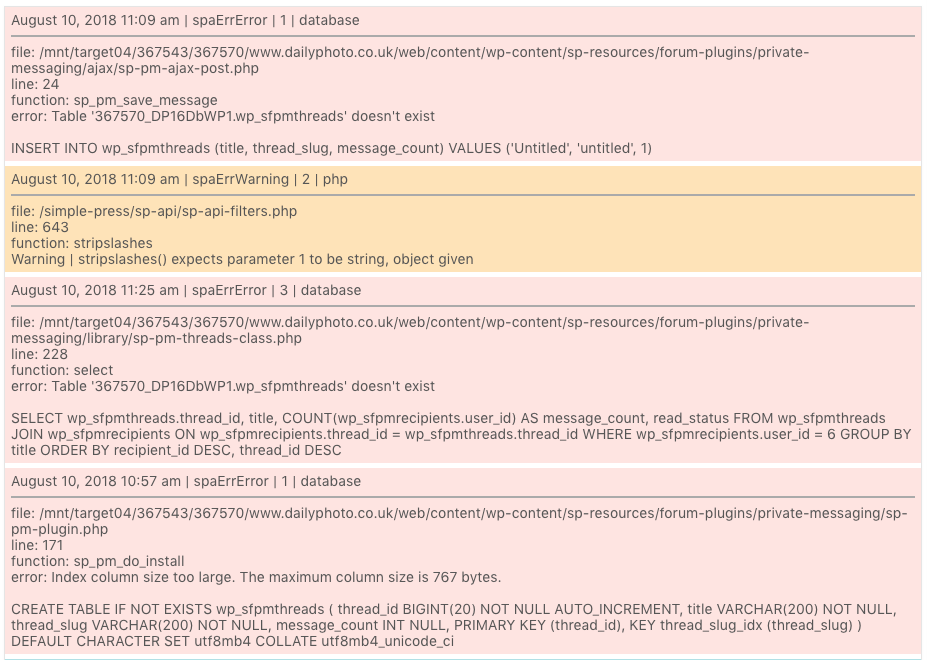
There may be several entries but can you concentrate in looking for the SQL one that will show the query that is causing the problem. If you could copy the contents of that entry and paste it here we can evaluate what might have caused the issue.

DO dogsday
dogsday
Member

Thanks,

First time installation this morning. Both core and plugin are up-to date.

Wondering if it’s same issue as initial install when certain database tables weren’t created..?

Trying to paste log below but I’m getting a forbidden message when submitting.

Will get some screen grabs and paste

DD

MP Mr Papa
Mr Papa
Member

so pretty clearly says a required db table doesn’t exist… seems to be a brand new install of the private messaging plugin?  just confirming… if so, can  you uninstall it (see the link on forum – plugins – plugin list)…  after uninstalling, then go ahead and reactive/install…  lets see if it will create the tables this time… quite odd…

MP Mr Papa
Mr Papa
Member

nvm… seems like @yellow-swordfish has a solution… seems the slug having issue fitting into mb4 char…

will let him come back here…

YS Yellow Swordfish
Yellow Swordfish
Member

Ah yes – it’s the problem we had before with the InnoDB utfmb4 index size. My apologies – I did not realise there was another one lurking in the system! Having checked this I see we also have one in the Tags plugin which I will also deal with.

If I recall correctly you were happy to run the create sql in phpMyAdmin before and if that is the case the SQL you will need is in the attached zip file.

And I will open a ticket to get this and the Tags one corrected in the future.

Once again – my apologies.

DO dogsday
dogsday
Member

Thanks YS.

No need for apologies.

I have just run that SQL script and all is working fine now. I downloaded the Tags plugin too but not installed yet – trying to get my head around one plugin at a time.

How do I get updated plugins? does a notice appear in the SP>Plugin area?

Thanks again for your help

DD

YS Yellow Swordfish
Yellow Swordfish
Member

Well Tags will fail with the same problem so attached is the zip file needed to create the main tags table. These are all now corrected in the next set of updates which may be 5.8…