Support Forum

Make posts using existing comments

PM Prabhat Mittal
Prabhat Mittal
Member

Hi,

I have installed the blog linking plugin and am trying to link blog posts to forum topics. While a new topic is created using the plugin on a existing blog post but comments of the post are not copied in the forum topic as posts.

Is there a way to do that?

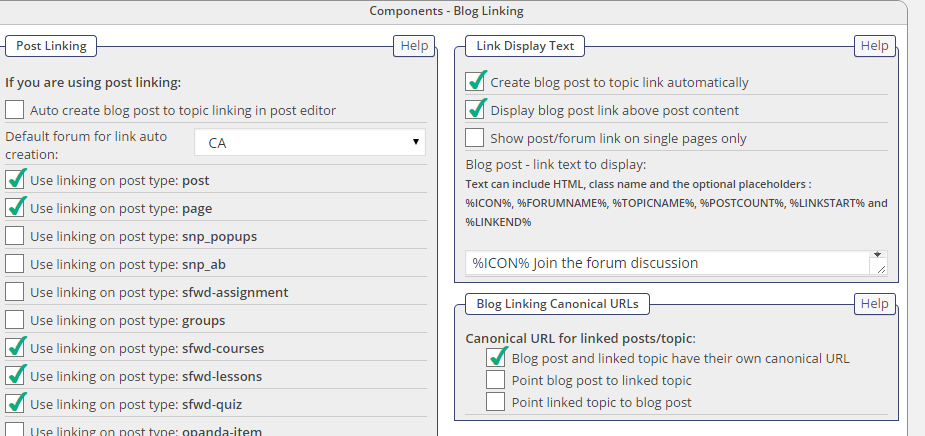
Also icon placeholder is not showing any image, how can i show the image in the link?


Please help.


thanks,

prabhat

5 Answers

New Answer

MP Mr Papa
Mr Papa
Member

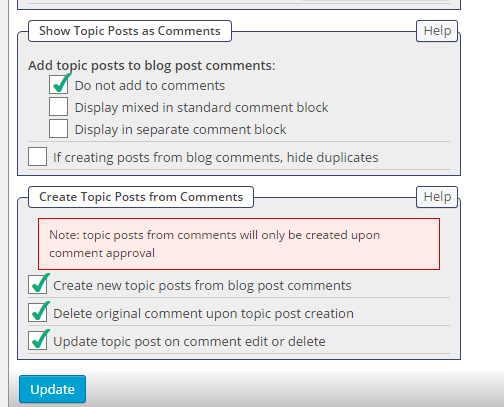
do you have comments to forum topics enabled?  please show us your settings on forum – components – blog linking…

MP Mr Papa
Mr Papa
Member

oh wait, you mean the blog post already was posted and had comments?  then you linked it to the forum?  if so, then there is no way currently to pull in the existing comments…  it on our wish list for blog linking, but not there yet..

PM Prabhat Mittal
Prabhat Mittal
Member

Hi,

To overcome this limitation, I have imported comments in the sfposts table however i am facing following problems:

1) No. of posts appearing on forum default page in the topic is coming as 5 instead of 85 (there are 85 replies to the topic)

2) Pagination in the topic is not visible only 1st page is visible. When I put (page-2) in the url, I am able to see pagination but otherwise it shows only page1.

Are there other tables which i need to update?

Please help.


Thanks,

Prabhat

YS Yellow Swordfish
Yellow Swordfish
Member

Well assuming that you have correctly filled the required data columns with the correct data – and that is something only you will know of course… then:

  1. Go to the forum view (list f topics) of the forum containing the topic so that the row for the topic is visible.
  2. Open the forum tools from the topic row.
  3. Select the ‘Properties’ tool.
  4. Click on the ‘Verify’ button against the Topic Id entry.

See if that does anything useful.