Support Forum

Problem with TinyMCE toolbars and text input area

AR Afshin Razani
Afshin Razani
Member

I have installed the TinyMCE plugin on my forum (5.05) and have selected it in both global and user settings. But the forum gives me only the simple text editor and a text area that is 1/2 the width.

Can you please advise me as to what the problem is and how I can fix it?

Thanks.

9 Answers

New Answer

MP Mr Papa
Mr Papa
Member

more than likely a js conflict… see http://codex.simple-press.com/codex/faq/troubleshooting/what-is-this-jquery-conflict/

but impossible to tell without a link to site to check or more info…

also possible your wp theme is missing the required wp_footer() call in it…

AR Afshin Razani
Afshin Razani
Member

Please look at the attached images and tell me if these are normal.

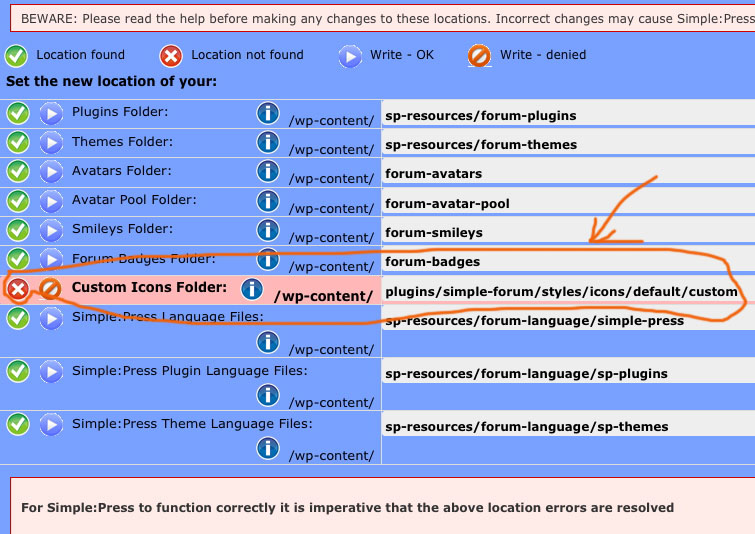
On the storage locations, I am getting a wrong directory address that does not exist (there is no such directory as simple-forum on my site). Even when I create it it does not recognize the directory.

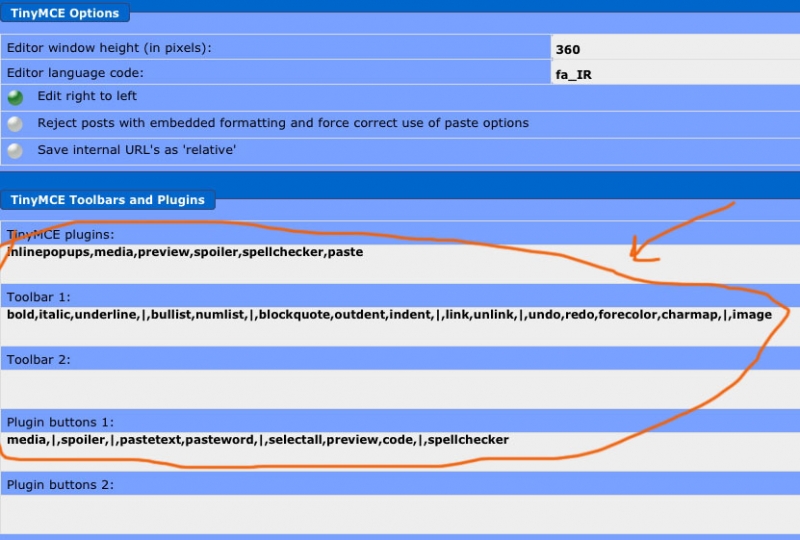
On the TinyMCE options, I am getting a list of the buttons, not the button icons (which I used to see in the previous version). Is this normal?

I would greatly appreciate your quick response.

AfshinStorage-Locations.jpgTinyMCE-Options.jpg

AR Afshin Razani
Afshin Razani
Member

Mr Papa said
more than likely a js conflict… see http://codex.simple-press.com/codex/faq/troubleshooting/what-is-this-jquery-conflict/

but impossible to tell without a link to site to check or more info…

also possible your wp theme is missing the required wp_footer() call in it…

Could you please explain to me what you mean by wp_footer() call? I am not that versed in php. Is there any particular code that should be put in the footer?

Thanks.

MP Mr Papa
Mr Papa
Member

its a standard wp function call that wp themes are supposed to make when in the footer section so plugins can hook in…  normally the call would be in the footer.php file of your theme…

first image… nothing we could do about that location when upgrading… could not automatically change it…  if you are not using custom icons, you dont have to worry about it… or point it to a valid directory so it shows good…  or just create a folder in wp-content/sp-resources/forum-custom-icons and point it there…

second image… yup that is correct… that is how the tinymce options look in 5.0…

AR Afshin Razani
Afshin Razani
Member

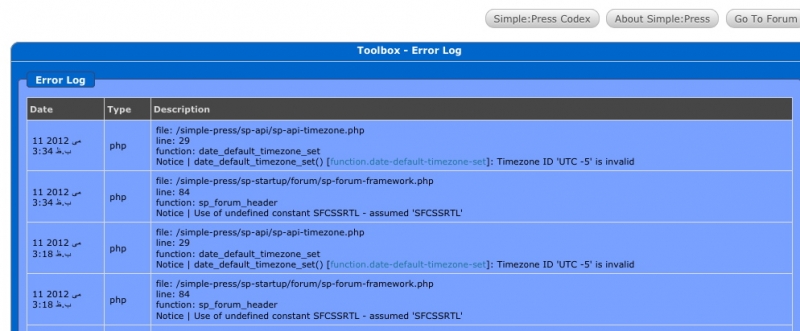
I also noticed that my error log is filled with rows and rows of two specific errors (see the image). Is this important and how can it be fixed?

Thanks.Tool-Box-error-log.jpg

YS Yellow Swordfish
Yellow Swordfish
Member

The timezone error is described here: http://codex.simple-press.com/codex/faq/troubleshooting/why-do-my-new-posts-show-as-posted-minus-seconds-ago/ which will enable you to stop it happening although we will be suppressing the error message in 5.1.

The other one is definitely a bug and I have opened a ticket to get it fixed. I am surprised it has not been uncovered before this. Thanks for letting us know.

AR Afshin Razani
Afshin Razani
Member

Thanks.

I am still having problem with my TinyMCE not loading although it is installed. Everything else is working perfectly except the TinyMCE plugin. It worked for a period of time and stopped again.

You told me that there was a possible js conflict. I tried everything I could and got my admin tools working but it did not fix the timyMCE. Can I ask for you help on this again?

YS Yellow Swordfish
Yellow Swordfish
Member

As Steve said in his first reply above we can’t help look for a js conflict without a link to the forum page itself.

But the article he linked to DOES tell you how to look for it yourself and it is very easy to check for.

YS Yellow Swordfish
Yellow Swordfish
Member

OK – we need to do one thing that might resolve this but needs to be done before we can investigate any further. nd we will do this the quick way first. TinyMCE needs a Farsi language file and you do not have one in the base install. So for now can you please do the following – and I am afraid you will need to do this in 3 places.

Locate the file called en.js is the following three folders and COPY it to a new file called fa.js.

The three locations are:

wp-content/sp-resources/forum-plugins/tinymce-richtext/inymce/langs/
wp-content/sp-resources/forum-plugins/tinymce-richtext/inymce/plugins/spoiler/langs/
wp-content/sp-resources/forum-plugins/tinymce-richtext/inymce/themes/advanced/langs/

Then go to the forum admin > components > Editor and change the timymce language setting from ‘fa_IR’ to simply ‘fa’.

See if that helps at all…