Stefano,
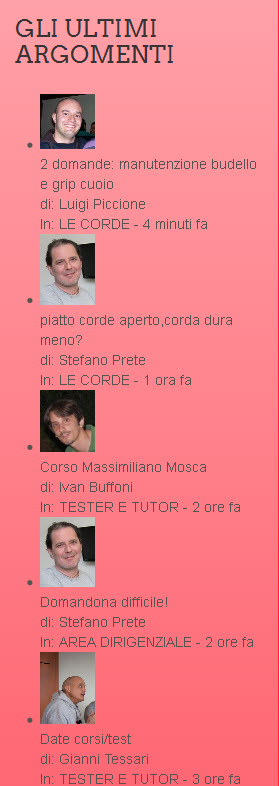
In order to get rid of the bullet points, you’re going to have to edit your theme file. If you inspect the element itself, it should show you what class it is- as every theme is different. I would have thought most themes will have the widget classes in style.css of the theme but some might not specify.
Looks to me like the class you want to modify would be
ul, ol {
padding: 0px;
margin: 0px 0px 10px 25px;
}
you’re going to want to add a list-style:
ul, ol {
padding: 0px;
margin: 0px 0px 10px 25px;
list-style: none;
}
Although doing this doesn’t limit the list-style: none; to just the widgets, but wherever an ordered or unordered list appears throughout the theme, so you might want to consider specifying a class or ID that the widget sits in.. It’s hard to tell without being able to edit the stylesheet itself as there’s only so much you can tell from using the inspector. ‘module-surround’ might be a good place to start, but using the inspector yourself you should be able to find the div’s the widget sits in, and experiment to find the right one to use.
Unfortunately I’m not sure why the text is not sitting next to the avatar, it seems like for some reason the class .spAvatarTag looks like it’s being stretched to 100% pushing the text down. I will look in to this one for you.
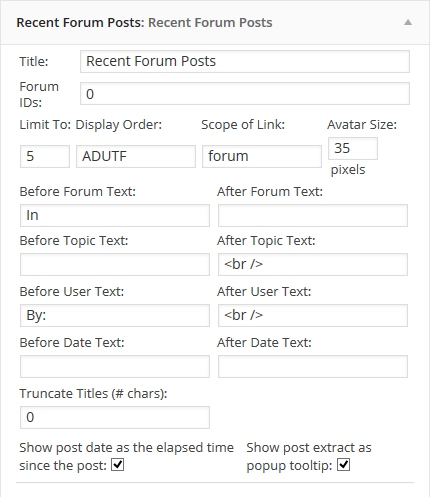
As for the topic title in bold, you can use HTML tags in the widget editor. For example try putting a ‘<b>’ tag inside the ‘Before Topic Text’ box and see what the result is. Might take some re-jigging to get it how you want.
Hope this helps