Hi,
this widget displays the newer posts for 7 days. If there is not a new post in a topic, it disappears from the recent posts.
How can I force it to display it for a longer period?
thanks in advance


Hi,
this widget displays the newer posts for 7 days. If there is not a new post in a topic, it disappears from the recent posts.
How can I force it to display it for a longer period?
thanks in advance

You can’t. And it doesn’t just drop off after 7 days. It will disappear when the slots are filled with newer posts. That is what it is and what it is for – to show recent posts.
You could show more posts which would mean each one will stay visible for longer…
I don’t understand.
I have set the limit to 12 but right now it displays 7. How could I show more posts?
Do you have any caching plugin active? Certainly if I change the 5 posts we show in our footer here then the number shown reflect the new number requested. If you have a caching plugin active then you would need to wait for that to refresh pages.
Look what I mean.
The arrow shows a post that has been posted 6 days ago. Tomorrow (if nobody replies to this topic) it is gonna be removed from the slot and the slot will stay empty.

So what happens then? Are you left with 6 items?
There is no way the sql query used can remove any. And it certainly doesn’t care about the date other than for getting the most recent listing.

I dont want to interupt, just trying to help. I can confirm what Apopas reports, I have and had a similar behaviour. Take a look in this old thread beginning with Post #9, especially posts #9 and #13!
https://simple-press.com/support-forum/sp5-general-topics/time-in-recent-post-widget/
There are a lot of different things in this thread, so it needs a closer look finding the issue here, but I basically described the problem Apopas is reporting.
And it still exists in my installation. The number of posts shown is “fluctuating” and has definitly a dependeny to the age. When over the weekend less posts are written, the number of posts shown decreases. With monday it goes up again.
I never found the time, to debug and nail down what you proposed at the end of my thread, and I can live very well with the current status. So I am *not* reporting this as a real problem for me here and now. The case simply stayed open, because I did no followup on it and did not come back to both.
But I can confirm what Apopas said – whatever the cause is.
Hope it helps.

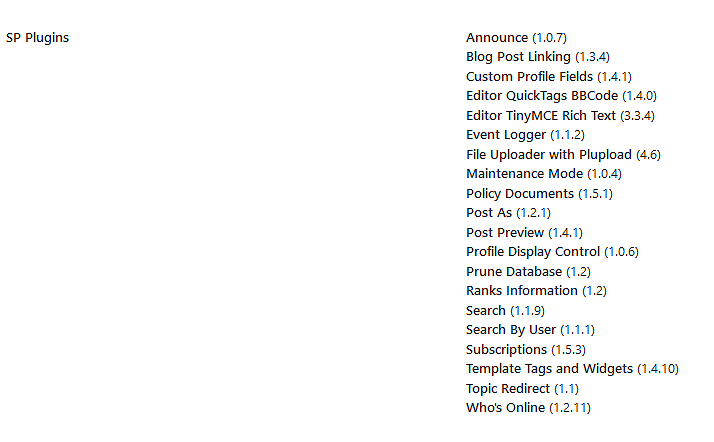
What simple press plugins in play?? like Andy, I see no way for the posts to go down provided there are that many in the database…
any caching (though Andy did ask before)??
As for me, same as 1,5 years ago:
(1) No Caching at all, neither SP nor WP
(2) Normal “Recent Posts Widget” as part of “Template Tags and Widgets”.
20 other Plugins from SP in use.
But again, I can live with it. Just trying to add to he analysis.
Apopas: You once said in another topic:
In my forum I have only a few topics and I never (intent to) delete them. The users do not have permission to create a new one, so every activity takes place inside these few topics.
How many topics exactly do you have? And what was the answer to my question?
just trying to gather data since we cannot replicate and this is just the second report in the 1.5 years 😉
If there is an issue, would love to clear it up…
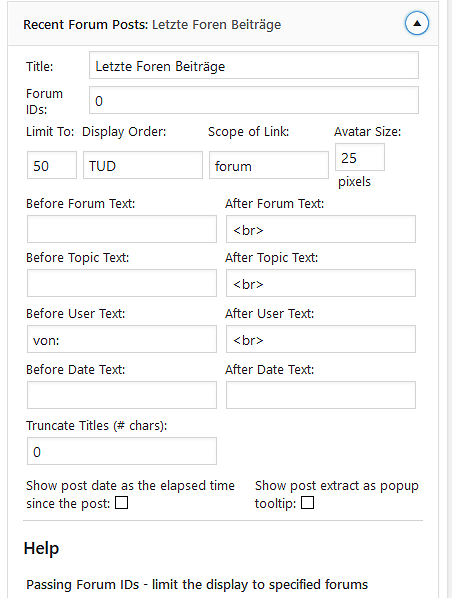
are you both using the actual widget? and not the template tag? maybe post screenshot of the widget options so we can see if anything common there…
Yellow Swordfish said
Apopas: You once said in another topic:In my forum I have only a few topics and I never (intent to) delete them. The users do not have permission to create a new one, so every activity takes place inside these few topics.
How many topics exactly do you have? And what was the answer to my question?
Sorry bro, I waited for the bug to be reproduced so to be able to post screenshots and that’s why I didn’t answer.
I have 36 topics and no caching plugin.
These are the screenshots of what I mean.
Here is my recent topics widget from yesterday. It displays 7. Notice the last two topics which are 7 days old.
And here is from today. I’m left with 5 since the 7 days old ones have been gone.
Here is the plugin options where I’ve set it to 12. They were displayed once, but since in my forum the main action takes place in 3-4 topics, one by one the rest disappeared after 7 days of inactivity.
Here and here are screenshots from my environment.
Thanks guys!
If it helps, I am happy to add. See Environment, Used SP Plugins and Widget Options below.
In my installation the widget is set to 50.
We are taking about nearly 2.000 threads and nearly 15.000 posts in my forum.
In addition 20-50 new posts come in per day. So more than enough to fill the widget any time.
During the cause of the week with 20-50 new posts per day, the widget most of the time shows near to 50 entries.
But after a weekend with few posts or a after a phase where everything is posted in few threads, the number of entries shown goes down drastically and sometimes is just between 10-20 on monday morning, then rises again with the traffic of the working week.
As of this moment, the widget shows just 31 entries (threads) out of the 50 set. The last post of the last thread shown is from thursday 4:28 pm.
So obiously after roughly two days, entries are “cut” and not shown any more in my installation. Different to Apopas my time delay seems to be 2+ days. After that posts and threads are not “existent” any more to the widget.
Let me add my humble theory:
To me it looks as if the widget shows “The last 50 posts” and not “50 entries any time”.
And as in a normal environment 50 posts are in less than 50 threads, less entries are shown.
I am pretty sure. If we would write everything in one thread from now on, after some days the widget would show just one entry.
Again, I can live with it and am not complaining. It is just puzzling and I would like to understand, what the true logic is.
Hope it helps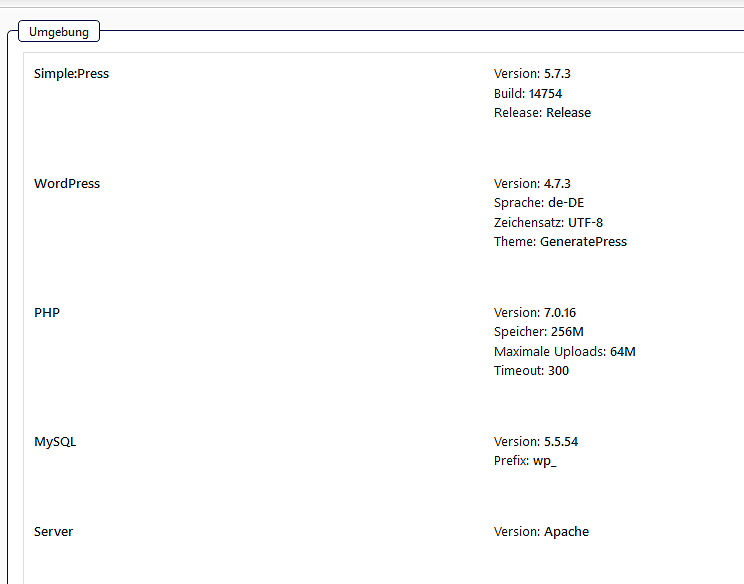
PS: 1,5 years ago I was on PHP 5.5 and the behaviour was identical. So it is not the PHP Version involved.


Where ands when possible could you all attach screenshots here in the post rather than on third party sites. Makes it so much easier to see and compare etc., especially when there are more than one.
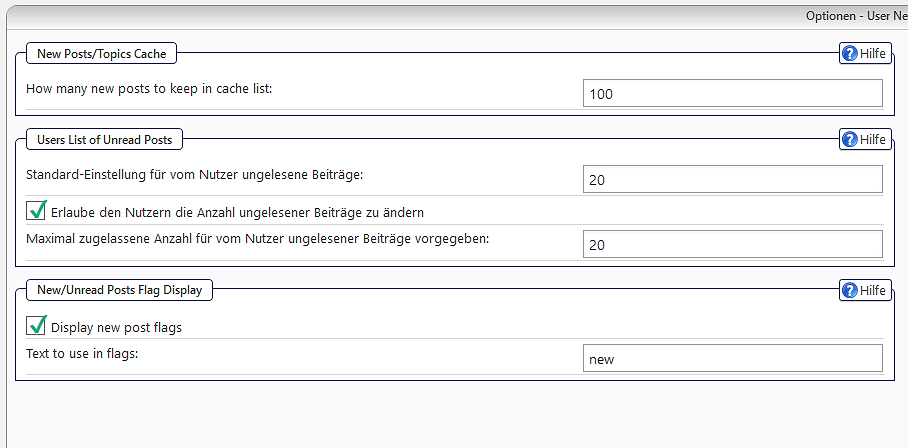
So – another question or two. On the forum admin > Options > New Post Handling panel what are the settings for number of new posts in the Post/Topic cache? And what is the default setting for the unread posts list for users?
My settings as attached
As an immediate test I increased the #posts in cache from 100 to 500. No immediate effect on the number of threads show via the widget. As of this minute I have 30 shown with the last from thursday afternoon.
But I understand that the cache is not raised immediately, so I will need to wait a few days. Maybe this is the solution – we will see.