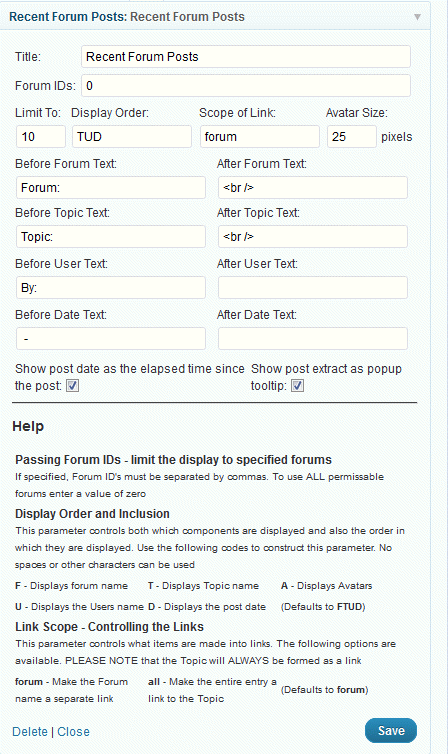
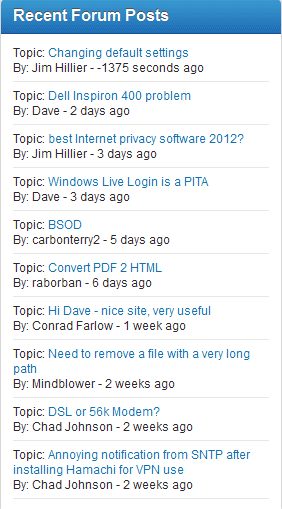
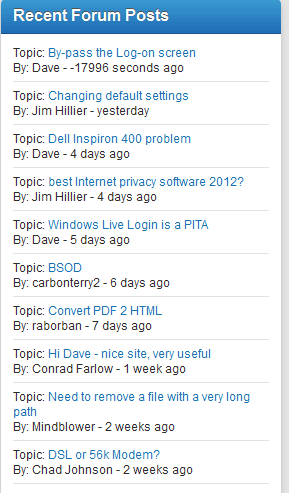
I know the plugin hasn’t been updated, but since updating to SP final the recent post in displaying the time since post in seconds.
Support Forum
I may be overlooking that setting, but I’ve looked in both the widget settings and all forum settings and see no mention of the display format of the time since the post. The only relative setting is “show post date as the elapsed time since the post”, which is what I want, and that has been selected since I began using the widget in the early beta phase.

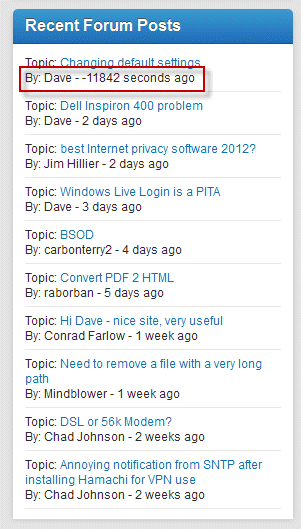
I’ve never seen the time displayed in seconds, especially 11,000 of them, only minutes. I’ve also never seen a double hyphen between the author and post date.
I took a look on your site and it seems to be looking correct now. Did you figure something out or change something?
No, no changes. Sometime during the day it changed. Interesting that it only affected the latest entry though.
if you just want a hard date and not a relative date, uncheck the box that says ‘Show post date as the elapsed time since the post’…
I really like the relative date. I’ve been using it since I installed SP. It’s more granular and more user friendly (IMHO) that just the date.
It was not a one time happening, either, as it has re-occurred. I’m 99% positive it didn’t happen prior to the SP final release.

Again, this did not happen with the previous SP versions. The double hyphen leads me to believe it is actually a negative number.
Sorry but I misunderstood your very post thinking you just wanted to turn it off. Too much rush!
OK – let’s see if we can narrow this down a bit. But it might take a little while. Looks to me like it is only on the most recent post and, of course, as soon as those seconds have passed by the time reverts to a positive.
Have you checked your timezone settings? firstly the timezone set on the WP Settings > General admin panel. This should reflect the time zone you want your site to operate in.
Next the timezone setting in your SP Profile. This should reflect your personal timezone – and in the case of the site owner this may well be the same as the above.
for the sake of this exercise can you set them to a relevant city as opposed to a UTC +/1 value? But then you will need to wait for a new post to come in to see what it says in the widget!
Yellow Swordfish said
Sorry but I misunderstood your very post thinking you just wanted to turn it off. Too much rush!
Understandable! Quite a bit of traffic since the release of 5.0 final. You’re guys are doing a fantastic job handling the influx of questions – you especially during your recovery!
Have you checked your timezone settings? firstly the timezone set on the WP Settings > General admin panel. This should reflect the time zone you want your site to operate in.
Next the timezone setting in your SP Profile. This should reflect your personal timezone – and in the case of the site owner this may well be the same as the above.
for the sake of this exercise can you set them to a relevant city as opposed to a UTC +/1 value? But then you will need to wait for a new post to come in to see what it says in the widget!
All timezone settings are, and were previously, correct and are set using the relevant city.
I just replied to a topic and this is the result 10 seconds after the post! -17996 seconds ![]()

I see it is also showing the seconds in forum Group and Topic view.
I had similar issue with a conflicting WP plugin. Are you running a WP who’s online,calendar or mailing list plugin? If so you might try disabling momentarily as a test.
Where can I get the Recent Forum Posts widget? I upgraded from v.4 to v.5 and see mention of Recent Forum Posts being in development still, but I would like to have something.
Alex