
Support Forum

Recent Posts Widget

MK Mark Kneen
Mark Kneen
Member

Hi,

Just installed Simple:Press, very impressed so far.

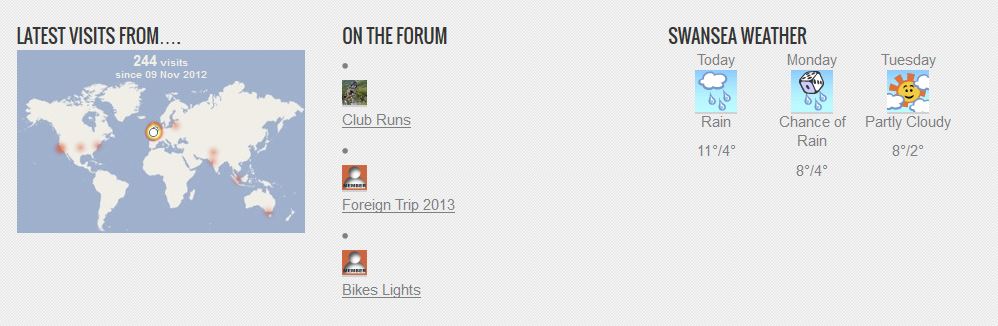
I’ve also installed the Template Tags plugin. The required info is showing just fine but the formatting is not how I would like it to be, the attached image shows best what I mean; I would like the dot, Avatar & post title on the same line. As you can see from the adjacent items the column is plenty wide enough.


This happens when I use the widget and also just using the recent posts tag. Not sure if this is a theme issue but any help on how to address it much appreciated.foot.JPG


6 Answers

New Answer

BR Brandon
Brandon
Member

You just want the Avatar and the latest topic to be shown right?
I would try it without the UL & LI being used. Then if still drops down you nay need to look at the CSS.
Try
sp_RecentPostsTag(‘itemOrder=AT&limit=3&listTags=0&beforeTopic=’)

MP Mr Papa
Mr Papa
Member

yeah, normally you need to add a style to the avatar class in your wp theme (since the sp theme wont be loaded) and give a display:block (I think – lol might be inline)… but if you give us a link, we can give you the styles to add to your wp theme…

MK Mark Kneen
Mark Kneen
Member

Thanks Brandon, tried that but it was the same.

Mr Papa, sounds like you are on the right track as when I remove the Avatars, I get separate lines. Here’s a link SwanseaWheelers The recent posts are at the bottom of the home page or in the sidebar of posts and static pages.

I’ll enable Avatars so you can see what I mean.

Thanks


YS Yellow Swordfish
Yellow Swordfish
Member

Try adding this to your WP theme styles.css file:

.spAvatarTag { display: inline; }

see if that helps