Support Forum

theme display is unformatted and image uploader is not displaying

AU August
August
Member

I’m having 3 problems with our site after update. Can someone please advise on what else I can try to resolve? 

1- Our theme simple press theme isn’t displaying at all. 
I tried uploading a fresh download of default.zip but still not displaying.

I also followed 3 steps here: https://simple-press.com/documentation/codex/faq/troubleshooting/my-forum-display-is-unformatted-after-an-update/  but still not working.

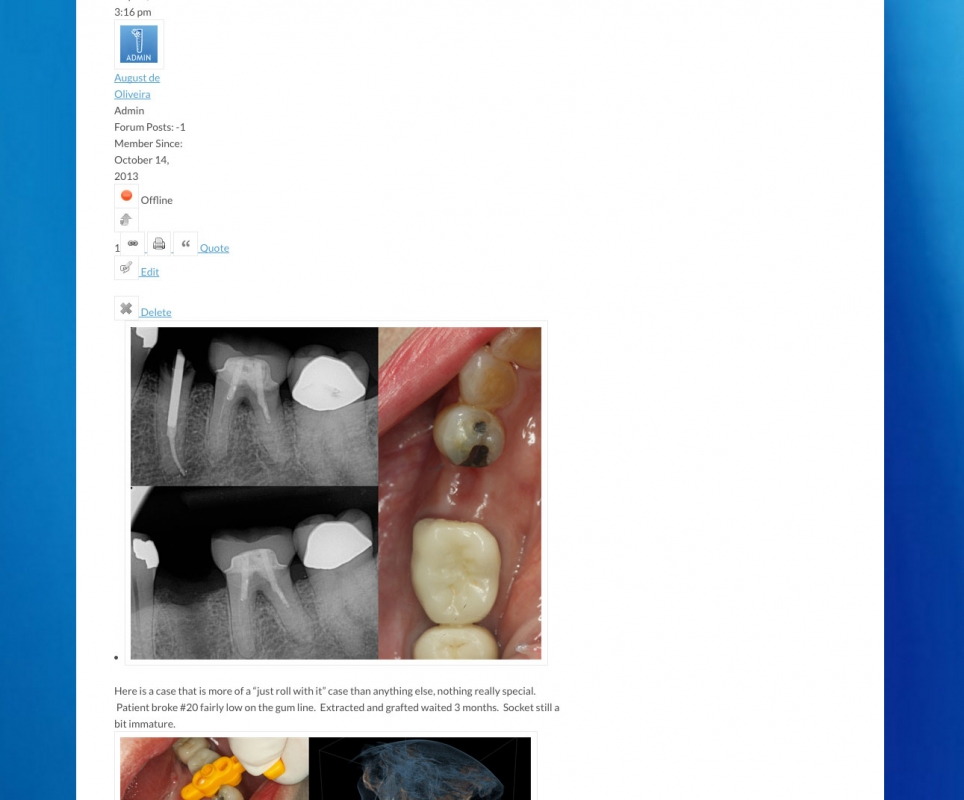
2- Our forum images are not displaying full with as we need, they are displaying as thumbnails currently.

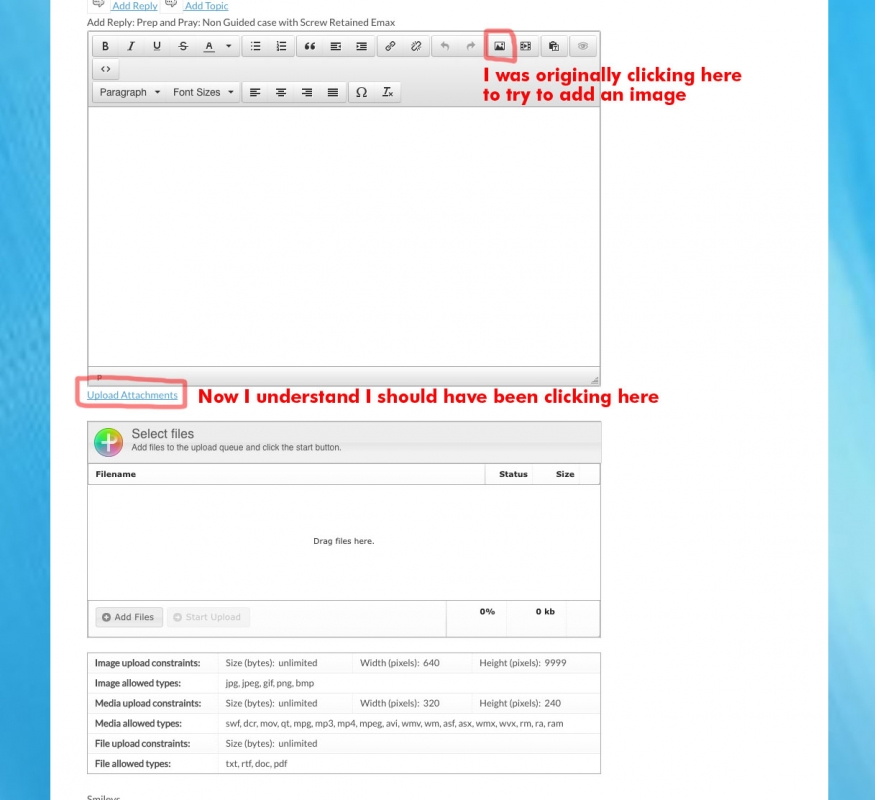
3- Image, Media and File Uploader is not showing up, only seeing option to UPLOAD VIA LINK currently.

CURRENT:

WP  v4.2.1
SimplePress  v5.5.6 
Default Theme 1.2.15

Buddypress  v1.2.6
File Uploader with Plupload  v4.1.2
Template Tags and Widgets  v1.4.5
Editor TinyMCE Rich Text  v3.2.2

http://www.implantsmadeeasy.com/forum
(requires login to view forum)

12 Answers

New Answer

MP Mr Papa
Mr Papa
Member

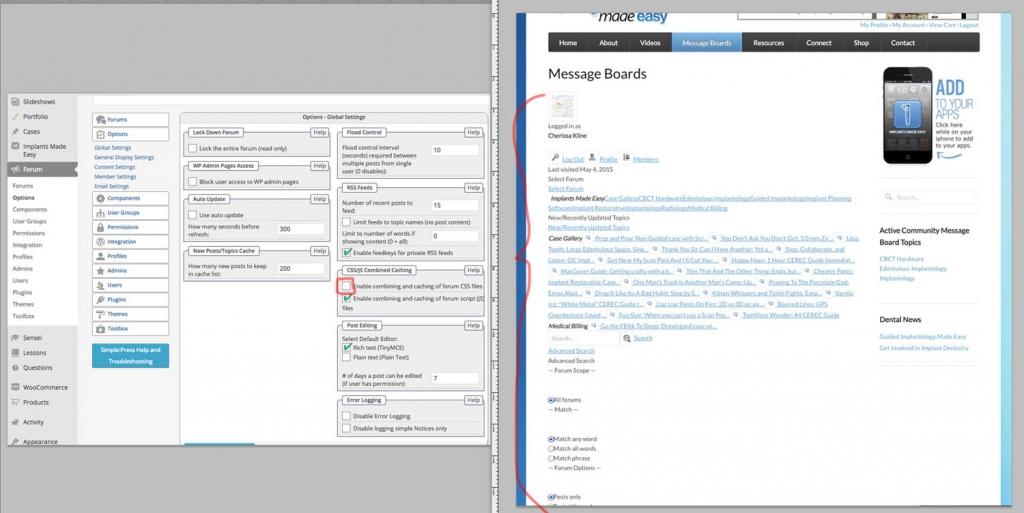
1 – take a look at forum – toolbox – housekeeping and try clearing the combined css cache… if not help, maybe try disabling the cache on forum – options – global settings…

2 – do you have thumbnails and popup enlargement set on forum – options – content settings…

3 – how did you get that popup?  it has nothing to do with file uploads…  cant see behind the popup, but should be an attachments button you click on by options below the post content you enter… it allows you to upload – assuming users have permission…  but this did not change anytime recently…

AU August
August
Member

THANK YOU for your time to reply.

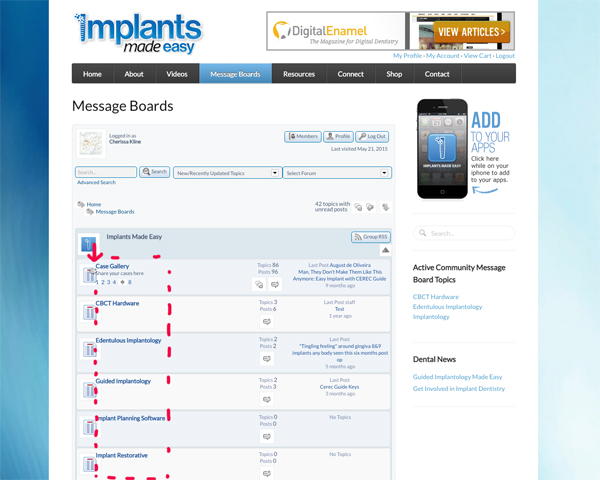
#1 SP THEME NOT DISPLAYING  I had already tried those steps from a from a trouble shooting post I had found previously. I tried again but still the theme isn’t displaying (see attached).  Any other advise of what to try? I wonder if it’s a database connection issue on the theme? I had many recent issues with this 

#2 FORUM IMAGES NOT FULL WIDTH  – this may be resolved now.
I un-checked “always use image thumbnail” box and I think it’s working properly now but it’s hard to tell because of the first issues with the theme not displaying.

#3 IMAGE UPLOADER – Yes, user error. I was clicking on the insert image mountain graphic and missed the “upload attachments” hyperlink at the bottom. 

So I’m just stuck on #1 at this point.

1-SP-theme-still-not-displaying.jpg2-image-display-may-be-resolved-2.jpg3-image-uploader-user-error-2.jpg

IK Ike
Ike
Member

Not sure how useful it would be to take a look ourselves, but if you could PM login details to me, ‘Mr Papa’ and ‘Yellow Swordfish’ we certainly can.

I take it you’re not using any caching plugins in WP?

You could try running the theme ‘CSS-Only’ to see if that works, but since it’s been working fine up until now it might not be as relevant as it is to others who experience this problem from the start. Might still be worth a go though..

MP Mr Papa
Mr Papa
Member

besides what Ike mentions, sometimes if you run security firewall or cloud proxy security, it can interfere and need to be whitelisted…

AU August
August
Member

The second programmer I had consulted with is unable to help us resolve so it would be fantastic if someone could take a look at what has caused the issues with the simple press theme after updating.  I will send info to Ike. Thank you again.

MP Mr Papa
Mr Papa
Member

better if you send it to Ike, yellow swordfish and mr papa…

so what is current state?  are you using the combined css cache?  did you try css only theme?  and the answer to firewall or cloud proxy?

AU August
August
Member

Thanks, I did PM access info to the three of you May 23. 
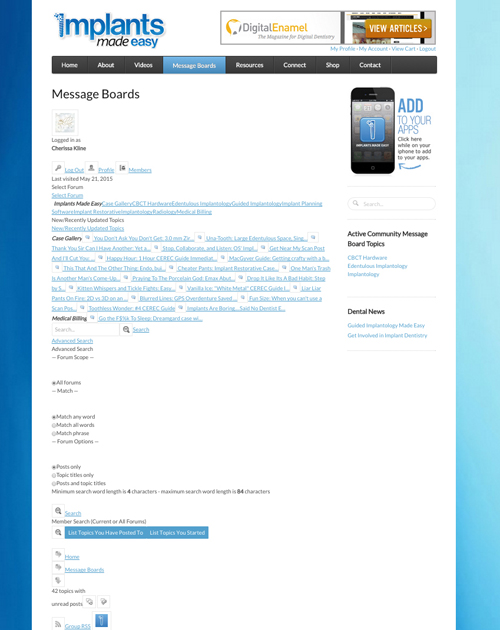
Attached below what I’m seeing still with simple press message board formatting.
Would appreciate any other guidance on what I can try.

Doing my best to answer your questions Mr Papa :

“Are you using the combined css cache”
I have tried turned off both “CSS/JS Combined Caching” no matter how I have set, still doesn’t fix.

“Did you try css only theme” 
Currently using Default 1.2.15″ Please suggest what I should try.

“Firewall or Cloud Proxy”
We’re on bluehost shared “Business Pro” hosting with dedicated IP. We use Sucuri for basic security features but there’s never been a firewall or cloud proxy service associated with the site.

IME-capture-messasgeboard.jpg
IK Ike
Ike
Member

“Did you try css only theme” 
Currently using Default 1.2.15″ Please suggest what I should try.

As suggested, try using the theme ‘css-only’.

The reason for this is that a very small handful of users have had trouble with their servers blocking the use of PHP files when used for CSS styling. In fact ‘css-only’ was a theme created for this specific issue so that everybody should be catered for, so it really is worth trying..

AU August
August
Member

THANKS Ike, Yes, I found the theme and added. FIXED!! But some overlap issues with titles in second column running into the icons in first column. See below. If there’s not an easy fix I’m calling this good.

Question, should I keep BOTH CSS/JS Combined Caching on or off? Currently both are back on. 

capture-css-only-theme.jpg
IK Ike
Ike
Member

No problem, that’s definitely a step in the right direction!

It looks like your WordPress theme is taking over a few styles specifically .type-page img in ‘style.css’. This is forcing all kinds of horrible rules on images from the forum such as padding, background colour etc..

If you know how to use the web inspector, inspect an icon and disable all the rules coming from .type-page img, and everything looks fine again.

What I can’t tell you however, is why these rules are coming into effect on the forum.

Yes you can leave the combined caching on.

AU August
August
Member

Great. Thanks for clarifying.
Will see what I can to finesse styles later.  VERY happy simple press camper now.

Thanks again!