
Support Forum
 Support Forum


 Offline
I asked about this some time ago but will try again now. Any chance for TinyMCE editor in Simple:Press on iPad? It works in Wordpress admin...
Would be better than would I get now where the text window also is narrow for some reason. Picture included below.
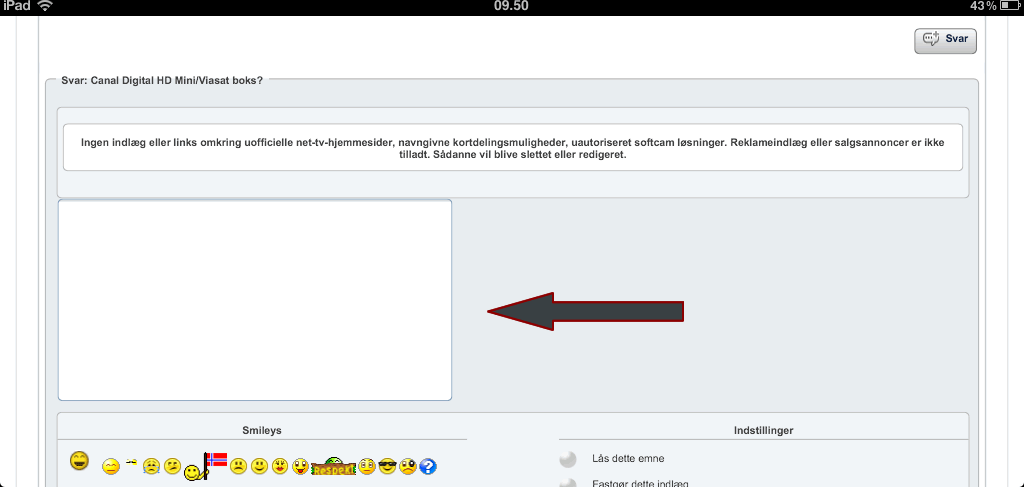

Best regards
Bo
 Offline
I will look into why the text area is too small.
But - my understanding is that Safari on the ipad does still not support the 'contentEditable' protocol correctly. However- I can let you have a small code change if you like so you can give it a try...?
 |
YELLOW
SWORDFISH
|
Offline
Sure I will test it out. TinyMCE is working in the WP admin on iPad Safari as you can se below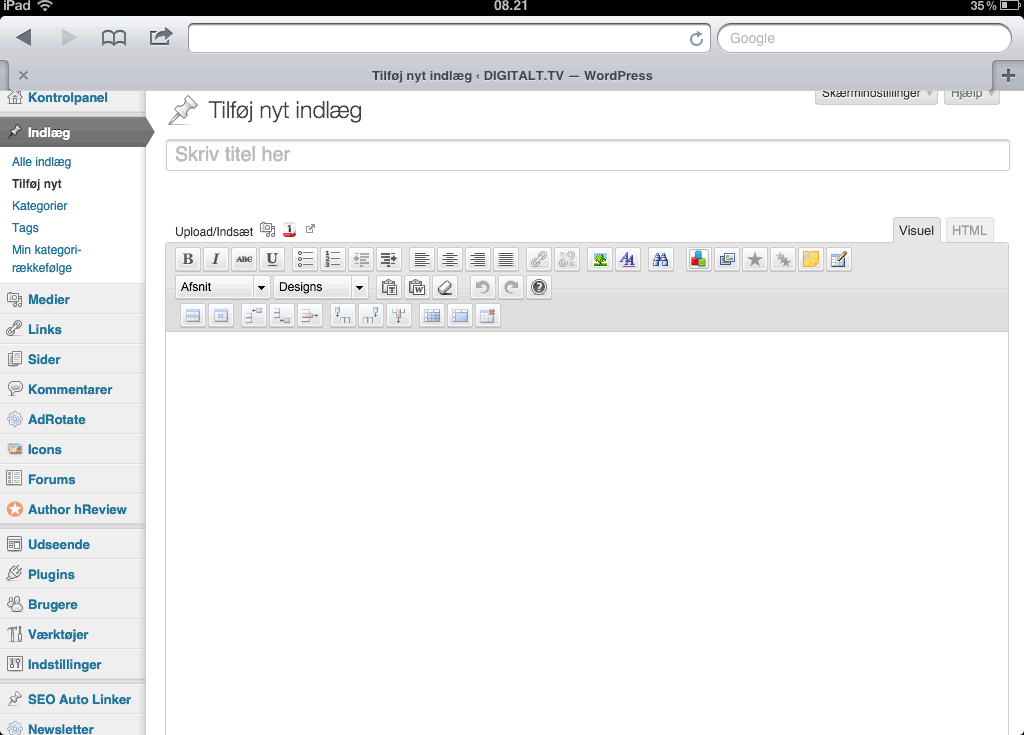
Best regards
Bo
Offline
The file you need is /sp-startup/forum/sp-forum-support-functions./php
The function you need is sp_load_editor()
The code you need is this block:
# load editor support
do_action('sph_load_editor_support', $sfglobals['editor']);
For the sake of a simple test I would add - above these two lines:
$sfglobals['editor'] = 1;
and see what happens. This is a very temporary and testing change only by the way. There are several areas that would need to be code checked.
|
YELLOW
SWORDFISH
|
 Offline


the wp tinymce is a VERY HIGHLY customize version of tinymce... we run it more straight out of the box... recently, wp adding some hooks so that we could potentially run their version of tinymce in our plugin too... fair bit of work to do so, but we do have open ticket to investigate whether that will work well or not...
but, testing with tinymce on ipads have proved poor.... so would appreciate if it works for you...
also, tinymce recently released an updated version which we have not moved to yet but hope to in the next release of SP... each release they say improved mobile support and we keep hoping they really mean it... 
Visit Cruise Talk Central and Mr Papa's World
Offline
Did you try this? Any results you can share with us?
|
YELLOW
SWORDFISH
|
Offline
Did try it but no change after the code change.
Best regards
Bo
Offline
Really? That should have swapped it over. I will run some tests again here soon. We do do this periodically.
|
YELLOW
SWORDFISH
|
 Offline
I have found recently that members including myself have ipad problems, you have to keep dropping down the keyboard to get it to allow you to right, and if you delete something it stops and you have to keep dropping the keyboard down. Does anybody else have this problem.
Is there any way to fix it...it's sooooo annoying.
I use both safari and grazing apps and it does it in both. Same on the iphone. Thanks for any advice.
Offline
Well we hope that perhaps one day TinyMCE will be able to offer better mobile device support - or - perhaps - IOS and Android will be able to offer better rich text editor HTML support. It is really just a bit of a clash between technologies that nobody has solved yet. Personally I don;t like tinyMCE on my iPad but we take our cue from WordPress on this and they have now made it available.
|
YELLOW
SWORDFISH
|
 All RSS
1 Guest(s)