Support Forum

TinyMCE won't appear when activated and messed with text entry box

JN John-Paul Natysin
John-Paul Natysin
Member

The subject says it all. When activated, the TinyMCE won’t show up, and the text entry box shrinks to half the width. Actually, I’m having trouble getting the majority of the plugins I downloaded to work. Here’s what happening. I’m using the Defulat Simple Press theme and Thesis WordPress theme.

tinymce.jpg

13 Answers

New Answer

YS Yellow Swordfish
Yellow Swordfish
Member

Our old friend Thesis!
Can we have a link to your forum page?

RM Roy Martinez
Roy Martinez
Member

Same issue for me! I just installed the 5.0 version, and I can´t even see the TinyMCE options, to upload images or videos or anything. 

What do I do?

MP Mr Papa
Mr Papa
Member

Roy, did you actually download the tinymce (richtext) plugin for sp from our downloads page?

RM Roy Martinez
Roy Martinez
Member

Thanks that was great, I already installed the plug in and its working just fine. 

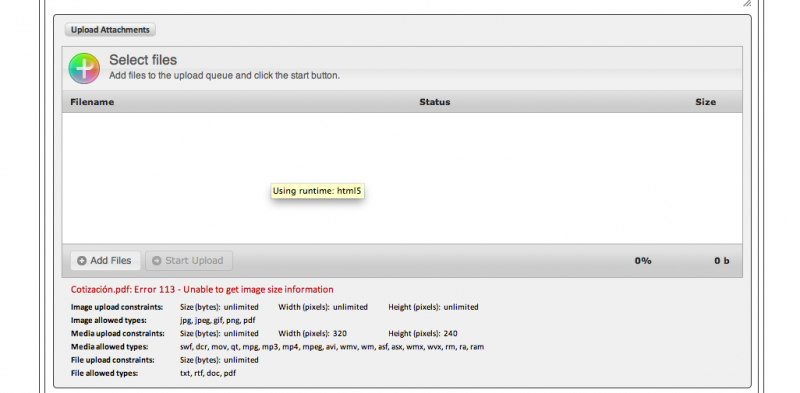
Now my issue its that I’m trying to attach pdf files, but it won’t let me, it throws me the following error:

Error 113 – Unable to get image size information


can you help me with that please??


Thanks! 

YS Yellow Swordfish
Yellow Swordfish
Member

What tool are you using here? Is this using the tinymce toolbar or have you installed the SP Uploader plugin?

For uploading files to your server – be they images, video or other file types like pdf’s – then you need to install the uploader plugin. Install and activate it and then visit the forum permissions admin section to enable it’s use for whatever members you wish.

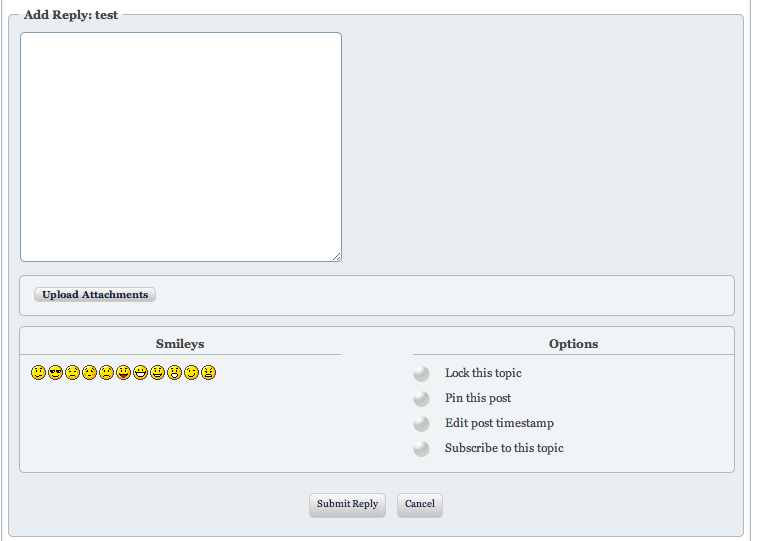
This wil give you the ‘upload attachments’ button beneath the editor (as you can see here when you make a post).

RM Roy Martinez
Roy Martinez
Member

Yes, I already did that and when I try to upload pdf it won’t let me, i´m attaching a screenshot with the error message that I receive. 

Thanks. Captura-de-pantalla-2012-03-28-a-las-13.36.35.png

YS Yellow Swordfish
Yellow Swordfish
Member

Looks like it thinks a pdf is an image file and is trying to ascertain the dimensions. I see you have pdf defined as an image in your upload settings so this might be the reason (I have not tried this). A ‘pdf’ should be a part of the ‘other file types and it looks like it is already defined there.
Try removing it from the imawe file list.

RM Roy Martinez
Roy Martinez
Member

It worked perfect! 

Thank you very much for all your help! 

Great plug-in!!

DB Dan Blank
Dan Blank
Member

Hi,

I am having the same issue described at the start of this thread, but don’t see the solution listed here. I downloaded the TinyMCE plug in directly from the Simple Press site. Installed it in my forum (which uses Thesis and Wishlist Member), and went to the global settings to ensure TinyMCE was the default editor. 


But in the forum, I don’t see any editing buttons, and the text areas is narrower than it should be. See attached image. The forum itself is behind a login wall, so I can’t share the link here. 

Please help!

Thanks.

-Dan

tinymce.png
MP Mr Papa
Mr Papa
Member

more than likely to come down to improper use of the wp api by the theme… namely, in how js and jquery is loaded… you can read:  http://codex.simple-press.com/codex/faq/troubleshooting/what-is-this-jquery-conflict/  for more info…

but not being able to see the site, hard to tell… check and make sure that the jquery, jquery ui, etc that is being loaded is actually from the wp install and not from the theme or offsite location (such as google apis)…

DB Dan Blank
Dan Blank
Member

For some reason, NOW everything is working just fine. I didn’t do anything different.

THANK YOU for the help though!

-Dan

MP Mr Papa
Mr Papa
Member

we love it when things work themselves out! 

thanks for the update!