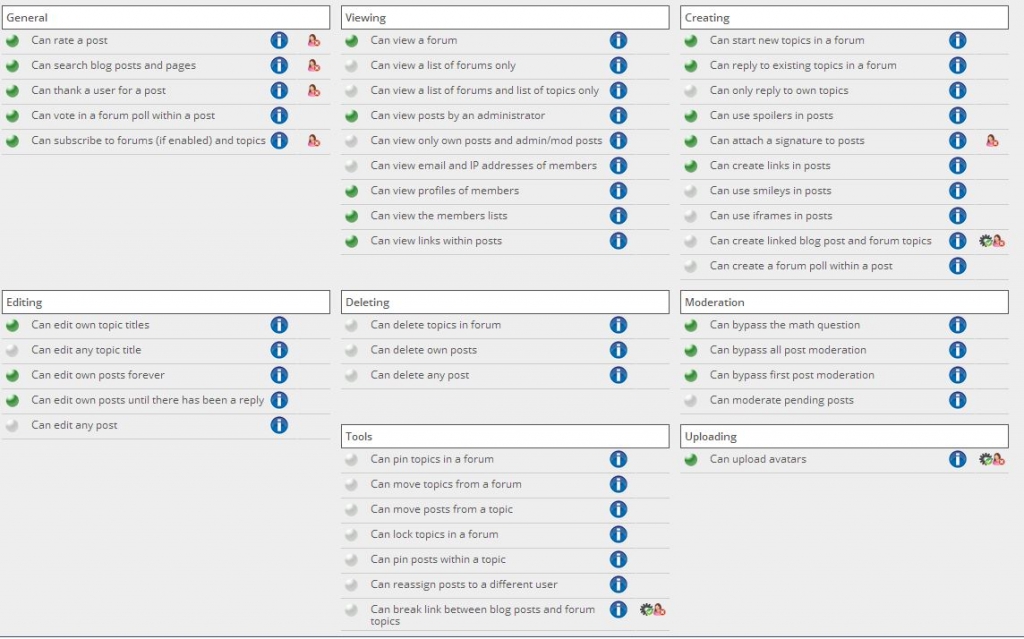
Dumb question here, but we have the Uploader and Private Messaging plugins activated, but their icons/buttons do not appear for use in the forum. Perhaps we have missed a setting somewhere? I see here how the “Attachements” button appears below and how the “Private Message” icon appears in some of the other posts in the forum, but we don’t have either of the two and both plugins are activated.
Support Forum
have you given users permission to use the pm system? an to upload images, media and/or files?
I thought perhaps that might be the solution, but thought there might be a more batch-related way to do it and was also concerned about how that would affect capabilities site-wide. I also don’t see don’t see where to enable Private Messaging. Perhaps I am not in the right settings? Screen grab attached.
No screen shot found here!
Go to the Permissions > Manage Permission admin section. Select the permission sets you are using iun your forums and those that you wish to allow the use of PMs for and check the Use PM permission.
I think a long time ago we used to supply these things turned on by default but then users forget to turn them off for certain permission/user groups and complained. Supplying them turned off does make more sense and is safer.
I downloaded the plugin “Private Message System” and activated but I not visible in header…?!
i checked in “Manage Premissions Sets” and have not “Use PM permission”
Kswiss said
I downloaded the plugin “Private Message System” and activated but I not visible in header…?!i checked in “Manage Premissions Sets” and have not “Use PM permission”
So what happens when you turn the permission to use PM on for your users?
Oh I see. Most odd.
As this is a new activation can you try this please?
Go to the forum admin > plugins and uninstall the Private Messaging plugin. This fully removes all components. And then try activating it again and let’s see if that helps…
Yellow Swordfish said
Oh I see. Most odd.As this is a new activation can you try this please?
Go to the forum admin > plugins and uninstall the Private Messaging plugin. This fully removes all components. And then try activating it again and let’s see if that helps…
haha its work !!! thank you very much