Support Forum

Youtube video insert/embed from TinyMCE not working

66 Answers

New Answer

LM Lori Matsumoto
Lori Matsumoto
Member

podpress was installed.  I deactivated it and then pasted a http youtube URL into another post.  remains blank with no video shown.  i am hesitant to switch to the wp default theme as this is a very active site with lots of users on it.  can you think of any other settings or plugins that might be the cause?

LM Lori Matsumoto
Lori Matsumoto
Member

could this be related to having changed the jqueryui settings to not call on google stuff?  That was from this thread: https://simple-press.com/support-forum/sp5-plugin-topics/tinymce-unable-to-edit-in-text-area

MP Mr Papa
Mr Papa
Member

no, jquery or ui is not needed for wp oembeds…

most of the odd stuff I was seeing is not gone on the page loads…  the theme is loading some sort of mobile menu jquery plugin but dont know if thats an issue or not…

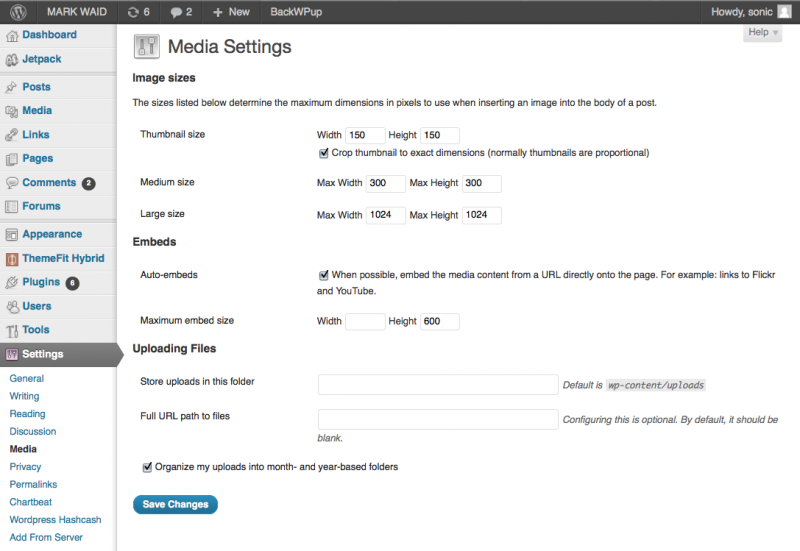
can you attach a screen shot here of your wp – settings – media panel?

MP Mr Papa
Mr Papa
Member

looks fine…  what version of wp and sp?

what other wp plugins are you running?

LM Lori Matsumoto
Lori Matsumoto
Member

I have ThemeFit Hybrid 1.2.0083 with Simple:Press 5.0.5 and TinyMCE Version 1.0.6. 

Active plugins are:

Add From Server
BackWPup
Chartbeat
Jetpack by WordPress.com
T(-) Countdown
WordPress Hashcash
WordPress Importer

MP Mr Papa
Mr Papa
Member

no plugins jump out thought never heard of couple of them…

well, my next step would be to try to switch to the default wp theme… maybe a slow time for site…  only needs couple minutes to test a post…

LM Lori Matsumoto
Lori Matsumoto
Member

if i switched to the default wordpress theme would it save all the settings and everything for the theme i was currently using?  i can’t switch back and have everything broken!

MP Mr Papa
Mr Papa
Member

it should…  but have no real idea as to quality of that wp theme…

something else you can try… what happens if you paste that same url for the video into a wp blog post?  just the url and publish or preview the post… does the video show?

LM Lori Matsumoto
Lori Matsumoto
Member

it works in a private blog post!  the video shows embedded!

LM Lori Matsumoto
Lori Matsumoto
Member

i posted a private blog post so it’s not live to the public.  i can’t test it on a public post because it is a live active site and i am not the content provider.

MP Mr Papa
Mr Papa
Member

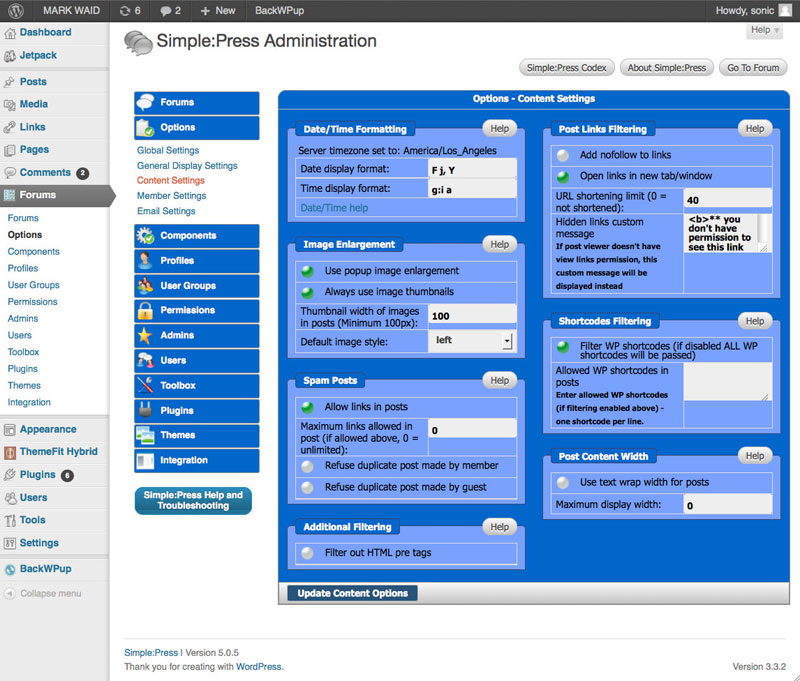
perhaps you can attach a screenshot of your forum – options – content settings sp admin panel…

grasping at straws here because we have not had any issues with oembeds… its a wp function…

LM Lori Matsumoto
Lori Matsumoto
Member

Attached is the screenshot.  FYI, under Shortcodes Filtering I have tried toggling the Filter WP shortcodes thing and reposting a youtube http url to forums and it did not fix the problem.

Screen-shot-2012-05-29-at-8.14.11-PM.jpg