

While trying to troubleshoot an issue with the thumbnails on our forum I’ve run into an error message when switching themes.
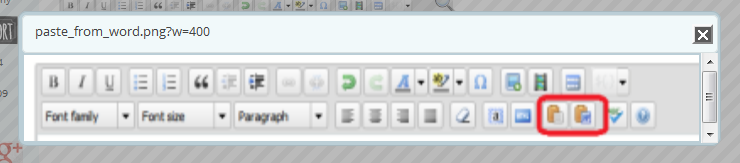
The actual issue I m trying to fix is in conjunction with limiting image sizes to 400px width on our forum. That in itself works fine. But when I click an image and it opens in lightbox it is still set to 400px. See screeshot:
Now, I am using a, slightly, modified default theme, just to add extra social identities. I already looked at the other thread where someone had an issue with blurry images. Perhaps I need to update my custom theme. So I simply switched to the default theme. And that’s where the next problem triggered:
atal error: Cannot redeclare spdefault_textdomain() in /problem-with-post-edit-buttonome/decor8sh/public_html/ecourses/wp-content/sp-resources/forum-themes/default/templates/spFunctions.php on line 30
I’ve gone through all the usual troubleshooting so deactivated all plugins except for s2member, can’t shut that one off as our site is paid access only. I also switched to the Twenty Thirteen default theme because our theme uses its own ligthtbox. I did all of that at once but the issues remained. I purged browser cache (Firefox) and I also purged my Cloudfront cache to make sure nothing was cached.
Next I tried deleting the default theme. And that’s when I ran into yet another issue – deleting themes doesn’t work. The theme remains. So I FTPd in, removed the theme, went back to S:P, uploaded the default theme again as a zip. All worked fine, activated – got the error message above again – loaded a topic with a resized image and still got the one above in the screenshot.
One more note concerning image size: if I preview a post and click the image it opens just fine as a full size image. But once I publish the post it only opens as 400px.
Sorry to cram all this in to one topic but since this is the order of events that occurred I figured perhaps it’s all related.
Thorsten

