
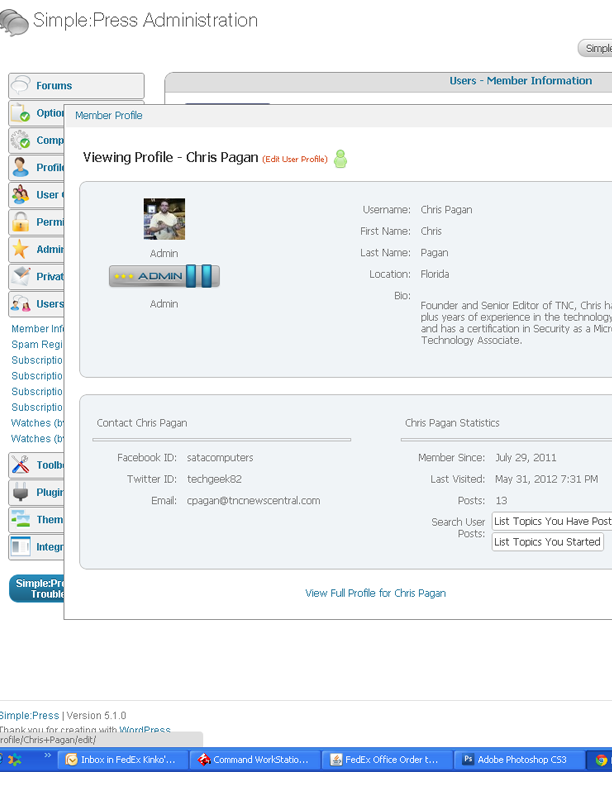
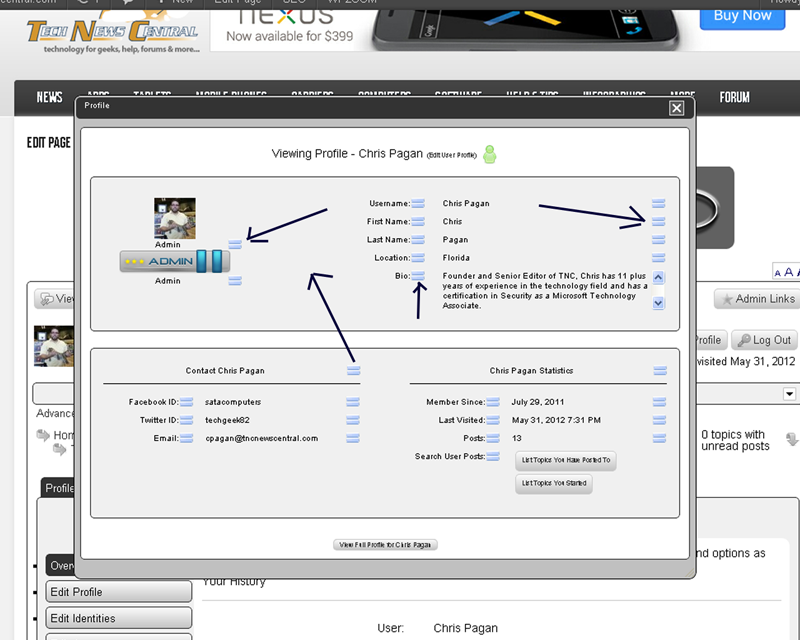
Not sure why my profile view looks like this here with those blue things all over it. Inside WordPress you the admin wordpress it looks perfect. Why!!!
Support Forum
dont know… would guess your wp theme is bleeding through… might be able to tell by inspecting css if you give us a link…
lol… slight problem there… wants me to user a different browser… tells me to use Firefox – which is exactly what I am using… the latest version 12.0…
might want to look into that…
let me take a look…
Christian Pagan said
Not sure why my profile view looks like this here with those blue things all over it. Inside WordPress you the admin wordpress it looks perfect. Why!!!
Are you using Chrome? If so this should be fixed in the new themes that go with 5.1. If you are using a custom theme I can show you were the fix was done.
you know what those are the ends of the scroll bars, chrome must be bleeding them thru. I am on a work computer so I will check home I also have chrome but yes on Firefox looks good.
Brandon C said
Christian Pagan said
Not sure why my profile view looks like this here with those blue things all over it. Inside WordPress you the admin wordpress it looks perfect. Why!!!Are you using Chrome? If so this should be fixed in the new themes that go with 5.1. If you are using a custom theme I can show you were the fix was done.
Yes please show me cause I am using my own theme
Look for this entry in your theme file.
.ui-dialog .ui-dialog-content,
.ui-dialog .ui-dialog-content p {
Then change the padding entry to !important.
We changed it to
padding: 2px !important;
Only some themes have this issue. The font size or line-height being small, in some cases, allows this to happen in Chrome only.


