Support Forum

Question on Reboot child framework

KV kvr28
kvr28
Member

For clarification to make sure I have this right, If I set the framework as my theme, I can modify that and any future updates to reboot will be reflected? 

49 Answers

New Answer

IK Ike
Ike
Member

You’ve got it, the updates go to reboot, and the child theme is loaded on top, so technically you shouldn’t need to add any update css when future updates occur.

YS Yellow Swordfish
Yellow Swordfish
Member

That is correct. The aim is always to place the minimum number of items in the child theme that give you what you want. So just CSS rule overrides and only any templates or images that you prefer or need to change. An update will never touch a child theme folder.

Good eh?!

KV kvr28
kvr28
Member

so do I need to create a custom overlay as well? to go inside the framework?

KV kvr28
kvr28
Member

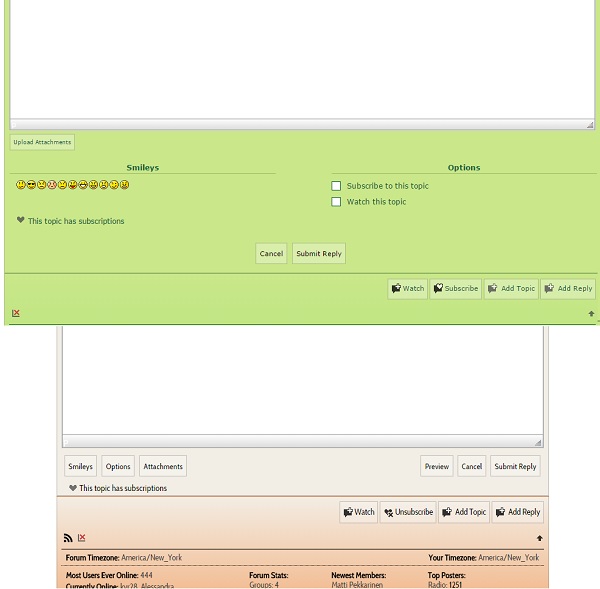
another question, I am seeing this with reboot at the bottom of the reply box, it is different then here. Any ideas why?

question.jpg
MP Mr Papa
Mr Papa
Member

would need to inspect the css to see where its coming from…

is this your custom theme or a child theme with some css mods?

KV kvr28
kvr28
Member

no this just the default reboot theme, I even switched wordpress themes to see if that was the issue and still seeing it on my testing server

MP Mr Papa
Mr Papa
Member

is the test server visible to us?

do you use the combined css cache? if so, perhaps try clearing… 

which overlay?  but if we can see, we can inspect the css to see where its coming from…

KV kvr28
kvr28
Member

give me a couple minutes and I will re-install reboot on the staging server.

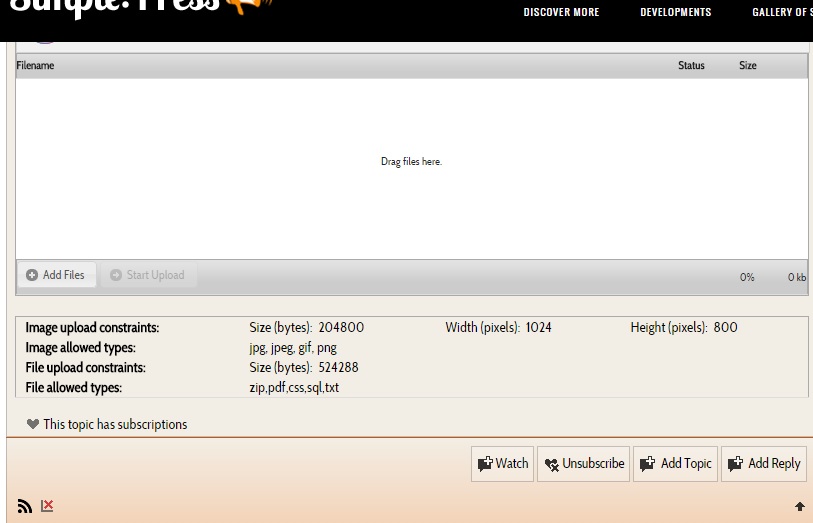
One issue for reboot from a user perspective

upload.jpg

If you hit upload, the upload screen opens. You upload the file, then you have to scroll up to hit submit reply, as a new user I would just hit add reply. Which brings you back to the original text area and does nothing.

Might be confusing for new users.

KV kvr28
kvr28
Member

it might also just be the sticky menu covering it here

MP Mr Papa
Mr Papa
Member

still not following…  do you mean our fixed nav menu? and what does that have to do with your issue?

apologies if I am just missing the obvious…

KV kvr28
kvr28
Member

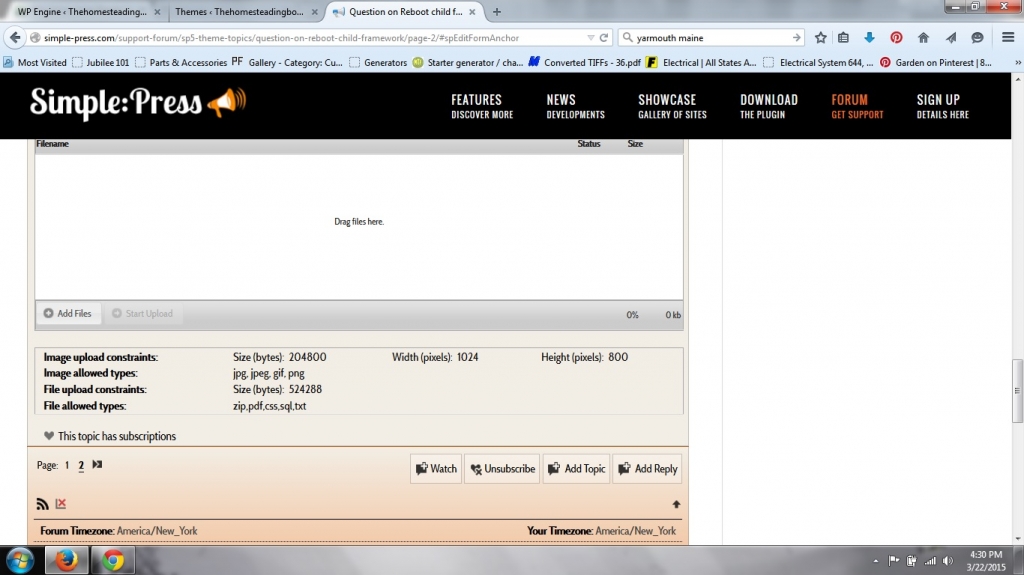
just something I noticed on here, if you click on upload file the submit reply button disappears under the sticky nav/menu, all a user sees is add reply, unless they scroll up


menu.jpg

I have reboot set up on my staging server

http://kvr28.staging.wpengine.com/forums/

no modification, reboot 1.0.1

login tester

password tester

if you try and reply to a thread  or create a thread you can see the difference below the textarea

YS Yellow Swordfish
Yellow Swordfish
Member

On the issue of our sticky header then yes – it is just one more problem with it. Nothign but many issues with using this ort of header.

On your site issue I am not sure what I am supposed top be looking at, It looks fine to me and as expected? What exactly is wrong please?