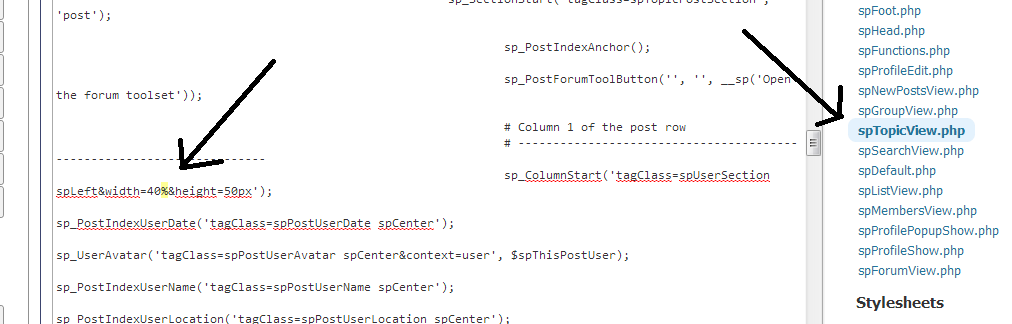
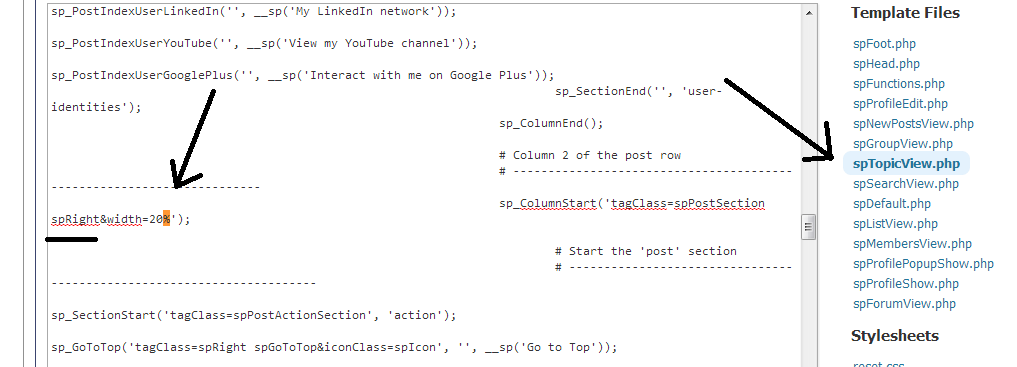
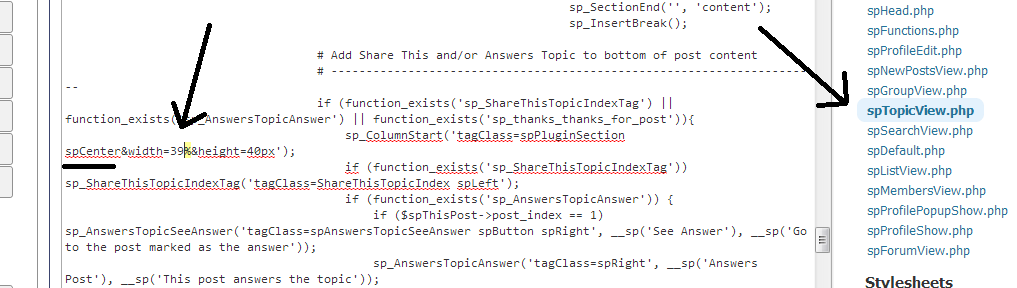
Ok guys I have tried more than 20 combinations with no success. Don’t matter if I combine 10% – 90% or 50% – 50%.
Nothing changes.
I need to fix this… What shoul I do?


Ok guys I have tried more than 20 combinations with no success. Don’t matter if I combine 10% – 90% or 50% – 50%.
Nothing changes.
I need to fix this… What shoul I do?


that is because you should be editing spForumView.php… you have to pick the right template for the page view you are on…
of course, that is assuming Hoteis Disney is a forum and Is this real is a topic…
not sure what you mean by forum topic??? if you mean forum view, then by default ours have 5 columns…
in this section:
sp_SectionStart(‘tagClass=spForumTopicSection’, ‘topic’);
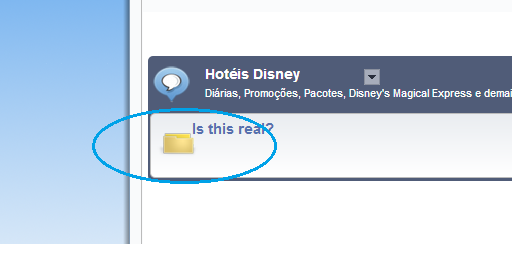
Hi, which .php should I use for this area that as you can see has some bugs going on.
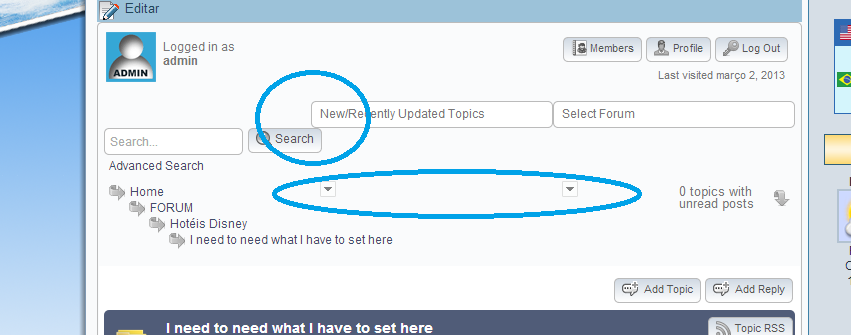


That is not a bug! That is most likely to be a CSS problem – possibly some CSS conflict with your WP theme setting global rules of some kind or maybe even another plugin CSS. At least that would be my first diagnosis.
do you have a link to see can see? if this is classipress, multiple topics here on how to fix its greedy css…
so, I dont understand… what is the problem?
are you referring to the quicklinks? you have a very narrow page content – a mere 700px… so all the items (search, recent topics and forum list) dont fit in the narrow width… they are underneath the avatar, so no empty space…
what is that you want to do? if you want fit them all back in single row, you can edit your sp theme and change the spQuickLinksTopic and spQuickLinksForum css to be 215px width… but just not sure what you want…
btw… separate issue… but you are still serving cached pages which is a recipe for problems…
Page Caching using disk: enhanced Database Caching 63/232 queries in 0.160 seconds using disk: basic
Served from: www.meudestinoorlando.com @ 2013-03-03 01:07:17 by W3 Total Cache –>
you need to tell w3tc to ignore the forum page for ALL types of caching… each type of caching has its own option page in the plugin settings…
> Simple:Press Support > Saturday, March 02, 2013 8:31 PM > >

Ok I changed my page content size and it fixed the problem but in the other hand it affected so many things in the homepage layout that I would have to remake the entire site again.
So I prefer to stay with the second option that you gave me…. edit your sp theme
But first where is spQuickLinksTopic ??

Yellow Swordfish said
That is not a bug! That is most likely to be a CSS problem – possibly some CSS conflict with your WP theme setting global rules of some kind or maybe even another plugin CSS. At least that would be my first diagnosis.
The issue with @Rodrigo B Galluf‘s dropdown arrow is that his WP theme is assigning a position fixed to .arrow.
In order to fix the CSS
Glad the arrow is fixed.
If using theme with an overlay look for $quickLinksSelectWidth and $quickLinksListWidth and change the width there.
If you have another issue/request please start a new topic so each can be addressed separately. It will also help others who may have a particular issue or request.
