HI there
Using SP with Unified Minimalist theme + Genesis 2.0 (eleven 40 pro)+ Wordpress SEO.
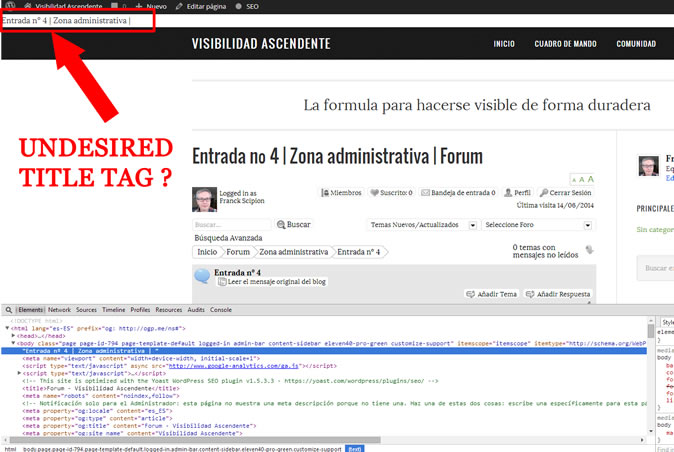
I am under the impression that the SEO Title tage is shown on the body (first line). How to remove that?


HI there
Using SP with Unified Minimalist theme + Genesis 2.0 (eleven 40 pro)+ Wordpress SEO.
I am under the impression that the SEO Title tage is shown on the body (first line). How to remove that?


Maybe it’s just too early here in England and I haven’t had enough coffee yet… but I am afraid I really do not understand what you are referring to… ‘Tage’ ? Not sure what that is. And your image is named ‘bug…’? What is the bug? Can you explain exactly what you are meaning please?
(I can not read the text you have pointed to in the image either as it is too small and fuzzy).
Yeah that would be easier if you allow to upload images above 200K buddy…
On the root of the forum, I have No issue. See enclosed fuzzy image 2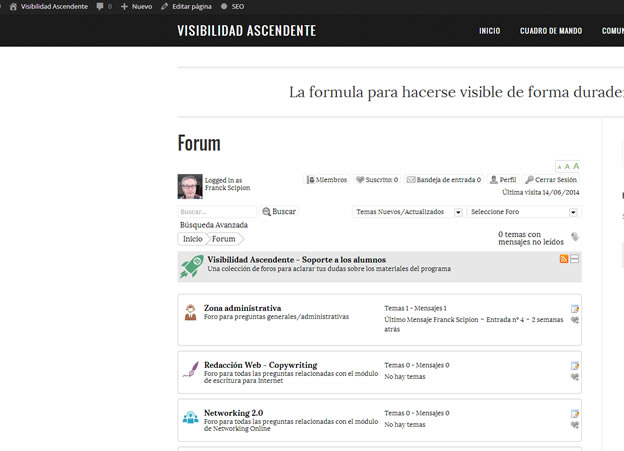
When i navigate down into themes & topics Some code is getting on the first line of the body tag. It’s the SEO Title Tag, badly written with no HTML tags
What is happening is that all the HEAD info is displayed on the BODY section.
It’s NOT related to uncompatibility between Simple Press & WordPress SEO, as when I disable the WordPress SEO plugin nothing changes.
It’s a theming issue, again. Really SimplePress & Genesis does not like each other
Any idea ?

My colleague – Mr Papa – uses Genesis for several websites and also is more tuned in to the SEO code from various sources so I will probably need him or his advice on this.
It is perhaps worth saying that we have a lot of users utilising both WordPress SEO and Genesis themes and have no other reports of any issues in this area so there may a third component at play here.
I see that you edited your last post so I do realise you say you have the same problem with WordPress SEO deactivated – but I will mention the only thing I am aware of regarding WordPress SEO which is that the option for what they oddly call ‘ugly permalinks’ has top be turned on. But if deactivated this is probably not relevant.
So – I will raise this here and someone will come back later on.
Ok I have done another try, and changing SP theme to CSS only Sp theme does not solve the issue.
It’s a Genesis / SEO Specific issue
No – the Simple:Press theme would have no bearing on this sort of thing. It is only responsible for the forum container within the page…
Your plugin is supposed to play well with main themes providers and SEO plugin providers or not?
Our plugin plays well with any themes or plugins that correctly use the WordPress API and standards.
So what is your point?

see this post: https://simple-press.com/support-forum/sp5-general-topics/forum-topic-title-showing-at-top-of-page/#p129907
Yellow Swordfish said
Our plugin plays well with any themes or plugins that correctly use the WordPress API and standards.
That obviously not the case with StudioPress/Genesis & WordPress SEO
Ok Mr Papa, thanks for your help
The display issue is now solved, hacking the SP theme as you have pointed me to.
But…
From a SEO point of view, I now have all my forum page with the same title & description. How to solve that???
Just to be 100% accurate – you didn’t just ‘hack the SP theme’. You altered header code to deal with an anomaly (and non-standard) artefact of the SEO plugin.
So – have you looked at the SEO options admin panel? What are the options you haver set up?
are you using an SEO plugin?
and literally every option on forum – components – seo is enabled?
search yields this: https://simple-press.com/support-forum/sp5-general-topics/does-yoast-seo-wordpress-plugin-work-with-simple-press/page-2/#p124538
Yes Mr Papa, all enable
And the hack mentioned on the link above also implemented with the correct forum ID
Can’t get anything working
All page have the same defaut Meta Title & Description