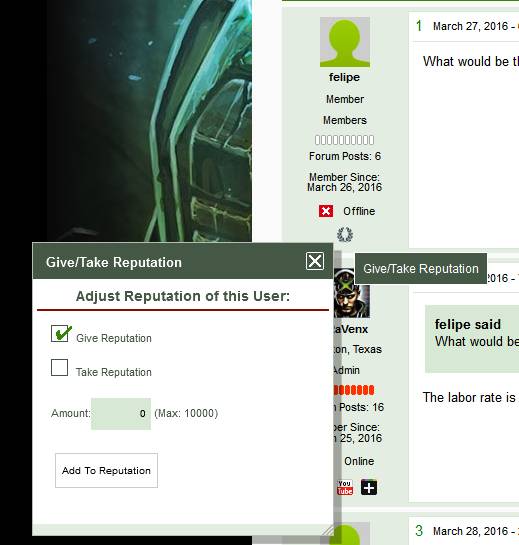
Hi Guys, I was wondering how the reputation icon and function worked in the Unified Theme? here is a image comparison in using reboot.



Hi Guys, I was wondering how the reputation icon and function worked in the Unified Theme? here is a image comparison in using reboot.

Not sure I fully understand the question… The reputation system works the same in all SP themes. By default it uses the series of images you see there (currently showing the zero version – all rectangles empty) which fill as reputation grows. You can change these default images of course in the reputation system options within the admin… Have you looked there at the options available?
@Yellow Swordfish
yes i was looking at the Reputations settings before posting here to see if there was a remedy.
I don’t have an issue using reboot, but was just checking.
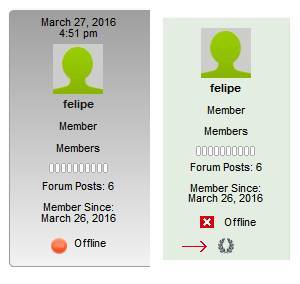
here is another image on how i started seeing the situation in the Unified theme where the icon does not appear like in using reboot.


guess I dont understand either… in post #1, the reputation icon looks the same in both… in this case, as Andy says, no reputation, so each user gets 10 unfilled or blank squares…
There is no icon under the online offline icon in the Unified theme to add reputation like in the reboot theme. So how would I give rep to a user in the Unified theme?
ooohhh… based on you wording, we both thought you meant the icon displayed for the current user’s reputation… you mean the button/link for giving reputation… now see what you were trying to say…
does look like that template tag is missing from unified… we can get it fixed up in next version…
or you can make the change yourself, or if you a running a child theme, you can add it to your spTopicView.php template file…
find this:
                                        sp_SectionStart('tagClass=spCenter', 'user-identities');
                                            sp_PostIndexUserWebsite('', __sp('Visit my website'));
                                            sp_PostIndexUserTwitter('', __sp('Follow me on Twitter'));
                                            sp_PostIndexUserFacebook('', __sp('Connect with me on Facebook'));
                                            sp_PostIndexUserMySpace('', __sp('See MySpace'));
                                            sp_PostIndexUserLinkedIn('', __sp('My LinkedIn network'));
                                            sp_PostIndexUserYouTube('', __sp('View my YouTube channel'));
                                            sp_PostIndexUserGooglePlus('', __sp('Interact with me on Google Plus'));
                                        sp_SectionEnd('', 'user-identities');
and after it add:
if (function_exists('sp_PostIndexRepUser')) sp_PostIndexRepUser('tagClass=spCenter', '', __sp('Give/Take Reputation'));
note, in unified, you will have two places to edit.. one for desktop and once for mobile in that same file…
mr-papa
Thanks I will give it a shot. Sorry I should have did a Red arrow implicating the Unified theme
not having the icon lol!

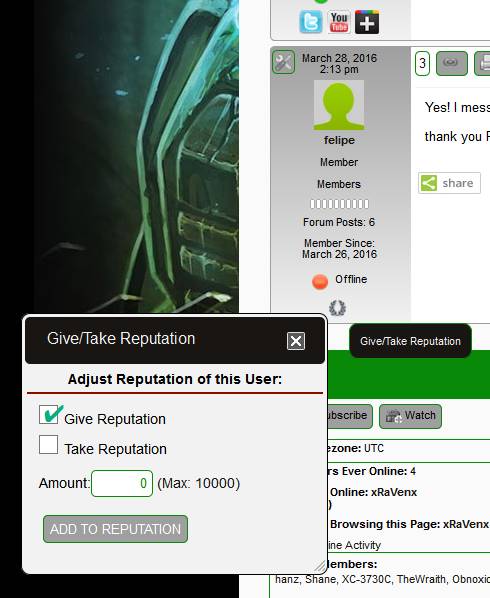
Got It Fixed! Wahoo! Thanks!!
File spTopicView.php line 269-297

Yellow Swordfish said
And the official fix is in for the next update… Thanks for the find.
No problem and thanks for all the help!