
Support Forum

Password reset link not working

SH Shama
Shama
Member
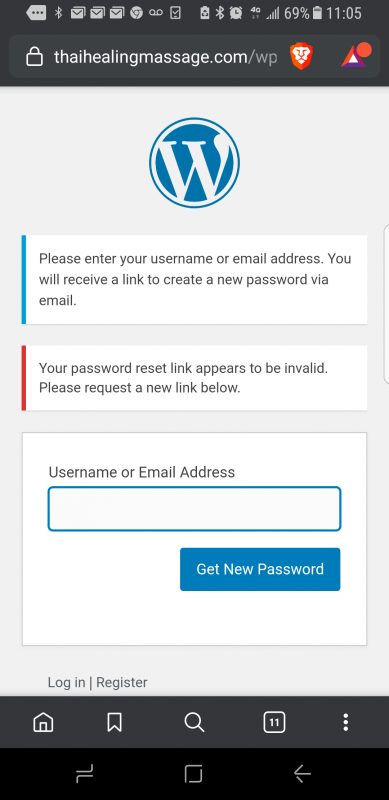
password-reset-not-working.png

I have been using the SP forum for many years, and the registration always worked. However now suddenly if someone registers, when they get the email notification with the link to set their password, instead of getting the system-generated password, they get the message from wordpress that “your password reset link appears to be invalid. Please request a new link below“.

However when someone uses the ‘Lost password’ function, then the user does receive a link for password reset which works correctly. It just doesn’t work if someone initially uses the ‘registration’ function. What could cause that?

8 Answers

New Answer

SS SP Community Support
SP Community Support
Admin

When was the last time it worked?  What plugin or theme updates have there been between the last time it worked and the time you noticed it not working?  Chances are one of those updates is the culprit.

To really narrow things down you’ll likely need to disable all other plugins and use a default wordpress theme to make sure things work with just the basic stuff installed. Then activate plugins one by one until it doesn’t work. 

Its best to do this on a copy of the site if you can. Otherwise, take a backup before doing it just in case…

SH Shama
Shama
Member

Okay, I will try to do what you suggested in a staging site. I has worked until a week or two ago. There are always tons of updates in wordpress sites, so I will have to do some detective work.

SH Shama
Shama
Member

I did as you suggested and deactivated all plugins in my site in a staging environment. I also changed to the basic 2019 theme. Then I registered, and when I got the notification with the link to set the password, I got the same error message when I clicked on it that ‘the password reset link is invalid’. 

This essentially shuts down the entire forum since nobody can register anymore. So if it’s not the theme and not the plugins, what else could cause this behavior? 

SS SP Community Support
SP Community Support
Admin

Can you post an image of the email you’re getting?  We need to see if its the normal WordPress email or a Simple:Press email.

Thanks.

SS SP Community Support
SP Community Support
Admin

That looks like a WordPress email so its likely that you’re looking at an issue with core wordpress itself.  To verify that it is indeed a WordPress email, disable Simple:Press forums and register a user.  Then, see if the link in the email works.

Thanks.

SH Shama
Shama
Member

I followed your suggestion, and with SP disabled I registered on wordpress. The link did not work, so it is a wordpress issue. It still shuts the forum registration down. Do you think it makes sense to install a wordpress registration plugin to see if that gets me around this issue? If I do that, will the registration on the forum page automatically connect with the new registration plugin, or does this have to be configured somehow?

I think SP also has a registration plugin. Does this bypass the wordpress registration process, and the issue with the link in the email not working, or do all those registration plugins just make it look pretty while still using the wordpress system with the same email issue?

SS SP Community Support
SP Community Support
Admin

Hi:

I would suggest you fix the underlying WordPress issue before throwing any plugins into the mix.  If Core WP isn’t working then other plugins will likely show odd errors.  All you would be doing by using a registration plugin would be masking the issue instead of addressing its underlying cause. 

The underlying cause might be minor or it could be something major with redirects that’s lurking and will come back to bite you.  When core WP isn’t working, its harder for other things to work reliably.

Thanks.

PS: Yes, we do have a registration plugin – I’m not sure how it will interact with this WP core issue though.